
What linking does
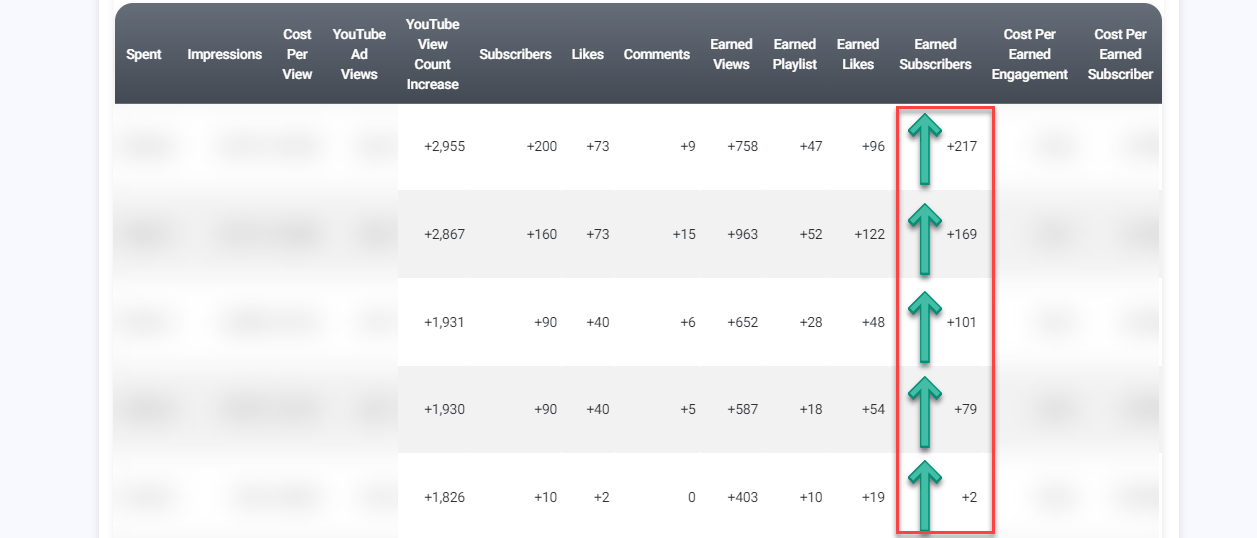
Linking tells Google Ads that the channel and the promotion belong together. That unlocks the promotion reporting that comes from your channel:
- Campaign subscribers and campaign likes
- Playlist adds and earned views
- Cost per subscriber and cost per engagement
- Goals that pause ad groups when they cost more than you want to pay
Without a link, your report still shows spend, impressions, ad views, view rate and cost per view, but the subscriber and engagement columns stay empty.
Linking is optional. Your promotion runs either way, unless your channel only lets linked Google Ads accounts use its videos as ads. Then the promotion is approved but does not start until you link it. See Why won’t my promotion start if only linked Google Ads accounts can use my videos?.
Is it safe?
Yes. Linking gives Google Ads a small set of analytics from your channel, such as subscribers, likes, comments and shares generated by the promotion. Nobody gets access to your channel, your account or your videos, and nothing can be posted or changed.
How to link
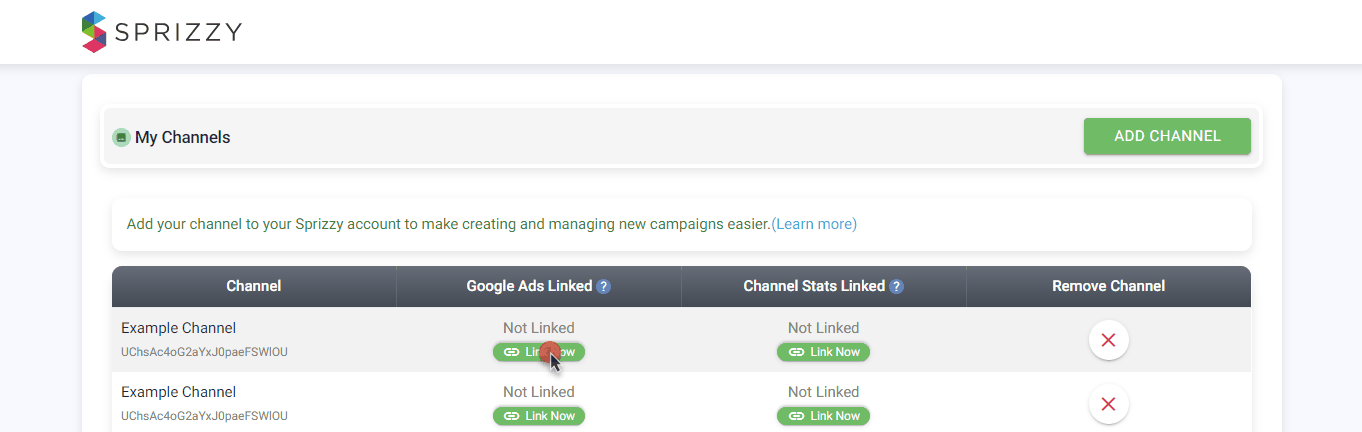
- Open My Channels in your account menu.
- Find your channel and click Link Now in the Google Ads Linked column.
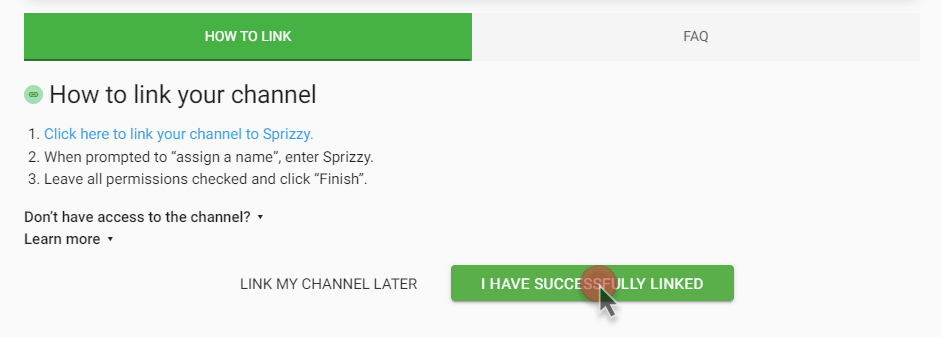
- Follow the link in the window that opens. It takes you to your YouTube Studio.
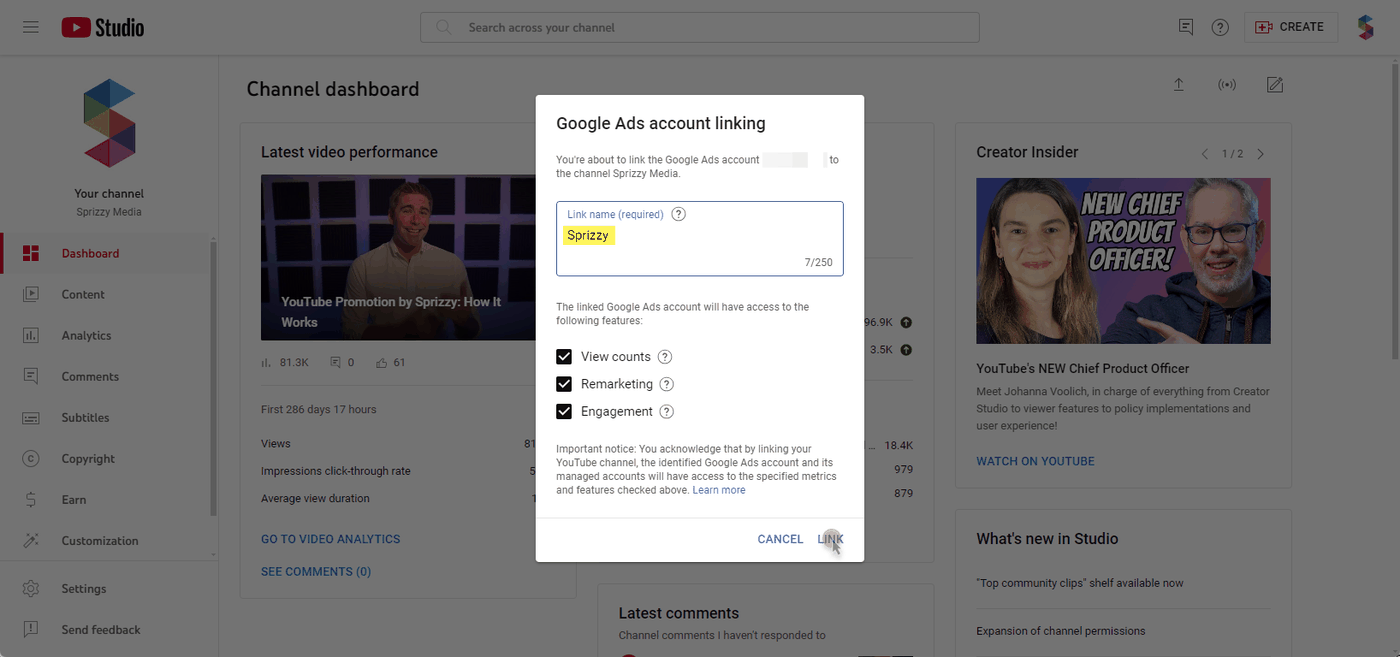
- When asked for a link name, enter Sprizzy.
- Leave every permission checked and click Link.
- Come back to Sprizzy and click I have successfully linked.
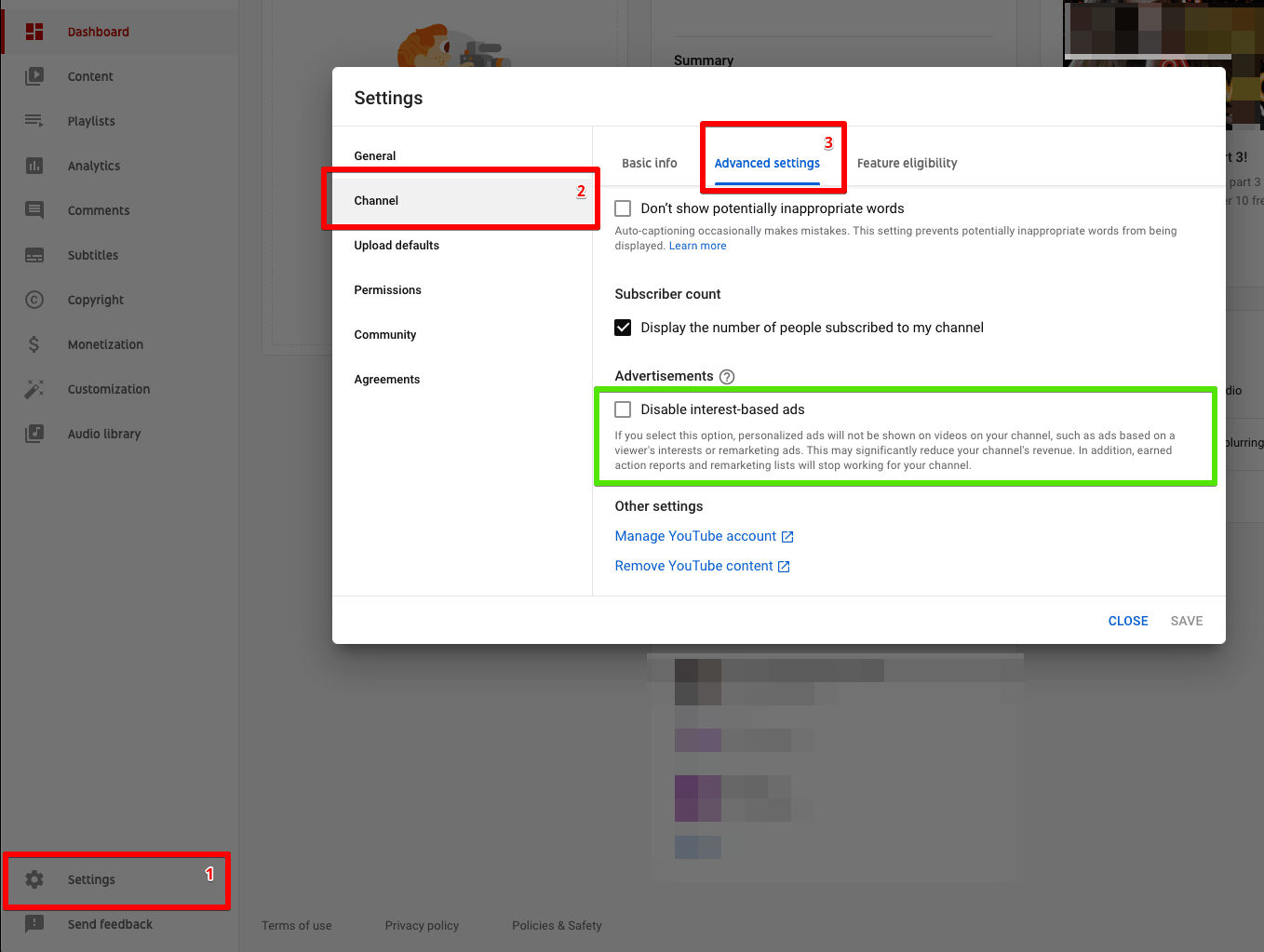
While you are in YouTube Studio, go to Settings, then Channel, then Advanced settings, and make sure Disable interest-based ads is not ticked. With that box ticked, Google cannot report your campaign subscribers and likes.
If linking does not work
“Something went wrong” or “sign in as … to finish the process.” You are signed in to a different Google account from the one that owns the channel. Sign in to the owner account and try again. A private or incognito window helps if you use several Google accounts. The Google account does not have to match your Sprizzy login, it only has to own the channel.
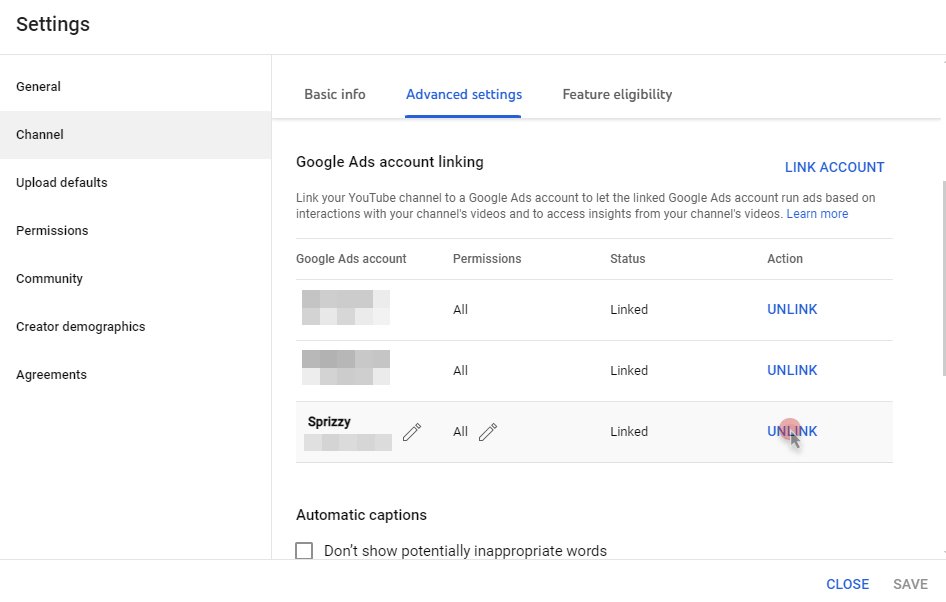
“Link request not found” when YouTube Studio already shows Sprizzy. Remove the old link first. In YouTube Studio go to Settings, then Channel, then Advanced settings, scroll to Google Ads account linking, find Sprizzy, click Unlink, save, then link again from Sprizzy.
It asks for a Google Ads customer ID. You do not need your own Google Ads account. The ID in the request belongs to Sprizzy.
Someone else runs the channel. Click Link Now, then Don’t have access to the channel?, and send the link to the person who owns the channel.
It is an auto-generated topic channel. Channels YouTube generates for music distribution cannot be linked. Upload to a channel you control if you want the extra reporting.
What to do next
If the same error keeps appearing, email support@sprizzy.com with a screenshot of the error and the channel name.
Do I Need a Google Ads Account for Sprizzy?
Read the video transcript
You don't need a Google Ads account to use Sprizzy. Sprizzy runs every promotion through its own Google Ads account.
So there's no ad account to open, no billing to set up and no Google Ads to learn. You just paste your link.
Google Ads is the best ad system there is, and Sprizzy is a Google Partner that does the work in it for you. It writes your ad, tests more than 200 audiences and moves your budget to what works.
You pay Sprizzy Media directly, so you won't get any bills from Google. Promotions start at $50, with no monthly fees or contracts, and you're never charged more than your budget.
With Sprizzy, signing in with Google only shares read-only access to your channel. Sprizzy can't post, change or delete anything, so your channel stays yours.
Linking is safe too. It gives Google Ads a small set of analytics, and nobody gets access to your channel, your account or your videos.
Sprizzy will never ask for your password, your full card number or your card security code. If a message asks for those, it didn't come from Sprizzy.
Sprizzy promotions run whether or not you link your channel. Linking is a small, optional step that adds the subscribers and likes from your promotion to your report. To link, open My Channels and click Link Now, then name the link Sprizzy in YouTube Studio. If it asks for a Google Ads customer ID, that ID belongs to Sprizzy, so you still don't need your own account.
Get the full answer at sprizzy.com. Next up: will Sprizzy hurt my channel?