
Promote what you make, with YouTube ads
A Sprizzy promotion runs your video as a real YouTube ad and sends the click wherever you want it to land.

- Your video, a real YouTube ad
- The click goes to your page
- From $50, no contracts



The same platform creators and businesses have trusted since 2016.
- 4.7/5Rated on Google
and Trustpilot - 2016Promoting YouTube videos
since 2016 - 1.5M+YouTube channels
partnered with Sprizzy - USABased in Mount Laurel,
New Jersey
Where the click can land
Pick the destination in the campaign builder under "Which website do you want to send viewers to?", paste the link, and the ad takes people there. Each page below shows the setup for that destination.
Any destination in 3 simple steps
The setup is the same whatever you promote. Only the link changes.
Step 1: Pick the video
The one that explains what you make and who it is for. If it is on YouTube, it can run as the ad.
Step 2: Choose Website Clicks and the destination
Set the goal to Website Clicks, pick the destination from the list, and paste the link to your page.
Step 3: Set the budget and go
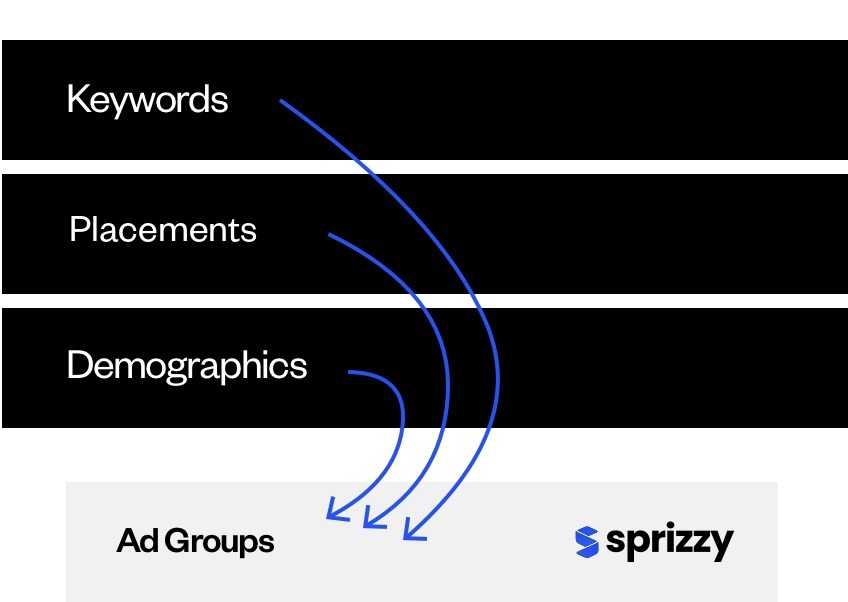
Sprizzy suggests the keywords and audiences, builds the campaign in Google Ads and runs it. From $50, pay as you go.


Before the first promotion, people ask
The questions that come up whatever the destination.


Can a Sprizzy promotion send viewers to my own website?
A promotion sends the click to one of the destinations in the builder's list, which covers communities, stores, music platforms, listings and link hubs. For a site that is not on the list, a link hub page such as Linktree holds your link and the promotion points at that page.
Does the video still run on YouTube?
Yes. Every Sprizzy promotion is a real YouTube ad through Google Ads. The destination only changes where the click goes. Views are counted in your YouTube Studio under "YouTube advertising".
What do I see afterwards?
Views, Website Clicks and cost per click in your Sprizzy Engagement Report, and the views in YouTube Studio. You can pause, add budget or change the audience at any time.
Does Google check the page I send people to?
Yes. Google Ads reviews the landing page along with the video. A page that loads on a phone and matches what the ad says is what it looks for.
How much does it cost?
Promotions start at $50 and are pay as you go. No monthly fees, no contracts, and a money-back guarantee on your first promotion.
Pick the video, choose where the click lands, and let it run.
Results vary by business, video and targeting.
