Google Ads, YouTube’s own ad platform, is the machine behind every paid view. Knowing how it treats a video tells you what you pay for, why one video costs half as much per view as another, and what to check before spending a dollar.
What happens to your upload when it runs as an ad?
Google Ads does not host, copy or re-upload anything. The ad is the video already sitting on your channel. Google’s setup page for a Video campaign asks you to “search for a video that you’ve uploaded to YouTube, or enter the video URL from YouTube” (Google Ads Help). Google then shows that video to people who have not searched for it, and bills you when they choose to watch.
One campaign type fits a channel. Google offers Video views, Video reach, Drive conversions and Ad sequence; Video views, “Pay only for views”, is the creator’s fit. Sprizzy bills the same way: you only pay when a real viewer watches your ad.
Sprizzy has done this through YouTube’s official ad platform for over 1.5 million channels since 2016; here is how a campaign works.
Where does a promotion appear on YouTube?
Google places a creator’s video in three kinds of slot: the feeds people scroll, the player before or during another video, and the Shorts feed. Each slot has its own rules for length, for what a viewer can skip, and for what you pay. Google’s format page, About video ad formats, lists all of them; the three that fit a channel are in the table below.
| Format | Where it appears | Can the viewer skip? | Length |
|---|---|---|---|
| In-feed video ad | YouTube Search feed, Watch Next feed, Home feed and Subscription feed | It is a thumbnail; the viewer clicks to watch | No maximum |
| Skippable in-stream ad | Before, during or after a video on YouTube watch pages and Google video partners | After 5 seconds | No maximum, under 3 minutes recommended |
| Shorts ad | The Shorts feed on phones, desktop, tablets and connected TVs | Any time, with a swipe | Under 60 seconds recommended |
Two formats you can ignore. Bumper ads and non-skippable in-stream ads are billed by impression and “cannot increment TrueView views.” They are reach tools for brands. A channel wants the three above, and those are the placements Sprizzy runs: in-feed, in-stream and Shorts.
One video, three slots, and three different definitions of a view.
What counts as a view, and when do you pay?
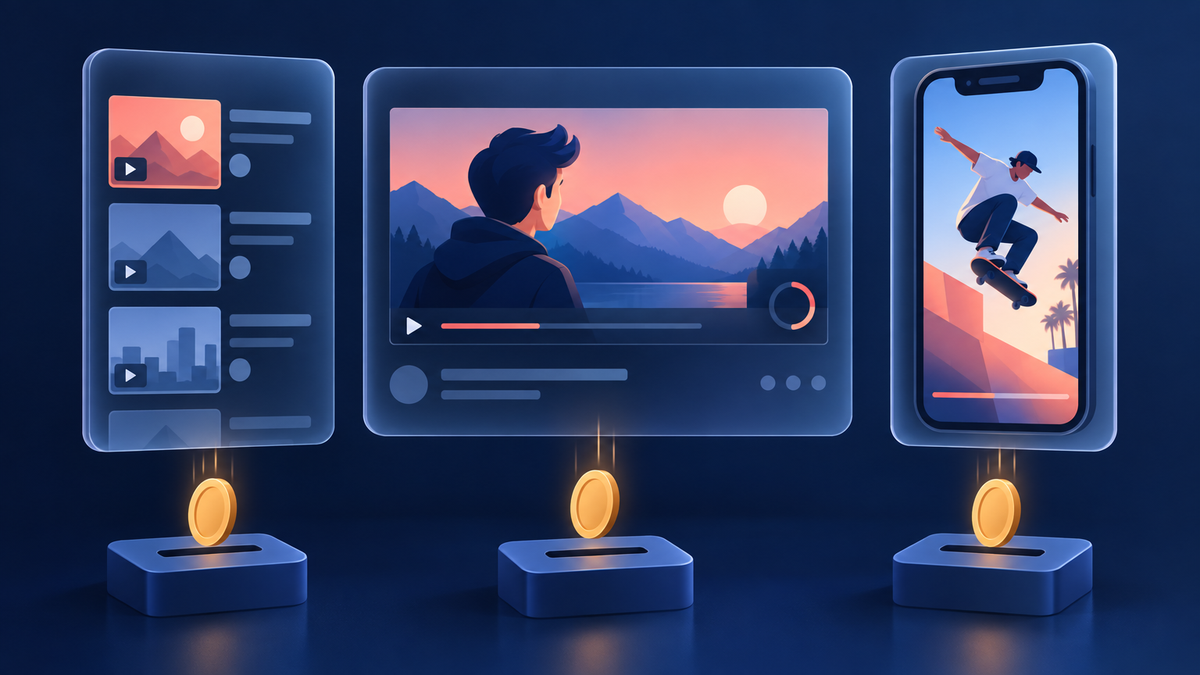
A view that costs money is a viewer’s decision, not an impression. On a skippable in-stream ad you pay when someone “watches 30 seconds of your video, or the entire duration if shorter than 30 seconds, or interacts with your video.” A viewer who skips at second five costs nothing. Every format has its own line, taken here from Google’s view metrics page.
| Format | Google counts a paid view when |
|---|---|
| Skippable in-stream | “A viewer watches 30 seconds or until the end of the video, whichever comes first,” or clicks an element of the ad |
| In-feed | “A viewer clicks on the thumbnail and is taken to the video watch page,” or watches the inline autoplay for at least 10 seconds |
| Shorts | “A viewer watches 10 seconds or until the end of the video, whichever comes first,” or taps the call to action, Like, Comment or Share |
Those views are real views. The same page states that “YouTube public views count towards” skippable in-stream, in-feed and Shorts ads. The number on your watch page rises with every paid view, and you can check it in your own YouTube Analytics.
What $50 buys. Sprizzy prices per view, most views cost between $0.02 and $0.05, and a $50 budget returns roughly 1,000 to 2,500 views. The pricing page shows the estimate at every budget from $50 to $1,000 before you pay, one payment, no monthly fee.
How does targeting decide who sees the ad?
Google matches a video to viewers in two ways, and its targeting page for Video campaigns splits them cleanly. Audience targeting picks people: demographic groups, detailed demographics, interests and your own data segments. Content targeting picks places: placements (specific channels and videos), topics, keywords and devices. A campaign can combine any of them, and how they combine decides how many people a budget can reach.
- Keywords are not search terms. Google shows the ad “based on words or phrases (keywords) related to a YouTube video, YouTube channel, or type of website that your audience is interested in.” They describe what your viewers watch, not what they type.
- Content methods widen, they do not narrow. “By combining multiple content targeting methods, your ads will target any of the selected content in your ad group.” Add a channel and a topic, and Google can show the ad on either.
- Location always narrows. Google calls it an intersection: target New York plus a remarketing list, and only people in New York who are also on the list qualify. Google’s location options also include people who merely showed interest in a place; a presence-only setting keeps the budget where the viewers actually are.
This is where a budget is won or lost, and Sprizzy is built for it: you enter keywords and similar channels, set location, age and gender, and Sprizzy tests 200+ combinations of keywords, target channels and demographics, removing the low performers every hour.
Placements are the sharpest tool: name the channels your ideal viewer already watches, and Google shows your video beside theirs.
Do promoted views keep working after the campaign ends?
Yes, and Google reports it. A view is the billed event; an “earned action” is what happens next, “when someone views your video ad, then within 7 days after the initial view performs an action on your” linked channel. Earned actions include earned views, likes, subscribers, playlist additions and shares, and the same Google page states plainly: “You aren’t charged for earned actions.”
- Earned views are counted per video. “An earned view will be counted for every unique video watched,” so a viewer who watches four more of your videos after one ad is four earned views, none of them billed.
- YouTube calls the same effect Follow-on Views. Its help page for Studio promotions defines them as “organic views you get when someone watches your videos after seeing your promoted content.”
- Subscribers have a seven-day window. A subscription inside it is an earned subscriber. What one costs, and which settings lower it, is in How Much Does a YouTube Subscriber Cost With Ads?
Worried that paid traffic changes how YouTube treats the channel? Do YouTube Ads Hurt Your Channel’s Organic Growth? goes through what YouTube itself says.
Which upload should you promote first?
The one whose first five seconds earn the watch. Every format above puts the decision in the viewer’s hands before you pay: the skip at five seconds, the click on an in-feed thumbnail, the swipe on a Short. The same budget produces very different results, and the video decides. Pick the video with the strongest opening and a clear next step, then let ads find its audience.
- The hook survives a skip. Watch the first five seconds with the sound off. If the point is not clear by then, cut to it.
- The thumbnail wins a click. In-feed views are clicks, so a thumbnail that already outperforms on your channel will outperform as an ad. Creators have run “more than 40 million experiments” on titles and thumbnails since YouTube’s test feature launched in 2024 (YouTube blog, September 23, 2026).
- The next step is obvious. A subscribe ask, a playlist, an end screen. Earned actions have a seven-day window; give the viewer something to do inside it.
Soon you can test the hook itself. In the same announcement YouTube said creators will “be able to test up to three video cuts to see which hook performs best with the new video A/B testing feature.” Pick the winning cut, then promote it.
Ads find the audience. The video keeps them.
What happens after you hand it to Sprizzy?
Four steps and about three minutes of your time. You choose the video, you define the audience with keywords and similar channels plus location, age and gender, Sprizzy builds the ads and launches, and promotion starts within 24 hours. From then on the reports show views, watch time and Earned Actions per audience, and the weak audiences are removed, by you or by the hourly optimizer.
- Choose the video. Live on your channel, with the hook checked above.
- Define the audience. Keywords, similar channels, countries, states or cities down to a zip code or a radius, age bands from 18-24 to 65+, gender and language.
- Launch. Sprizzy writes the ad copy, builds 200+ audience combinations and sends them to YouTube’s ad platform. Pay once, from $50, by card, PayPal, Apple Pay, Google Pay or Venmo.
- Track and prune. Views, watch time and Earned Actions per audience. Remove any audience yourself, or let the automatic optimization do it every hour.
The Promotions tab in YouTube Studio gives you locations, languages and interests, and YouTube’s help page notes those promotions “can only be managed on YouTube”; Sprizzy targets by keywords, similar channels, location, age and gender, tests 200+ combinations, and runs it for you.
Turn on Auto-Promote and every new upload gets its own promotion without a new setup.
Common questions
Can you promote a YouTube video without touching Google Ads?
Yes. With Sprizzy you choose the video and describe the audience, and Sprizzy builds and runs the campaign on YouTube's official ad platform. Your channel links to Sprizzy's Google Ads account so views, watch time and Earned Actions report back, and the same views show in your own YouTube Analytics. One payment from $50, no subscription.
Do views from ads count on the video's public view count?
Yes. Google's view metrics page lists skippable in-stream, in-feed and Shorts ads among the formats where YouTube public views count towards the video. The paid view has to meet the format's threshold first: 30 seconds or the end for in-stream, a click for in-feed, 10 seconds for Shorts. Skips and plain impressions do not count and do not cost anything.
How much does it cost to promote a YouTube video with ads?
Sprizzy campaigns start at $50, one payment with no recurring fee, and most views cost between $0.02 and $0.05, so $50 buys roughly 1,000 to 2,500 views. Google bills per view, not per impression, so a viewer who skips costs nothing. The full breakdown, with public creator tests, is in our guide to how much it costs to promote a YouTube video.
Can you promote a YouTube Short with ads?
Yes. Shorts ads run in the Shorts feed on phones, desktop and connected TVs, and Google counts a paid view when someone watches 10 seconds or to the end, or taps the call to action, Like, Comment or Share. Sprizzy runs Shorts ads alongside in-feed and in-stream placements. The viewer can swipe away at any time, so only the people who stay are billed.
Will promoting a video get you subscribers?
Google reports every subscription that happens within seven days of an ad view as an earned subscriber, and it charges nothing for it. The video does the converting: a clear subscribe ask and a strong opening turn paid viewers into subscribers. Sprizzy's pricing page shows estimated views and estimated new subscribers at every budget before you pay.
Does promoting a video with ads hurt the channel's organic reach?
No. Google adds ad views to the public view count and treats what happens after the ad, the earned views, likes and subscriptions, as ordinary activity on your channel. A campaign puts the video in front of people who choose to watch it, and the watching they do afterwards is organic watching. Our guide to whether YouTube ads hurt your channel has YouTube's own statements on it.
How long does a Sprizzy campaign run?
Most promotions run three to five days, and the length is yours to set. You can pause or cancel at any time, and unused funds can be refunded or moved to a new campaign. Turn on Auto-Promote and every new upload gets its own promotion without a new setup, so a channel that posts weekly is promoted weekly.