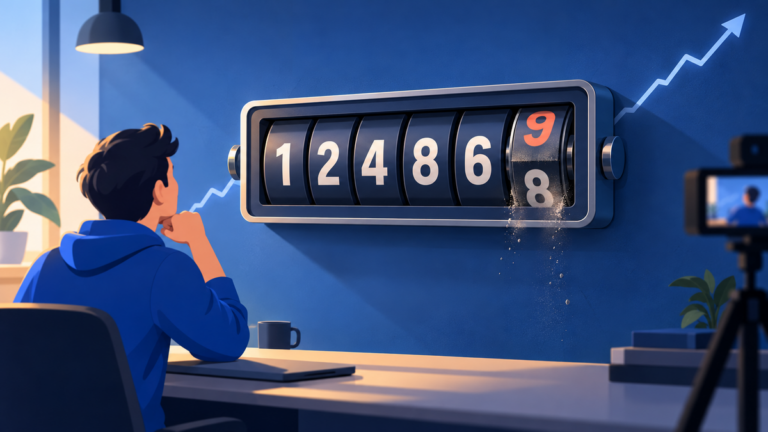
You paid for a set number of views, the report says they arrived, and the counter under your video says something else. Analytics says a third thing. Here are the three counters, why each is right, and the quick check that proves the views arrived.
Which three counters are you actually comparing?
A promoted video is counted in three places that follow three different rules: the campaign report your promotion is billed on, the YouTube advertising row in YouTube Analytics, and the public view count on the watch page. Google’s own help page says some variance between all three is expected, because they differ in data freshness, spam thresholds and which ad plays are eligible to count.
| Counter | Where you see it | What it counts | How fresh |
|---|---|---|---|
| Campaign views (Google calls them TrueView views) | Your campaign report | Skippable in-stream: 30 seconds, the whole ad if shorter, or a click. In-feed: a click, or 10 seconds of inline autoplay. Shorts: 10 seconds or a click | Hours; invalid-traffic review runs up to 30 days |
| YouTube advertising traffic source | YouTube Analytics, Reach, Traffic source types | Skippable ads longer than 10 seconds, watched for 30 seconds or to the end. Non-skippable ads never qualify | A delay of a few days is normal |
| Public view count | The watch page | Every ad play from the first frame across all five ad formats, plus every organic view | Can freeze or adjust while YouTube verifies plays |
Three rules, one audience. The same person watching the same ad can register in all three counters, in two, or in one. That is the whole mismatch. Sources: Google Ads Help on ad view metrics and YouTube Help on traffic sources, read October 2026.
Google Ads Help, read October 2026: “We do not bill your YouTube Ads campaign with YouTube public views.”
Why does the public view count rise by more than you paid for?
Because the public counter is the loosest of the three. Google’s help page says YouTube public views “are counted the moment a video ad starts to play,” and they accrue from skippable in-stream, in-feed, non-skippable, bumper and Shorts ads alike. A viewer who skips at second six adds a public view and costs you nothing. Then your organic views land on top of the same number.
The August 24 change widened the gap. Since August 24, 2026, YouTube counts every view from the first frame, in every format. The stricter count lives on as engaged views, which earnings still run on. See our guide to views versus engaged views.
How big is the gap? Across 75,000 videos: 6 in 10 public views were engaged views; the other 4 started playing and did not hold. Agentio, a creator advertising platform, published that on September 3, 2026. Under 50,000 subscribers the gap was 1.85 times.
Why does YouTube Analytics show fewer views than your campaign report?
Because Analytics applies a stricter rule than the one you are billed on, and it reports later. YouTube Help says the YouTube advertising source counts a skippable ad only when it is watched for 30 seconds or to the end, and never counts a non-skippable ad. Google Ads counts an in-feed view at a click or 10 seconds of autoplay. The definitions overlap but differ, so the Analytics row usually trails.
Five reasons the Analytics row runs low:
- In-feed views are counted differently. Google Ads counts 10 seconds of inline autoplay as a view. Analytics asks for 30 seconds of a skippable ad before it adds one to the advertising row.
- Analytics lags. YouTube Help says a delay of a few days before data is viewable is normal, and estimated earnings run about two days behind.
- Invalid-traffic review keeps running. Per Google Ads Help, invalid traffic detection and updates “can take up to 30 days to fully complete,” and a view removed from one counter is not always removed from another at the same time.
- Counts can freeze. YouTube says it may “temporarily slow down, freeze, or change your metric count” while it verifies that plays are legitimate.
- Later organic watching is filed elsewhere. A viewer who came from the ad and then watches again, or watches another of your videos, lands under Browse, Suggested or Channel pages, not under YouTube advertising. Those follow-on views are real and free.
The number you paid for is the campaign report. A Sprizzy report shows the views, watch time and Earned Actions tracked through Google Ads, and you only pay when a real viewer watches your ad. Analytics verifies them; the report shows what you bought.
Google Ads bills the strict count. Analytics reports a stricter one, later. The public page shows the loosest one, sooner.

How do you check your paid views in YouTube Studio?
Open YouTube Analytics in Advanced mode, switch the breakdown to Traffic source, and read the YouTube advertising row for the campaign’s dates plus three days. That row is the campaign, isolated from everything else your channel did that week. Add the Engaged views column and you are looking at the viewers who stayed, which is the number worth comparing against your report.
- Open the video’s analytics. In YouTube Studio, choose the promoted video, then Analytics, then Advanced mode in the top right.
- Switch to Traffic source. Pick the Traffic source tab. Campaign views sit in the row named YouTube advertising; organic rows sit above and below it.
- Set the dates. Use the campaign’s start date through three days after its end date, so the few-day Analytics delay is inside the window.
- Add Engaged views. Use the metric picker to add the Engaged views column next to Views. The two columns will differ on organic rows far more than on the advertising row.
- Compare with the report. Put the advertising row next to the Ad Views figure in your campaign report. Expect the Analytics row to be close and a little lower, for the five reasons above.
- Re-check at 30 days. Invalid-traffic review can adjust either counter for a month. The 30-day reading is the one to keep.
Which number should you judge a promotion by?
Judge it by the viewers who stayed and what they did next: the campaign’s view count and watch time in your report, the engaged views on the advertising row in Analytics, and the Earned Actions, meaning the subscribers, likes and extra video views that followed. The public counter is a reach figure. It tells you how many people the video reached, not how many it held.
- Watch time is the tiebreaker. A 30-second paid view and a first-frame public view are not the same event. If the advertising row shows strong average view duration, the campaign found the right people, whatever the public number did.
- Targeting decides the ratio. Viewers who searched for your topic, or already watch channels like yours, stay past 30 seconds far more often than a broad audience. The audience matters more than the budget; our guide to a good cost per view shows why.
This is exactly what Sprizzy is for: you pick the video and who should see it, by keywords, similar channels, location, age and gender. It tests 200+ audience combinations on YouTube’s official ad platform and drops the ones that get skipped, every hour. From $50.
Reach is the public number. Attention is the advertising row’s engaged views. Pay for attention, and read the counter that measures it.
When does a mismatch mean something is wrong?
Almost never, if the shape is “public count highest, campaign report in the middle, Analytics row close behind and catching up.” A real problem looks different: the campaign report shows views but the advertising row is still empty after three full days, or every counter sits at zero while the campaign says it is running. Both have simple causes and simple fixes.
| What you see | Likely cause | What to do |
|---|---|---|
| Report shows views, Analytics row empty after 3 days | Wrong video selected, or Analytics filtered to a different date range or content type | Clear filters, set the campaign dates, confirm the video ID matches the ad |
| All three counters at zero, campaign “running” | Ad under review or disapproved, or the video set to private or unlisted | Check the ad status; a disapproved video cannot be promoted and the campaign is refunded in full |
| Public count dropped after the campaign | Invalid-traffic review removed plays YouTube judged not legitimate | Nothing; the 30-day figure is the real one, and your report already excludes those plays. Why views drop after a promotion has the full timeline |
| Analytics higher than the report | Organic views mixed into the comparison | Read only the YouTube advertising row, not the video total |
You stay in control of the spend. A Sprizzy campaign can be paused or cancelled at any time, unused funds refunded or moved to a new campaign, and your first campaign has a money-back guarantee. Every reported view is one you can find in Studio.
Common questions
Does Google Ads charge me for views that never appear on my YouTube video?
No. Google bills a view only after a viewer watches 30 seconds of a skippable ad, or clicks or watches 10 seconds of an in-feed or Shorts ad. Every billed play also starts on your video, so it is in the public count. What can differ is YouTube Analytics, which uses a stricter 30-second rule for its YouTube advertising row and reports a few days later.
Why did my view count go up during the campaign and then drop afterwards?
YouTube reviews plays for invalid traffic and removes the ones it judges not legitimate, and per Google Ads Help that review can take up to 30 days to complete. YouTube also says it may freeze or adjust a metric while it verifies plays. Your campaign report already excludes invalid plays, so the figure you paid for does not fall with the public counter.
Do in-feed ad views show up in YouTube Analytics?
Partly. Google Ads counts an in-feed view when the viewer clicks the thumbnail or watches 10 seconds of inline autoplay. YouTube Analytics counts an ad view in the YouTube advertising row when a skippable ad is watched for 30 seconds or to the end. A viewer who clicks through and watches past that point registers in both; a short autoplay registers in Google Ads only.
How long until YouTube Analytics catches up with the campaign report?
YouTube Help says a delay of a few days before data is viewable in Analytics is normal, so read the YouTube advertising row three days after the campaign ends. Even then it will usually sit a little below the campaign report, because of the stricter 30-second rule. Take a final reading at 30 days, after invalid-traffic review has finished adjusting both counters.
Do paid views count in my public view count?
Yes. Per Google Ads Help, YouTube public views are counted the moment a video ad starts to play, for skippable in-stream, in-feed, non-skippable, bumper and Shorts ads. Since August 24, 2026 every view on YouTube counts from the first frame, so a promotion lifts the public number by more than the number of views you were billed for.
Are the extra views on my video real people?
Yes. A Sprizzy promotion runs on YouTube's official ad platform and shows your video as an ad to real viewers, and the views are verifiable in your own YouTube Studio analytics under the YouTube advertising traffic source. You only pay when a real viewer watches your ad, so the views in your report are people who chose to keep watching.