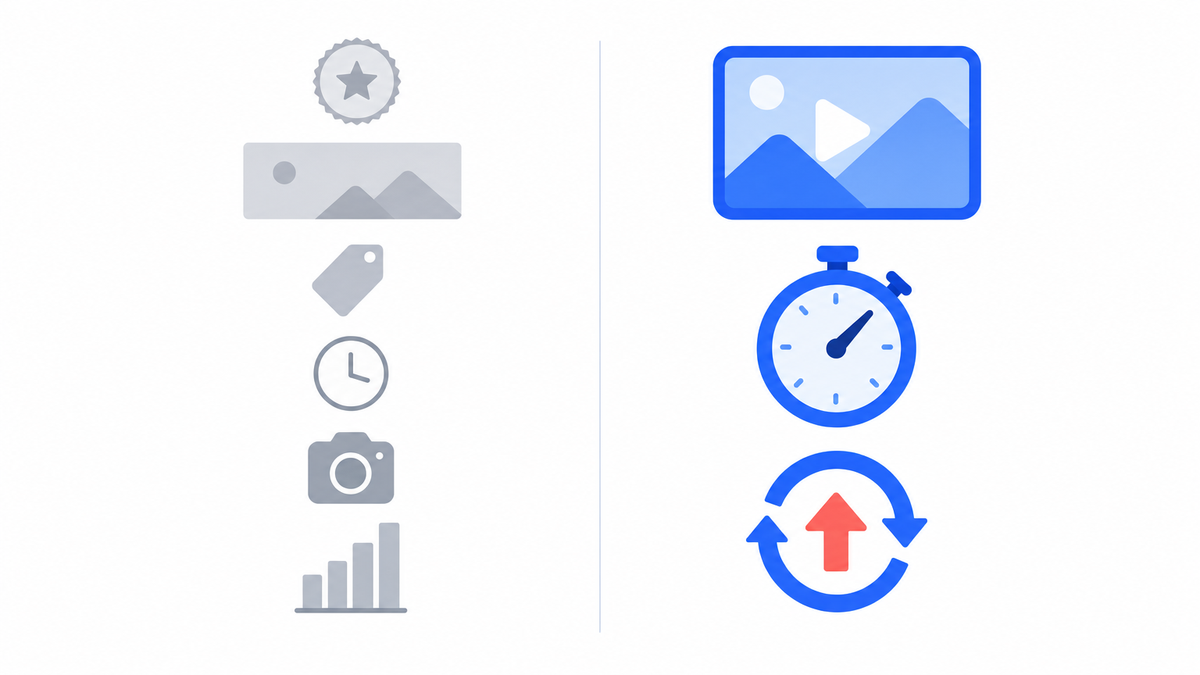
Most of the advice a new creator hears is setup advice: the banner, the intro animation, the tag list, the camera. Almost none of it appears in YouTube’s own documentation as something that affects whether a video gets watched.
What follows is the setup work new channels stall on, what YouTube publishes about each item, and what to do instead.
What does a new channel’s first year actually reward?
Attempts, and the two things attached to every attempt: what the title and thumbnail promise, and whether the opening seconds pay that promise off. YouTube’s own guidance on recommendations says the system “uses fresh performance data for each individual video, rather than relying on past results, so a single experiment that doesn’t land won’t necessarily hinder your channel’s potential.” Nothing on the setup checklist competes with that.
Here is every common year-one worry next to what YouTube documents.
| The worry | What YouTube documents | Do this instead |
|---|---|---|
| Intro bumper or logo sting | Studio reports an “Intro” metric: the share of viewers still watching after 30 seconds | Put the payoff inside those 30 seconds |
| The perfect banner | “Channel pages” is only one of the traffic sources Analytics reports | Ship a readable banner in an hour |
| Tags | “Not important. Tags are primarily used to help correct for common spelling mistakes” | Write a title that matches what people search |
| Uploading at the right time of day | “Publish time is not known to impact a video’s long-term performance” | Publish when the edit is done |
| Upload frequency | “Growth in views across uploads is not correlated with time between uploads” | Pick a pace you can hold for a year |
| The “ideal” video length | “There’s no universal ‘ideal’ length for YouTube videos” | Make it as long as the idea holds up |
| Camera and lighting upgrades | Recommended upload specs are settings a current phone already meets | Fix audio first, then light, then camera |
| Analytics on video one | Key moments need a video of 60+ seconds with 100+ views | Read retention after the 100th view |
| A video that came out wrong | Studio can trim, cut and blur without changing the URL or view count | Fix what is fixable, then publish the next one |
| Subscriber count | The first count that unlocks a feature is 500 | Count videos published instead |
Every upload starts even. Spend year one on attempts, not on setup.
Do you need an intro bumper or a logo sting?
No, and the numbers argue against it. YouTube Studio reports an “Intro” metric that tells you “what percentage of your audience still watched your video after the first 30 seconds,” and Google’s benchmark page notes that “a typical intro is about 30 seconds long,” with the strongest videos keeping 50% or more of the audience past that mark. A three second animation spends part of that window on something nobody clicked for.
Weak Intro number? YouTube’s own prescription is not a better logo. It says to “edit the first 30 seconds of your video and experiment with different styles to find one that will keep your audience interested.”
It also says to “consider making your video thumbnail and title better reflect your video content.” For the long version, the scripting guide covers hook patterns and where re-hooks go.
Open on the thing the thumbnail promised. A logo, if any, goes after the first payoff.
Does your channel banner change how many views you get?
Barely. YouTube Analytics splits traffic into named sources, and “Channel pages” (defined as “traffic from your YouTube channel or other YouTube channels”) is only one of them, sitting alongside YouTube search, Browse features, Suggested videos, Shorts, Playlists and External traffic. Most people who watch a new video never open the channel page at all. Look at your own Channel pages share before you spend a weekend in a design tool.
Where viewers come from: search, Suggested and Browse, plus a source on that list called YouTube advertising. Sprizzy puts your video in front of people who would choose to watch it, through YouTube’s official ad platform, targeting by keywords, similar channels, location, age and gender.
When you do make a banner, the specs are short. YouTube asks for:
- A minimum of 2048 x 1152 px at 16:9, with 2560 x 1440 px recommended “especially for TV.”
- A file no larger than 6 MB.
- Text and logos inside the 1235 x 338 px safe area, since images “will get cropped on certain views and devices.”
Keep the words inside that box and the banner is done.
A banner is an hour of work. Getting viewers is the job.
Should you delete a video you are not happy with?
Usually not, because more of it is fixable than creators realize. The Studio editor lets you trim the start or end, cut a section out of the middle and blur faces or objects on a video that is already public, and Google states that when you trim, “the video’s URL, view count, and comments will stay the same.” Deleting throws all of that away for a mistake you can cut out.
You cannot replace the video file after uploading, so a broken export needs a re-upload. And since June 2025 you “are not able to undo changes made with YouTube Studio Editor after saving using the Revert to original feature,” so trim deliberately.
For everything else, YouTube’s line about fresh performance data per video is your permission slip: the next upload starts even.
Do tags, upload timing and video length matter yet?
No, and YouTube says so in plain language. Its creator FAQ rates tags “Not important. Tags are primarily used to help correct for common spelling mistakes.” The same page states that “publish time is not known to impact a video’s long-term performance” and that “growth in views across uploads is not correlated with time between uploads.” On duration, YouTube says there is “no universal ‘ideal’ length for YouTube videos.”
What replaces all three: packaging. YouTube names the title, thumbnail and description as the metadata that carries weight, and a custom thumbnail only needs a verified account: 16:9 JPG or PNG, at least 640 px wide.
The upload checklist covers every setting on the upload screen.
Tags, timing and length are settings. Title and thumbnail are the decision.
How much gear do you actually need to start?
Less than any starter-kit list implies. YouTube’s recommended upload settings ask for H.264 video in an MP4 container with AAC-LC audio at a 48 kHz sample rate, and tell you to encode “in the same frame rate it was recorded.” A phone bought in the last few years clears every one of those numbers without a setting change. The upgrade order that changes how a video feels:
- Audio first. A basic mic fixes the complaint viewers quit over.
- Light second. A window and a plain wall are enough to start.
- Camera last. The phone you own already meets the upload specs.
The gear-list trap: budget goes out before you know whether you enjoy filming, editing and publishing on a schedule.
The software half of a starter kit is optional too: YouTube Studio now does the editing, analytics and thumbnail testing that used to need a subscription.
Ten videos on the phone you own, then buy what fixed the most complaints.
When do your analytics start telling you anything?
At about 100 views per video. YouTube’s key moments for audience retention state that “your video should also be at least 60 seconds long and have at least 100 views” before the report appears, and that retention data “typically takes 1 to 2 days to process.” Below that, the graph is noise you will over-read. The old advice to wait for 10 to 20 videos was a guess. YouTube’s own floor is 100 views.
Once the report exists, read four things:
- Intro: the share still watching at 30 seconds.
- Top moments: the stretches where “almost no one dropped off.”
- Spikes: the parts that were “rewatched or shared.”
- Dips: where viewers “skipped or stopped watching.”
Videos stuck under 100 views give you no retention data to act on. It is the one problem here that money solves directly.
Sprizzy is built for this: you pick the video and who should see it, and it runs the campaign on YouTube’s own ad platform, real viewers, no bots, from $50. The views are verifiable in your own Studio analytics, so the retention report fills in.
Below 100 views there is nothing to read. Get the views, then read the graph.
Should you post Shorts or long-form videos first?
Either, and mixing them is not a penalty. YouTube states that “experimenting with new content formats, such as Shorts, VODs, or livestreams, will not inherently confuse the algorithm or negatively impact a channel’s overall performance.” Shorts run up to three minutes and upload at a maximum of 1080p. Pick the format you can make twenty of without dreading it, because volume is the variable you control in year one.
The difference shows up later, in what each format counts toward.
| Long-form | Shorts | |
|---|---|---|
| Monetization track | Public watch hours | Shorts views, on a separate count |
| Hype, YouTube’s early-boost feature | Eligible, in the first 7 days | Not eligible |
Neither matters at ten subscribers. Both are worth knowing before you become “a Shorts channel” by accident.
Decide by output. The format you can publish twenty times wins year one.
Does your subscriber count matter before 500?
Not for anything YouTube unlocks. Handles are already free: “all YouTube users can select a handle,” with no subscriber minimum, and your handle is your channel URL. The first count that switches a feature on is 500, and even that comes with conditions attached. Here is the actual ladder.
| Subscribers | What it unlocks | Also required |
|---|---|---|
| 0 | Uploads, handle, channel URL, custom thumbnails | A verified account for custom thumbnails |
| 500 | Fan funding: memberships, Super Chat and Super Stickers, Super Thanks, Jewels and gifts, Shopping | 3 valid public uploads in the last 90 days, plus 3,000 watch hours in 12 months or 3 million Shorts views in 90 days |
| 500 to 500,000 | Hype, on long-form videos in their first 7 days | YouTube Partner Program membership |
| 1,000 | Ad revenue share and YouTube Premium revenue | 4,000 watch hours in 12 months or 10 million Shorts views in 90 days |
| 1,000 (from Feb 1, 2027) | The same, under raised thresholds | 8,000 watch hours in 365 days or 20 million Shorts views in 90 days |
Already in the Partner Program? The February 2027 change does not touch you. YouTube says that “if you are already in YPP, your status is not impacted by this update.”
The 8,000 watch hour rule covers the deadline in detail, and the first 100 subscribers guide covers the stretch before any of this applies.
Count videos published, not subscribers.
What should you spend year one on instead?
Three things, in this order: a title and thumbnail that describe the video honestly, an opening 30 seconds that delivers what they promised, and enough uploads to learn from. The loop below is the whole job, and it runs on a phone.
- Publish. Honest title and thumbnail, and a first 30 seconds that pays them off.
- Reach 100 views. Retention data does not exist below that floor. Give the video an audience if it stalls.
- Read the retention graph. Intro, top moments, spikes, dips. Find what lost the most viewers.
- Change one thing, publish again. Each upload starts even, so the next attempt carries the fix.
The setup work is not forbidden, it is just cheap to postpone. Give the banner an hour, skip the bumper entirely, leave the tag field alone and stop refreshing analytics on a video with nine views.
What if the loop stalls?
If step two stalls, test it with a small budget. Sprizzy campaigns start at $50, no subscription, and your first one comes with a money-back guarantee. Sprizzy has done this for over 1.5 million channels since 2016; here is how a campaign works.
A year in with flat numbers is a different problem: the mistakes that keep small channels small ends with a diagnostic table mapping what you see in Studio to what to change.
Publish, reach 100 views, read the graph, change one thing.
Common questions
Is it bad to change my channel's topic after a few videos?
No. YouTube states that experimenting with new content formats "will not inherently confuse the algorithm or negatively impact a channel's overall performance," and the system evaluates each video on its own fresh data. Topic drift is normal in the first year. It only costs you once you have regular viewers, since YouTube's audience guidance recommends content that is "more consistent and similar in topic or format" to turn casual viewers into regulars.
Should I ask viewers to subscribe in my videos?
Asking is fine and costs nothing, but treat it as a small nudge rather than a growth strategy. What is not allowed is paying for the result: YouTube's fake engagement policy prohibits content that "solely exists to incentivize viewers for engagement (views, likes, comments, etc)" and bans sub4sub arrangements. It also notes that subscribers identified as spam "will not count toward your total number of subscribers or views."
Do I need a channel watermark on my videos?
It is optional and takes about two minutes, so it does not belong on the worry list either way. YouTube's branding settings accept a square image of at least 150 x 150 pixels under 1 MB, and let you show it for the final 15 seconds, from a custom start time, or for the whole video. Watermarks do not appear on videos marked as made for kids.
Can a brand new channel A/B test titles and thumbnails?
Only once you have advanced features enabled and are working on desktop. YouTube's Test & Compare lets you run up to three titles and thumbnails, picks a winner on watch time share, and finishes within two weeks. Shorts, scheduled live streams, Premieres and made-for-kids videos are excluded. It is a useful tool, but it needs traffic to resolve, so it is rarely a first-month lever.
Do Shorts count toward monetization the same way long videos do?
They count on a separate track. At the 500-subscriber tier you need 3,000 watch hours in 12 months or 3 million Shorts views in 90 days. At 1,000 subscribers it is 4,000 watch hours or 10 million Shorts views. From February 1, 2027 those rise to 8,000 watch hours in 365 days or 20 million Shorts views in 90 days.
What are advanced features, and how do I turn them on?
Advanced features unlock things like clickable links in descriptions, pinned comments, chapters, A/B testing, embedding live streams and applying for monetization. YouTube says an active creator with "sufficient channel history" will likely qualify automatically; otherwise you verify your identity with a valid ID or a video. ID and video verification is not available to every creator, so channel history is the usual route.
Does a low view count on my first videos hurt later uploads?
Barely, and not in the way creators fear. YouTube says the algorithm "uses fresh performance data for each individual video, rather than relying on past results, so a single experiment that doesn't land won't necessarily hinder your channel's potential." The caveat is volume: the same page notes that "frequently sharing content that doesn't resonate, can, over time, affect your channel's overall performance."
Should I pay for views to get my first videos moving?
Yes, as long as the views come from real ads, not bought counts. YouTube's fake engagement policy bans services that artificially inflate metrics, and spam subscribers are stripped out anyway. Advertising through YouTube's own ad platform is allowed and is how Sprizzy works: your video is shown to people who choose to watch it, and those real views appear in your own Studio analytics, so the retention report you need finally exists.