This article first went up in 2019, and nearly every platform detail in it has changed since. The brand marketplace it told you to join closed its self-serve doors, and the merch site it named renamed itself.
YouTube also quietly added an entire earning tier below the one everyone argues about. Here is what works in 2026 for a channel that is not in the Partner Program yet, with the current thresholds and the current commission rates.
Can you make money on YouTube before you are monetized?
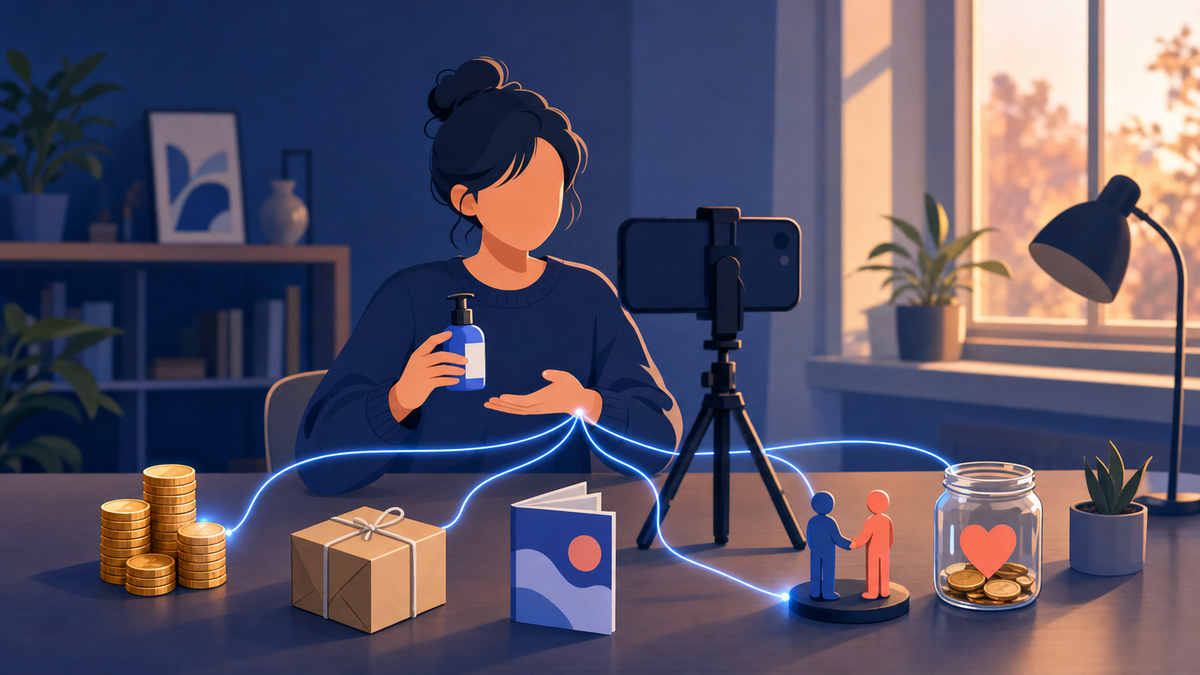
Yes, and for most small channels it is the faster route. The Partner Program pays you a share of other companies’ ad money. Selling your own service, course or ebook pays you directly, and so does an affiliate-linked review, none of which has a subscriber minimum. A channel with 300 subscribers can start all four today. Ad revenue is a later addition to your income, not the start of it.
The useful split is who pays. In the Partner Program, YouTube pays you. In every method below, a viewer or a brand pays you, and YouTube is only where the conversation happened.
Small and specific beats big and vague, because the buyer pays you instead of an advertiser.
That is why a 900-subscriber channel about commercial espresso machines can out-earn a 90,000-subscriber vlog. The audience is small, but every person in it has a specific and expensive problem.
What are YouTube’s monetization thresholds in 2026 and 2027?
There are two tiers, not one. Fan funding opens at 500 subscribers with 3 valid public uploads in the last 90 days, plus either 3,000 qualified watch hours in 12 months or 3 million qualified Shorts views in 90 days. Ad and Premium revenue needs 1,000 subscribers plus 4,000 watch hours or 10 million Shorts views. From February 1, 2027, those last two numbers double.
| Tier | Subscribers | Long-form route | Shorts route | What it unlocks |
|---|---|---|---|---|
| Fan funding (expanded YPP) | 500, plus 3 valid public uploads in 90 days | 3,000 qualified watch hours in 12 months | 3M qualified Shorts views in 90 days | Channel memberships, Super Chat and Super Stickers, Super Thanks, gifts, Shopping |
| Ads and Premium, through Jan 31 2027 | 1,000 | 4,000 qualified watch hours in 12 months | 10M qualified Shorts views in 90 days | All of the above, plus ad and YouTube Premium revenue |
| Ads and Premium, new applicants from Feb 1 2027 | 1,000 | 8,000 qualified watch hours in 365 days | 20M qualified Shorts views in 90 days | Same |
Where the numbers come from: YouTube’s expanded Partner Program page and eligibility overview. Announcing the 2027 change, YouTube said it “won’t impact creators already in YPP” and that “entry thresholds for our Fan Funding and shopping products remain unchanged” (blog.youtube).
We broke the change down in YouTube’s new 8,000 watch hour rule, and the full current checklist lives in what you need to monetize on YouTube in 2026. Short on hours? See how to get 4,000 watch hours before February 2027.
Plan around the 500-subscriber tier: it is closer, it is not moving in 2027, and it turns on the features where your own audience pays you.
Every tier starts with an audience. The fastest fix is to put your best video in front of people who would choose to watch it. Sprizzy does that through YouTube’s official ad platform, targeting by keywords, similar channels, location, age and gender, from $50.
What can you sell on a small channel right now?
Whatever you already know how to do. A service, a course, an ebook, freelance work or merch all sell better to a small specific audience than to a large vague one. Start with the option that needs no inventory and no build, and add the others as the channel gives you a reason to.
- Sell your time first. A service or freelance work needs nothing but a booking link and the portfolio you already have.
- Package the repeated answer. When the same question keeps coming up in comments, that is your course or ebook.
- Add products last. Merch only works once there is a reason for someone to want your logo.
| What you sell | Best when | What it takes to start | Who pays |
|---|---|---|---|
| A service or consulting time | You already do this work for clients | A booking link in the description | The client, directly |
| An online course | You answer the same question over and over | A marketplace listing or a hosted course site | The buyer, once |
| An ebook, template or preset pack | Your topic works in writing or in files | A PDF or download and a checkout link | The buyer, once |
| Freelance work | You have a portfolio skill: editing, design, writing, code | Contact details on the channel and in every description | The client, per project |
| Merch | You have a phrase, a logo or an in-joke people repeat | A print on demand store connected to the channel | The fan, on margin |
Courses: marketplace or your own site?
It is really a question of who does the marketing. Udemy’s instructor terms pay 97% of net revenue when the student arrives through your own coupon or referral link, and 37% when Udemy’s marketing makes the sale (support.udemy.com).
If your channel drives the buyers, you are paying 3% for hosting. If it does not, you are paying 63% for an audience you did not have.
Driving the buyers yourself is what a Sprizzy campaign is built for: real viewers found by keyword and channel targeting, watching the video that sells your course, and sent on to your website from there.
Merch: Teespring is now Spring
Teespring is now Spring: it rebranded in February 2021 and widened from t-shirts into digital and physical goods across several platforms (the rebrand announcement).
Spring is still on YouTube’s list of supported store platforms, alongside Shopify, Fourthwall, Wix, Spreadshop and TeePublic (support.google.com).
Print on demand costs nothing up front, but a store nobody orders from still costs the video minutes you spent pointing at it.
How much do affiliate links actually pay?
Less than most videos about affiliate marketing imply, and the number swings hard by category. Amazon Associates pays 4% on “all other categories”, 3% on toys, furniture, home and pets, 2.5% on PCs and components, 2% on televisions and digital video games, and 1% on grocery and health and personal care. Gift cards, subscriptions and alcohol pay nothing at all.
| Program | Rate | Categories that pay little or nothing | Cookie window |
|---|---|---|---|
| Amazon Associates | 1% to 10% by category; 4% is the default for “all other categories” | 1% grocery and health; 0% gift cards, subscriptions, wireless plans, alcohol | 24 hours |
| Target Partners | Reported at 1% to 8% by department | Reported at 0% for groceries, electronics and TVs, toys, pet care, sporting goods, books and media, pharmacy | 7 days |
Where the rates come from: the Amazon figures are from its own standard rate card, as published in September 2026.
Target publishes nothing public. Its rates sit behind the Impact network, so the figures above come from a third-party breakdown published in May 2026 (Tapfiliate) and should be treated as directional.
Do haul videos and gift guides still work?
Yes, because a try-on haul or a “gift ideas for the person who has everything” video is an affiliate review with a seasonal hook. Two things quietly kill them.
- Dead links. Products go out of stock, so the link dies months after the video peaks.
- Zero-rate departments. Electronics, toys and sporting goods, the categories hauls love most, are exactly the ones reported at zero on Target.
Read the rate card before you film, not after. And only link to something you would recommend to a friend who was not paying you.
What is the YouTube Shopping affiliate program?
It lets you tag products from participating retailers inside your videos, Shorts and live streams and earn a commission when a viewer buys on the retailer’s site. On March 25, 2026, YouTube opened it to creators with 500 subscribers, which lines it up with the fan funding tier instead of the ad tier. You still have to be in the Partner Program and based in a supported country.
YouTube framed the expansion as letting eligible creators “diversify their revenue by tagging products from favorite brands across Shorts, VOD, and Live content” (blog.youtube).
The fine print, from the eligibility page:
- It runs in 14 countries, including the United States, Brazil, India, Japan, Korea and Mexico.
- Your channel cannot be a music channel or set as made for kids.
- You join in Studio under Earn, then Programs, then Join Now.
- Commissions pay out 60 to 120 days after the purchase.
The product sits on the video itself, tappable at the moment someone wants it, not three scrolls down a description they never opened.
How do you get brand deals now that FameBit is gone?
FameBit’s self-serve marketplace, the “5,000 subscribers and you can pitch brands” route, shut down in 2020. Its replacement, BrandConnect, became YouTube Creator Partnerships in March 2026. That hub is now built into YouTube Studio for creators and into Google Ads and Display & Video 360 for advertisers, and it covers creators inside the Partner Program.
YouTube described the change at its 2026 NewFronts as “evolving our tools into a centralized platform, YouTube Creator Partnerships (formerly known as BrandConnect)”, serving more than 3 million creators in the Partner Program (blog.youtube).
How the deals themselves work in 2026, including the swappable sponsor slot YouTube is piloting and what a slot pays, is in our guide to YouTube sponsorships in 2026.
Below the threshold, pitch brands directly
Direct email is not the consolation prize it sounds like. A specialist brand would rather sponsor a 2,000-subscriber channel whose viewers all do the one thing the product is for than a general channel a hundred times its size.
- Pitch the companies already in your videos, and name those videos in the email.
- Quote a flat fee, not a CPM you cannot justify yet.
- Share channel insights once you qualify. Inside Studio, Partner Program creators can opt in so advertisers searching Creator Partnerships can find them.
A brand pays for a fit with its buyer, not for a headcount.
Where should you put the links people actually click?
Four places, roughly in order of reliability: the first two lines of the description, your channel’s own link list, a pinned comment, and an end screen. Channel links live in YouTube Studio under Customization and then Profile, where you can “showcase up to 14 links on your channel Home tab”. The first link is featured; the rest appear only when someone clicks to see more.
| Placement | Where you set it | The catch |
|---|---|---|
| First two lines of the description | Studio, video details | Everything below is hidden behind “more” |
| Channel links, up to 14 | Studio, Customization, Profile | Only the first is featured; the rest need a click |
| Pinned comment | Comment on your own video, then pin it | Vanishes if comments are turned off |
| End screen to an external site | Studio, end screen editor | Requires the Partner Program; video must be at least 25 seconds |
The end screen rule is explicit: “If you’re in the YouTube Partner Program, you can link to an external website”, on a video “at least 25 seconds long” (support.google.com). That is one of the few real reasons to want the ad tier early.
One constraint before you paste anything: YouTube’s external links policy bans links to malware, phishing, pirated content and regulated goods anywhere on the platform. A first offence usually earns a warning, and three strikes in 90 days terminates the channel.
Affiliate links are fine. Shorteners that hide where a click lands are what get people into trouble.
What do you have to disclose when a video earns you money?
Two separate obligations, and meeting one does not satisfy the other. YouTube asks you to tick the paid promotion box in your video details whenever the video contains branded content, a sponsorship or an endorsement, which adds a disclosure label at the start of the video. The US Federal Trade Commission separately requires you to disclose any material connection to a brand, including affiliate links and free product.
| Who | What they require | Where the disclosure goes |
|---|---|---|
| YouTube | “If you feature branded content, sponsorships, endorsements, or other commercial relationships in your videos, you have to let YouTube know” (support.google.com) | The paid promotion box in video details, which adds a label at the start of the video |
| US Federal Trade Commission | Disclose any material connection to the brand, including affiliate commissions and free product | “The disclosure should be in the video and not just in the description uploaded with the video” (ftc.gov) |
Say it out loud, early, in one sentence. Nobody has ever unsubscribed over “these are affiliate links, they cost you nothing extra”.
How do you get enough viewers for any of this to pay?
Every method on this page is a conversion rate applied to an audience, so the audience is the bottleneck. A 3% click rate and a 4% commission are the same rates whether a video gets 200 views or 20,000, and only one of those produces income you would notice. Two levers move views.
- Topics people already search for. That organic half is covered in what to do after uploading a video and how to get your first 100 subscribers.
- Promotion. Putting the videos you already have in front of people who have not found the channel yet.
This is exactly what Sprizzy is for: you pick the video and who should see it, and it runs the campaign on YouTube’s own ad platform, real viewers only, no bots, from $50. Viewers can be sent to your website or social profiles.
Test it with a small budget. Sprizzy campaigns start at $50 and your first one comes with a money-back guarantee. Watch time from the ad itself sits outside the qualified count; the organic watching those viewers do afterwards counts like any other.
Ads find the audience and the video keeps them, and every method above starts paying once there is an audience to convert.
What is worth protecting more than the revenue?
Your recommendation. Every method on this page spends the same currency, which is a viewer’s willingness to believe you when you say something is good. Sponsorships, affiliate links and your own products all draw down that balance, and only honest reviews and useful videos put anything back in.
Creators with millions of subscribers have lost a decade of goodwill over one deal that was obviously out of character, and a small channel is not safer, only quieter.
- Turn down the sponsor whose product you would not buy.
- Say when a product you like has a flaw.
- Disclose before anyone asks.
On a channel this size that habit is not a flourish on top of the business. It is the business.
Common questions
Do YouTube ad views count toward the 4,000 watch hours?
No. Qualified watch hours exclude watch time from ad campaigns, and subscribers gained through ads do not count toward the 1,000 either. What does count is the organic watching those viewers do afterwards. If a promoted video brings someone back for your next three uploads on their own, that watch time is qualified in the normal way.
How many subscribers do you need before YouTube pays you?
Five hundred, not a thousand. The expanded Partner Program tier needs 500 subscribers, 3 valid public uploads in the last 90 days and either 3,000 qualified watch hours in 12 months or 3 million qualified Shorts views in 90 days. That unlocks channel memberships, Super Chat, Super Thanks, gifts and Shopping. Ad and Premium revenue is a separate, higher tier at 1,000 subscribers.
What actually changes on February 1, 2027?
Only the entry bar for the ad and Premium tier, and only for new applicants. From that date a channel joining needs 8,000 qualified watch hours in 365 days or 20 million qualified Shorts views in 90 days, double the current figures. The 1,000-subscriber requirement is unchanged, the fan funding thresholds are unchanged, and YouTube says the update will not affect creators already in the program.
Is Teespring still a thing?
It is, under a different name. Teespring rebranded to Spring in February 2021 and expanded from custom t-shirts into physical and digital products sold across YouTube, TikTok, Twitch and other platforms. Spring is still one of the store platforms YouTube supports for connecting a shop to your channel, alongside Shopify, Fourthwall, Wix, Spreadshop and TeePublic.
What replaced FameBit for finding brand deals?
FameBit's self-serve marketplace closed in 2020 and became BrandConnect, which became YouTube Creator Partnerships in March 2026. It now sits inside YouTube Studio for creators and inside Google Ads and Display and Video 360 for advertisers, covering creators in the Partner Program. Below that threshold, brand deals still come from emailing companies directly, which works well for narrow niches.
Can you put Amazon affiliate links in a YouTube description?
Yes. YouTube's external links policy bans links to malware, phishing, pirated content and regulated goods, not affiliate links. What you must do is disclose. YouTube asks you to tick the paid promotion box for sponsored content, and the US Federal Trade Commission requires you to reveal any material connection, including affiliate commissions and free product, inside the video itself rather than only in the description.
Do you need the Partner Program to link to your own website?
For an end screen, yes. YouTube states that if you are in the Partner Program you can link to an external website from an end screen, on a video at least 25 seconds long. Links in the video description, in a pinned comment and in your channel's link list are available to any channel, and you can showcase up to 14 links on your channel Home tab.
How long does the YouTube Shopping affiliate program take to pay?
Between 60 and 120 days after the purchase, according to YouTube's eligibility page, because the retailer has to clear the return window first. The commission rate itself is set by the merchant, not by YouTube, so it varies by brand and product. Budget for the lag before you count affiliate tagging as monthly income.