Most advice about ranking on YouTube is a decade old and was never sourced. This guide sticks to what YouTube publishes about its own systems, adds the competitor research that still works, and flags the tactics with no support in YouTube’s documentation.
What does it mean to rank a YouTube video?
Ranking means your video appears near the top of the results when someone types a query into YouTube’s search bar. That is only one of the ways people find videos, and YouTube Analytics treats each one separately. Its traffic source definitions split YouTube search from Browse features, Suggested videos and the Shorts feed, because each surface is fed by a different system.
| Traffic source | YouTube’s definition | What it means for you |
|---|---|---|
| YouTube search | “Traffic from YouTube search results.” | Someone typed a query. This is the surface you can research and target. |
| Browse features | “Traffic from the Home, subscriptions, Watch Later, Trending/Explore, and other browsing features.” | YouTube offered your video unprompted. Driven by past performance, not keywords. |
| Suggested videos | “Traffic from suggestions that appear next to or after other videos, and from links in video descriptions.” | You rode in on someone else’s video. |
| Shorts | “Traffic from the Shorts vertical viewing experience.” | The vertical feed. Its own ranking, its own audience. |
| External | “Traffic from websites and apps that have your YouTube video embedded or linked to.” | Your own sharing, plus anyone who embedded you. |
Two things follow. First, there is no single number called your rank. YouTube says its system “may also consider your search and watch history, if you have it turned on,” so the order you see is not the order a stranger sees.
Second, clicking publish is not distribution. A new upload is not pushed to anyone in particular until it earns the signals below.
Check your rank signed out or in a private window. Your own results are personalised.
What does YouTube say decides search rank?
YouTube publishes the answer. Its How YouTube search works page states that “YouTube’s search system prioritizes three key elements for best results,” and that “the importance of these elements may vary by search type.” The three are relevance, engagement and quality. Everything else you read about ranking is somebody’s inference layered on top of those three words.
- Relevance. YouTube looks at “how well the title, tags, description, and video content match your search query.”
- Engagement. It considers “overall user engagement, such as the watch time of a particular video for a particular query to determine if the video is considered relevant to the query by other users.”
- Quality. The system tries to “identify signals that can help determine which channels demonstrate expertise, authoritativeness, and trustworthiness on a given topic.”
Notice what is absent: links from other websites, upload frequency and minimum video length appear nowhere on the list.
The same page is blunt about paid placement: “YouTube doesn’t accept payment for better placement within organic search results.” It also notes that search results “are not a list of the most-viewed videos” for a query.

Relevance, engagement and quality decide search rank. Everything else is inference.
How do you find a topic that can actually rank?
Relevance only helps if somebody is searching in the first place. The fastest check is to use YouTube as a viewer and read what it already serves for your phrases. If the first page is thin, generic or years out of date, that is a gap you can fill.
- Search your phrases. Type the queries your channel covers into YouTube’s search bar and read the first ten to fifteen results. Those are the videos YouTube currently thinks answer each phrase.
- Study the winners. Open the channel behind a top result, go to its Videos tab and sort by Most popular. That list is what the audience actually rewarded, which beats the channel’s latest uploads.
- Take the topic, not the video. Note the subject and the angle. Copying a competitor’s video gets you a worse version of something that already exists.
Be honest about scale. A channel with 500,000 subscribers has an audience that a 500 subscriber channel does not, so the same topic will not return the same view count.
That audience gap is the one part you can shortcut. Sprizzy puts your video in front of people who would choose to watch it, through YouTube’s official ad platform, targeting by keywords, similar channels, location, age and gender, from $50.
A video that becomes your own channel’s best performer is a win YouTube keeps rewarding.
How much do your title, description and tags matter?
Title and description carry real weight, tags almost none. YouTube’s own metadata guidance says “your video’s title, thumbnail, and description are more important pieces of metadata for your video’s discovery,” then adds that “tags can be useful if the content of your video is commonly misspelled. Otherwise, tags play a minimal role in your video’s discovery.” Its performance FAQ is shorter still: tags are “not important.”
| Field | What YouTube says | Practical rule |
|---|---|---|
| Title | One of the three most important pieces of metadata for discovery. | Use the phrase a viewer would type, then add the specifics that separate your video from the rest. |
| Description | Also named among the most important metadata. | Say what the video covers in the first two lines. Write for a person, not a keyword counter. |
| Tags | “Tags play a minimal role in your video’s discovery.” | Add a handful for common misspellings of your topic and move on. |
| Tags in the description | “Adding excessive tags to your video description is against our policies on spam, deceptive practices, and scams.” | Do not do it. |
The title test: “My Best Surf Trip Yet – Travel Vlog #229” tells a stranger nothing. They do not know you, and they do not know what your best trip was.
“Playa Escondido, Mexico Surf Weekend – Mexico Travel Vlog” names the place, the activity and the format, so it can match a real query. Same video, completely different chance of being found.
Write the title a viewer would type. Spend tag time on the description instead.
How do you make a thumbnail worth clicking?
The thumbnail decides whether any of your ranking work pays off. YouTube measures this directly: thumbnail impressions are “how many times your thumbnails were shown to viewers on YouTube,” and thumbnail click-through rate is “how often viewers watched a video after seeing a thumbnail.” You can rank on page one and still get nothing if the image next to your title does not make anyone stop.
Custom thumbnails require a verified account, and YouTube asks for a 16:9 JPG or PNG at least 640 pixels wide. Shoot a frame on purpose, before or after you record, instead of letting YouTube pull an auto-generated still.
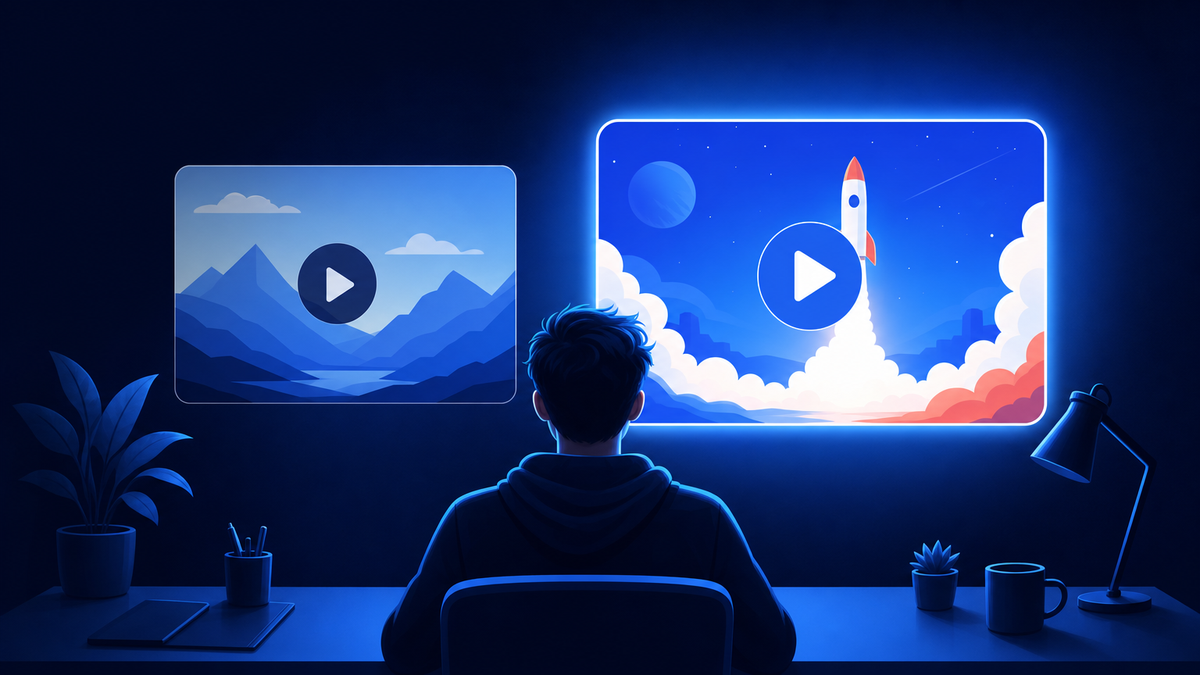
Then hold the image to YouTube’s own standard: “The thumbnail makes a promise, and the video has to deliver on it.”
Test instead of guessing. YouTube’s Test & Compare tool runs up to three titles and thumbnails against each other on the same video.
- Tests finish within about two weeks, and YouTube optimises them “for overall watch time over other metrics, like click-through-rate.”
- Desktop only, and advanced features must be turned on.
- Not available for Shorts, Premieres, scheduled livestreams or content made for kids.
Rank gets you seen. The thumbnail gets you clicked.
Does watch time decide whether you rank?
It is one of the three named elements, not the whole story. YouTube ties engagement to a specific query: “the watch time of a particular video for a particular query.” Its search and discovery guidance names the exact signals:
- “Avg. view duration” and “avg. % viewed” both inform ranking.
- Likes and post-watch survey results show “whether or not viewers enjoyed the video.”
- “Relative watch time is more important for short videos and absolute watch time is more important for longer videos.”
YouTube has never published a watch time threshold or an ideal video length. Any article quoting a 40 or 50 percent target is guessing.
Use your own retention curve instead. Find the moment viewers leave and fix it, and let length follow the content: YouTube’s notes on recommendations say “there’s no universal ‘ideal’ length for YouTube videos.”
One 2026 wrinkle: YouTube changed how it counts views, so the public number now includes people who bounced immediately. If your views jumped this year without matching watch time, read our breakdown of views versus engaged views before drawing conclusions.
Does sharing your video off YouTube help it rank?
Sharing helps, but not for the reason the old advice claims. There is no backlink credit on YouTube. Links from other sites appear nowhere in YouTube’s three stated search elements, and YouTube has never published anything describing external links as a ranking signal. What sharing does is send real people to a video that otherwise has no audience yet.
Why it works: those viewers create the signals YouTube does measure, like watch time and likes. External is a tracked traffic source in Analytics, so you can see which platform sent people and how long they stayed.
Sharing works because it delivers viewers. Viewers create the watch time YouTube measures.
Post the link where your audience already is, and be specific about why they should watch. For the full checklist for the hours after upload, see what to do after publishing a YouTube video.
No audience to share to yet? That is exactly what Sprizzy is for: you pick the video and who should see it, and it runs the campaign on YouTube’s own ad platform, real viewers only, no bots, from $50.
Do Shorts rank in YouTube search?
Yes. YouTube’s Shorts discovery guidance lists search among the places Shorts surface, and says content in search is ranked on factors including “how well the metadata matches the viewers’ search.” That is the same relevance idea applied to a vertical video, so a descriptive title still matters on a Short.
- The Shorts feed
- The Home tab
- The subscriptions tab
- Search results
- Sounds and hashtags
- The trends page
Performance is measured differently. For Shorts, YouTube points to “% of viewers who chose to view, avg. view duration and avg. % viewed,” plus likes and post-watch surveys.
Treat Shorts as their own format rather than clips of your long-form work. YouTube states that experimenting with new formats “will not inherently confuse the algorithm or negatively impact a channel’s overall performance.”
Shorts are their own format with their own ranking, not clips of long-form.
Can you pay to appear in YouTube search results?
Organic placement is not for sale: YouTube “doesn’t accept payment for better placement within organic search results.” The slot you can buy is the ad above the results. In-feed video ads, per Google’s documentation, appear “above relevant search results on YouTube for desktop and in the YouTube app for mobile and TV,” plus watch next, Home and the subscription feed.
Any service promising a guaranteed rank or guaranteed subscribers is not describing how YouTube works. Real promotion buys an audience through ads, verifiable in your own analytics.
What Sprizzy does with your budget
This is exactly what Sprizzy is for. You pick the video and who should see it, and Sprizzy builds and runs the campaign on Google Ads, YouTube’s official ad platform.
- Targeting. Sprizzy creates and tests 200+ audience combinations of keywords, target channels and demographics, and removes low performers automatically.
- Real viewers only. Every view comes from a real person on YouTube. No bots, ever.
- Pay per view. You only pay when a real viewer watches, starting from a $50 budget with no subscriptions or recurring fees.
- Money-back guarantee. Your first campaign comes with a money-back guarantee.
Promotion typically starts within 24 hours, and budgets start at $50. The viewers an ad brings can subscribe, share and keep watching, and that organic activity is what search measures.
We covered the wider question in do YouTube ads hurt your channel’s organic growth, and the prices in how much it costs to promote a YouTube video.
What is not worth your time?
Several ranking habits survive only because they get repeated. None of them appears in YouTube’s published signals, and some actively waste time you could spend on topics and retention.
- Rigid posting schedules. YouTube’s performance FAQ says “growth in views across uploads is not correlated with time between uploads.” Post when the video is ready.
- Tag stuffing. Tags do nothing beyond catching common misspellings, and stuffing them into the description violates YouTube’s spam policy.
- Padding video length. There is no minimum length and no ideal length. Longer for its own sake just hurts retention.
- Backlink building. Borrowed wholesale from web SEO, with no counterpart in YouTube’s published signals.
Skip the hacks. A searched-for topic and a strong first thirty seconds decide the rest.
If your videos keep stalling despite good topics, the causes are usually structural, and we listed them in the mistakes that keep small channels small.
Common questions
How long does it take for a YouTube video to rank in search?
YouTube publishes no timeline, and anyone quoting one is guessing. Ranking is not a switch that flips on a schedule. A video accumulates the engagement signals YouTube measures as people find it, so a video that keeps earning watch time for a query can climb weeks after upload, while a video nobody finishes will not climb at all.
What does "what search term do you want to rank for" mean?
It is asking for the phrase a viewer would type into YouTube's search bar that you want this video to appear for. Pick one main phrase per video and put it in the title and the first line of the description, because YouTube says relevance weighs how well the title, tags, description and video content match the query. Related phrases can rank too; the main one is the one you write for.
Do tags help a YouTube video rank?
Barely. YouTube's own metadata guidance says tags can be useful if your topic is commonly misspelled, and that otherwise tags play a minimal role in discovery. Its performance FAQ calls them not important. Title, thumbnail and description are the metadata YouTube names as more important, so put your effort there instead of building long tag lists.
Is there a watch time percentage you need to hit to rank?
No. YouTube has never published a threshold, so the 40 or 50 percent targets you see quoted come from nowhere official. What YouTube does say is that average view duration and average percentage viewed both inform ranking, that relative watch time matters more for short videos, and that absolute watch time matters more for long ones.
Does video length affect YouTube ranking?
Not the way the old advice claims. YouTube states plainly that there is no universal ideal length for YouTube videos and that the right length depends on your content, audience and purpose. Making a video longer to clear an imaginary bar usually hurts retention, which is a signal YouTube genuinely does measure.
How do you check a YouTube video's backlinks?
Open the video in YouTube Studio, go to Analytics, then Reach, and read the External sites or apps card. YouTube says it lists the websites and apps that have your video embedded or linked, with the views each one sent. Google Search Console does not cover YouTube URLs. Links do not change your rank; YouTube's search elements are relevance, engagement and quality, so judge a link by the viewers it brings.
Can you pay YouTube to rank higher in search results?
No. YouTube states that it does not accept payment for better placement within organic search results. You can pay for an ad slot instead. In-feed video ads appear above search results and in other feeds, but the position varies by surface and device, and no service can guarantee you a specific spot.
Why does my video rank for me but not for anyone else?
Because search results are personalised. YouTube says its system may also consider your search and watch history if you have it turned on, so your own results are skewed by everything you have already watched. Checking your rank while signed out, or in a private window, gives you a closer look at what a stranger sees.