The audience question has been mandatory on every YouTube channel since January 2020, and it has only grown teeth since. The FTC rewrote the COPPA Rule in 2025, and YouTube now runs its own classifier that can overrule your answer.
Here is what the setting does to a video today, and how to get it right.
What is COPPA and why does it apply to your YouTube channel?
COPPA is a 1998 US law that stops online services collecting personal information from children under 13 without verifiable parental consent. In September 2019 the FTC and the New York Attorney General charged Google and YouTube with breaking it by serving targeted ads on child-directed channels. The $170 million settlement forced YouTube to build a system that lets channel owners flag their own child-directed content.
Why it reaches you: the law can land past YouTube and on the channel owner. The FTC’s guidance is blunt: if you upload child-directed content and someone collects personal information from the viewers, “the channel is covered by COPPA”.
The operator then has to give notice, obtain parental consent and meet the rest of the rule. That is why the setting exists as a question you answer rather than a box YouTube ticks for you.
The audience setting is a legal declaration, not a preference.
How does YouTube decide if your video is made for kids?
You decide first, using the FTC’s child-directed factors, and YouTube audits the answer. The factors are the subject matter, whether children are the intended or actual audience, the presence of child actors, characters, celebrities or toys that appeal to children, the complexity of the language, play-acting, simple songs and games, early education, advertising aimed at children, and reliable evidence about the age of the people watching.
YouTube’s own guidance on determining made for kids status gives worked examples. Age-restricted videos are never made for kids.
- Made for kids: educational preschool content, animated children’s programming, a DIY video about dolls or figurines aimed at children.
- Not made for kids: a DIY video for adult hobbyists, a family vlog written for parents, gaming content with adult humour.
The trap: what YouTube calls mixed audience content targets children as one of its audiences even when they are not the main one. That still counts as child-directed and still has to carry the made for kids setting.
There is no half-setting. YouTube has explicitly declined to add a mixed-audience option, so content that appeals to children at all has to be marked made for kids.
What do you lose when a video is set as made for kids?
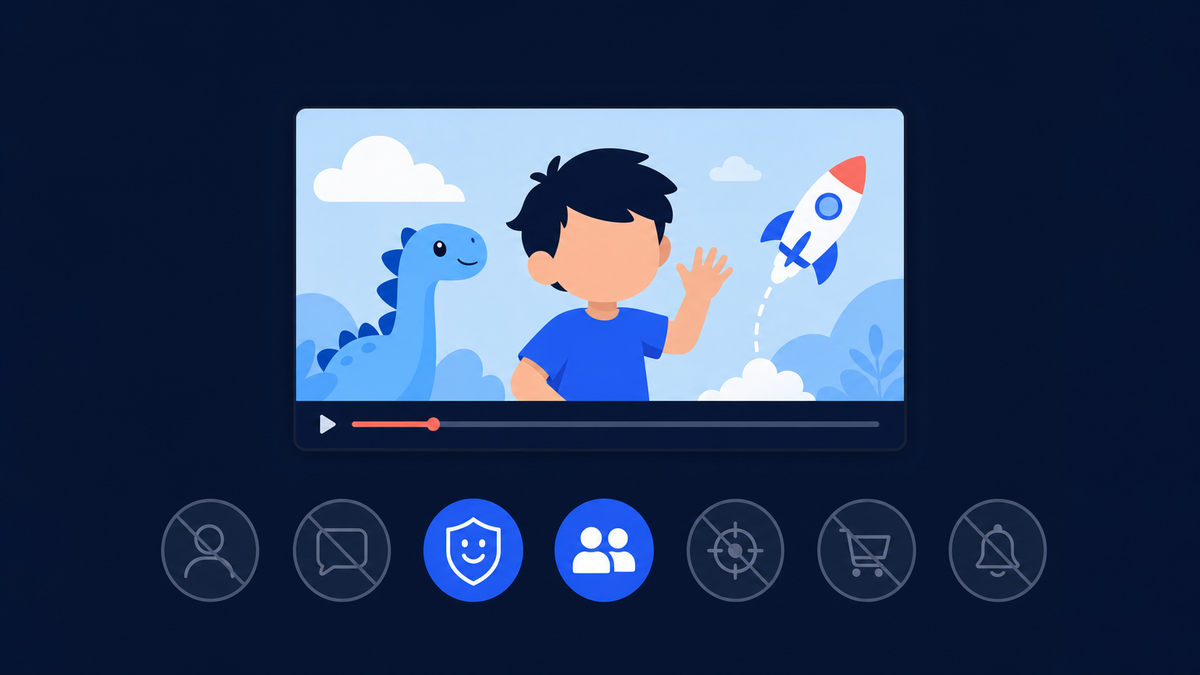
Fourteen features switch off on the video itself, and four more go if you set the whole channel as made for kids. The list covers most of what creators use to build a returning audience: comments, the notification bell, cards and end screens, playlists and personalized advertising. YouTube states plainly that dropping personalized ads “may result in a decrease in revenue for some creators”.
| Setting level | Features turned off |
|---|---|
| A single video set as made for kids | Autoplay on home, cards and end screens, channel branding watermark, Channel Memberships, comments, the Donate button, likes and dislikes on YouTube Music, live chat and live chat donations, merchandise and ticketing, the notification bell, personalized advertising, playback in the miniplayer, Super Chat and Super Stickers, Save to playlist and Save to Watch later |
| The whole channel set as made for kids | Everything above, plus Channel Memberships, the notification bell, Posts and Ask Studio |
Two notes on that list
Stories used to sit on the channel-level row, but YouTube retired the feature entirely on June 26, 2023, so it is gone from the current help page.
Made for kids is not unmonetized: a channel in the Partner Program still earns from contextual ads on kids content. What you give up are the fan-funding surfaces, not ads as such. Read that alongside what you actually need to monetize on YouTube.
Discovery changes shape too
YouTube says made for kids videos are “more likely to be recommended alongside other kids’ videos”, which is a narrower pool than the general recommendation system.
If search and suggested traffic is your growth engine, read that alongside how ranking a YouTube video actually works, because half the levers in that article are unavailable to you here.
What changed in COPPA and on YouTube in 2025 and 2026?
The FTC published amendments to the COPPA Rule on April 22, 2025. They took effect on June 23, 2025, and operators had until April 22, 2026 to comply in full. The amendments widen the definition of personal information to cover biometric and government-issued identifiers, require separate verifiable parental consent before a child’s data goes to third parties for targeted advertising, and forbid keeping children’s data indefinitely.
| Date | What happened |
|---|---|
| September 4, 2019 | Google and YouTube agree to pay $170 million to settle FTC and New York charges, and to build a way for channel owners to identify child-directed content |
| January 6, 2020 | The audience setting becomes mandatory for every channel and every existing video |
| June 26, 2023 | YouTube retires Stories, which drops off the channel-level restriction list |
| April 22, 2025 | The FTC’s amended COPPA Rule is published in the Federal Register |
| June 23, 2025 | The amended rule takes effect |
| August 13, 2025 | YouTube begins rolling out AI age estimation to US viewers |
| April 22, 2026 | Full compliance with the amended rule is required; YouTube posts a fresh creator FAQ on the audience setting the same day |
Who the amendments bind: mostly operators rather than individual creators, and on YouTube the operator is YouTube. They matter the moment you run something of your own aimed at children: a website, an app, a mailing list, a Discord.
At that point you are the operator, and the retention schedule, the security programme and the separate consent requirement are yours to satisfy.
On the compliance deadline, a YouTube community manager published a creator FAQ restating the audience rules, which PPC Land summarised on the day. Nothing in it contradicts the help centre. YouTube treats this as live policy, not a 2020 formality.
Is YouTube’s AI age check the same as the made for kids setting?
No, and conflating them causes real confusion. The made for kids setting classifies your content. Age estimation classifies the viewer. YouTube began rolling the model out to US users on August 13, 2025, and it now runs in Australia, Brazil, Singapore, Switzerland, the United Kingdom, the United States and the European Economic Area, guessing whether an account holder is over or under 18 whatever birthday the account carries.
When the model decides a viewer is under 18, YouTube applies teen protections automatically. Anyone flagged in error can verify with a government ID, a credit card or a selfie.
- Age-restricted content is blocked and recommendations are adjusted.
- Search safety, break reminders and bedtime reminders switch on.
- Ads become non-personalized, with sensitive categories excluded.
What it means for you: a slice of your general-audience traffic is already being treated as teen traffic, whatever birthday those accounts carry. Those viewers only see non-personalized ads.
YouTube has said in the kids context that removing ad personalization can reduce revenue, so a channel that skews young has a structural reason its rates run below the figures quoted in generic CPM articles.
Made for kids labels the video. Age estimation labels the viewer.
What happens if you set your audience wrong?
Two separate things can go wrong. YouTube can override your choice when it detects error or abuse, relabel the video “Set to Made for Kids” and lock you out of the setting. Separately, YouTube warns that if you fail to set your audience accurately “you may face compliance issues with the FTC or other authorities, and we may take action on your YouTube account”.
The regulatory tail: the FTC’s COPPA rule allows civil penalties per violation, and the ceiling has moved a long way since the 2019 guidance quoted $42,530. The maximum rose to $53,088 in January 2025.
Because the annual inflation adjustment was cancelled for 2026, that figure is still the applicable level today. Nobody is auditing a 300-subscriber channel, but the exposure is not theoretical either.
If YouTube has relabelled a video and you think it is wrong, there is a route back. Open Content in YouTube Studio, hover over the made for kids label, and choose Appeal. Until the appeal succeeds, the setting is not yours to change.
How do you set and check your audience in YouTube Studio?
You can answer once for the whole channel or per video during upload. Answering per video is the right choice for a channel that genuinely mixes kids and adult content, and a channel-level answer covers existing and future uploads. Either way, finish with an audit of the videos you already have, because unset videos are the ones most likely to get classified for you.
- Channel level. Go to studio.youtube.com, then Settings, then Channel, then the Advanced settings tab. Pick your audience and save.
- Video level. During upload, on the Basic info tab, scroll to Audience, answer yes or no, then continue.
- Audit what you have. Open Content in the left menu and use the Filter for made for kids. You will see four states: made for kids set by you, set to made for kids by YouTube, not made for kids, and not set.
- Hunt down Not set. Answer the question on every unset video. Fold this into your upload routine alongside everything else you do in the first hours after publishing.
Not set is the state to eliminate. It is the one YouTube decides for you.
Can you promote a made for kids video with ads?
You can advertise on YouTube, but made for kids inventory is a much narrower product. On content set as made for kids only contextual ads are allowed, targeted on what is being watched, the viewer’s current search and a general location such as a city or state. Personalized ads, remarketing and other personalized targeting features are prohibited, and third-party trackers are banned outright.
Google also blocks a long list of advertiser categories on that inventory, and ads must not incite children to buy or push parents to buy on their behalf. Viewers see an ad bumper before and after each video ad so the boundary is obvious.
- Blocked categories include: dating, weight loss, food and drink, video games rated above E10+, political and religious ads, and anything violent or frightening.
- The YouTube Kids app is stricter still: every paid ad there has to be pre-approved by YouTube’s policy team, only in-stream video ads run, and clickable destination URLs are not allowed.
Promoting a general-audience video
For a general-audience channel none of that applies, and paid promotion is a normal way to seed a video’s first audience. The fastest fix for an upload nobody has found yet is to put it in front of people who would choose to watch it.
Sprizzy does that through YouTube’s official ad platform, targeting by keywords, similar channels, location, age and gender, real viewers only, no bots. Campaigns start at $50 and your first one comes with a money-back guarantee.
Before you spend anything, it is worth reading whether running ads hurts your channel’s organic growth, because the answer surprises most creators.
Promotion works on the setting you already have. If you want the full toolkit of comments, the notification bell and memberships, make videos for a general audience, set the audience truthfully, and then give the video its first viewers.
Common questions
Do I have to set an audience if my channel is not for kids?
Yes. YouTube's help page states that as a creator you are required to set future and existing videos as made for kids or not, and the requirement applies to every channel whatever its topic. You can answer once at the channel level under Advanced settings, or per video during upload. Videos you never answered for show up in Studio filtered as Not set.
Can I just add a disclaimer saying my videos are not for children?
A line in the description does not change the answer. The FTC's test looks at the content itself: subject matter, child actors, characters, celebrities and toys that appeal to children, the complexity of the language, play-acting, songs and games, and reliable evidence about the age of the audience. Write for adults if you want an adult audience setting, and let the video carry the proof.
Can made for kids videos still earn money?
Yes, if your channel is in the YouTube Partner Program. Ads still run, but only contextual ones based on the content, the viewer's current search and a general location. YouTube says that not serving personalized ads may result in a decrease in revenue for some creators who mark their content as made for kids. Memberships, Super Chat and merchandise shelves are switched off.
Does made for kids put my video into the YouTube Kids app?
No. YouTube's made for kids FAQ says videos set as made for kids are not automatically included in the YouTube Kids app. Content goes through a separate review for age appropriateness before it can appear there. The two systems are related but distinct, and you cannot opt a video into YouTube Kids by changing its audience setting.
Can I change the setting after YouTube marks my video as made for kids?
Not directly. YouTube says that if it detects error or abuse you may see the video labelled Set to Made for Kids, and that you will not be able to change your audience setting. Your route is an appeal: open Content in the left menu of YouTube Studio, hover over the made for kids label on that video and choose Appeal.
Is the AI age check the same thing as the made for kids setting?
No. The audience setting labels your content; age estimation labels the viewer. YouTube's model estimates whether a signed-in user is over or under 18 regardless of the birthday on the account, and applies teen protections when it decides they are under 18. Anyone flagged in error can verify their age with a government ID, a credit card or a selfie.
Is a family vlog made for kids?
Usually not, but it depends on the video. YouTube's guidance treats a family vlog aimed at parents as not made for kids, while content built around kids' characters, toys, nursery songs, play-acting or early learning is. Mixed audience content, which targets children as one audience but not the primary one, still counts as child-directed and needs the setting.
Can I turn comments back on for a made for kids video?
No. Comments are one of the features YouTube turns off on made for kids content, along with the notification bell, cards and end screens, live chat, Super Chat, Channel Memberships, merchandise and Save to playlist. There is no override and no appeal for the feature loss itself. If comments matter to your format, the fix is to make content that is genuinely for a general audience.