

Where the views come from
Sprizzy promotes your video through Google Ads, which is YouTube’s own advertising platform. Your ad is shown to signed-in YouTube users while they search, browse and watch. There is no other source, and no third party is involved.
Because it runs through Google Ads, the traffic is reported by YouTube itself, so you can check it without taking our word for it.
How to check in YouTube Studio
- Open YouTube Studio.
- Click Content and open Analytics for the video.
- Open the Reach tab.
- Click See more under the Traffic source types table.
- Set the date range to cover the days your campaign ran, or use “Since published”.
- Open the Traffic source tab.
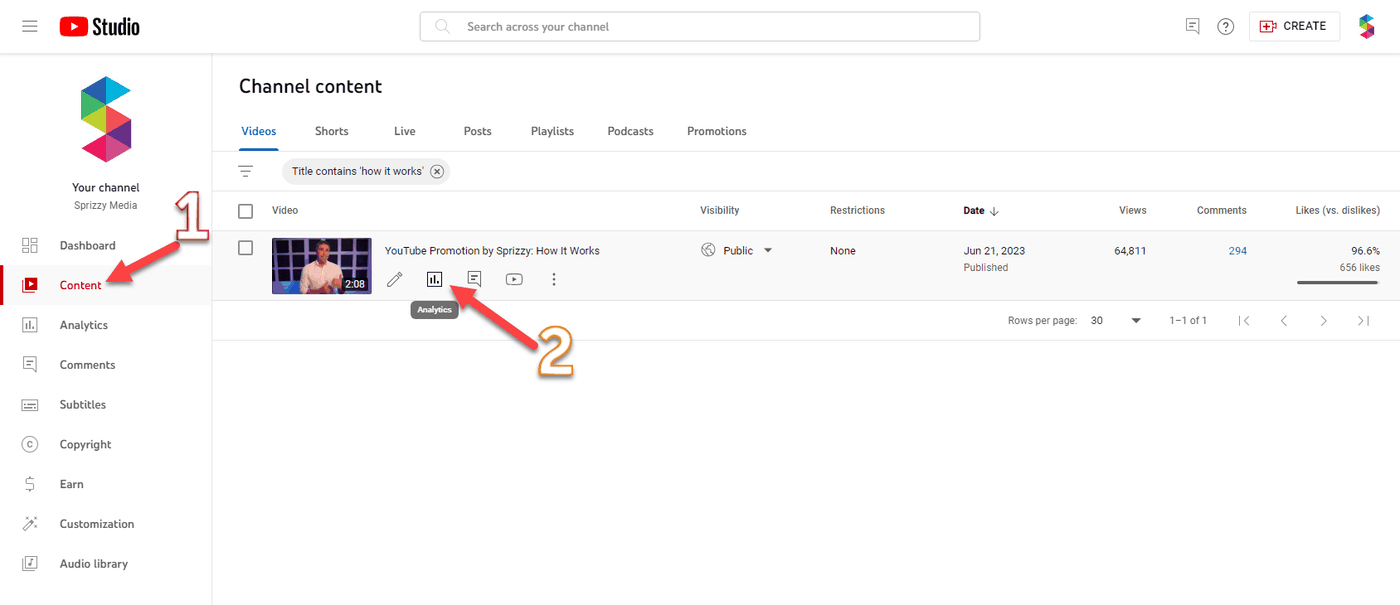
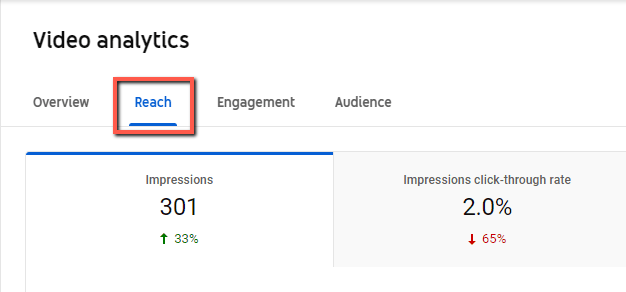
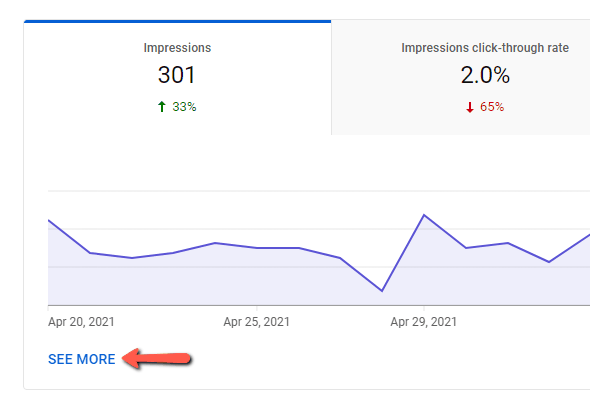
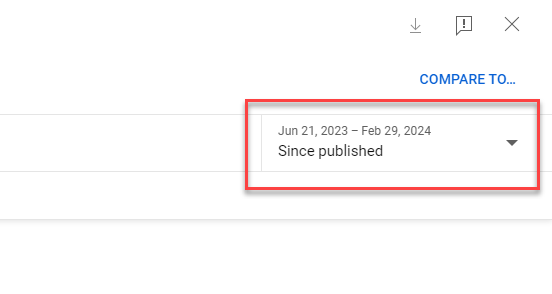
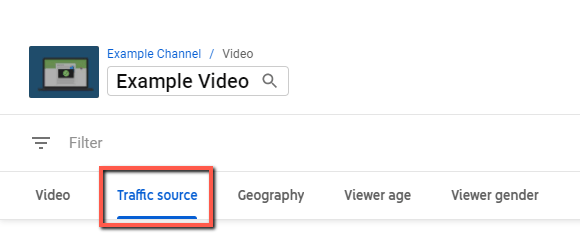
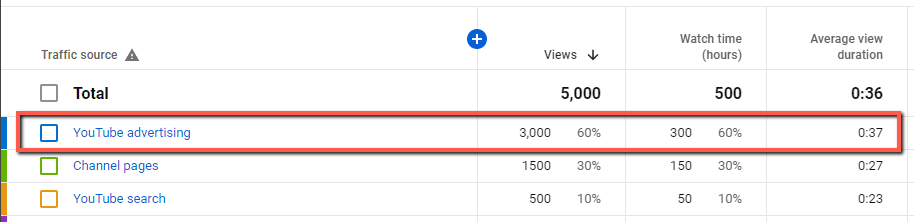
Views from your campaign appear as YouTube advertising.
If the numbers do not line up yet
YouTube checks views before it counts them publicly, which can take up to 72 hours. See Why are my views and watch time not updating?.
The two systems also count different things. Your Engagement Report counts only the views your campaign paid for. YouTube Studio counts everything. See What counts as a view?.
If you think views are missing
Email support@sprizzy.com with the campaign ID and a screenshot of your YouTube Studio traffic source view. Make sure the video name and the date range are visible in the screenshot.
What to do next
Run the check above for the dates your campaign ran, and compare the YouTube advertising line with the Ad Views in your Engagement Report.