

The quickest fix
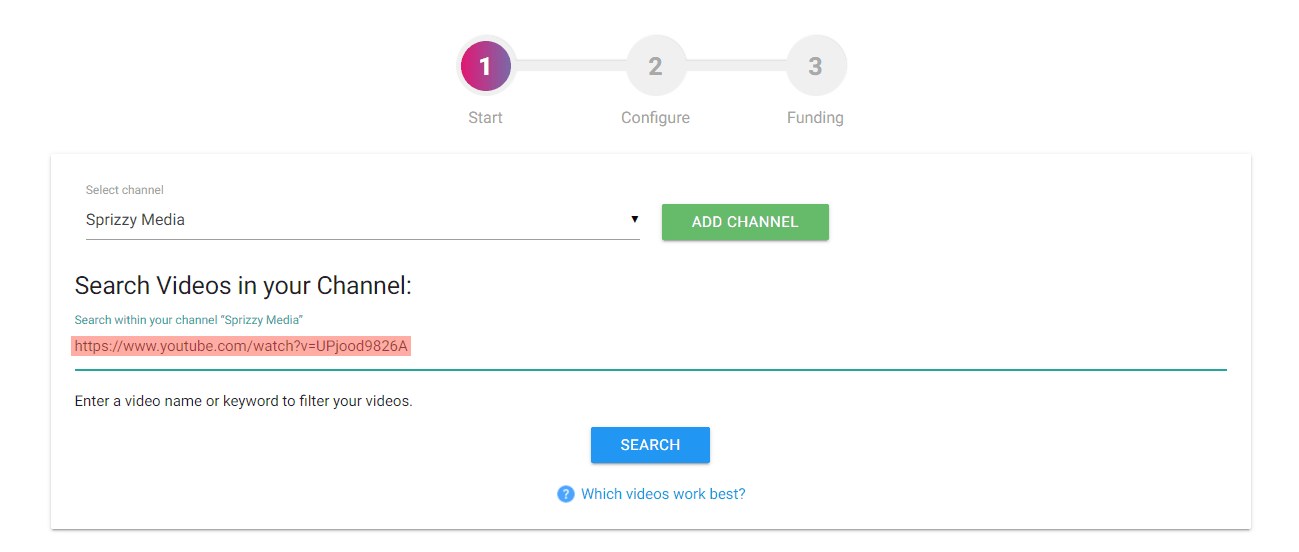
Copy the video link from YouTube and paste it into the search field on the campaign setup page, then click Search. This adds the video directly and skips the list.
Use the plain link. Remove anything after the video ID, such as a timestamp like &t=45s.
Why the video is missing from the list
You just uploaded it. It can take a little while for a new video to appear. Pasting the link works straight away.
It is private or scheduled. Private and scheduled videos cannot run as ads and do not appear. Set it to Public or Unlisted first.
It is on a channel you have not added. Open My Channels and add the channel, or paste the video link.
It is on an auto-generated topic channel. Music distributors often create these. You can add the topic channel under My Channels and pick the video, or paste the link. For more control over your promotion and your audience, upload to a channel you own.
“Video not found” or “URL invalid”
- The video must be live on YouTube already.
- Check for a typo or an extra character in the link.
- Try the short youtu.be link or the full watch link.
What to do next
Paste the video link into the search box on the campaign page. If it still does not work, email support@sprizzy.com with the video link you are using.