

The four ad formats
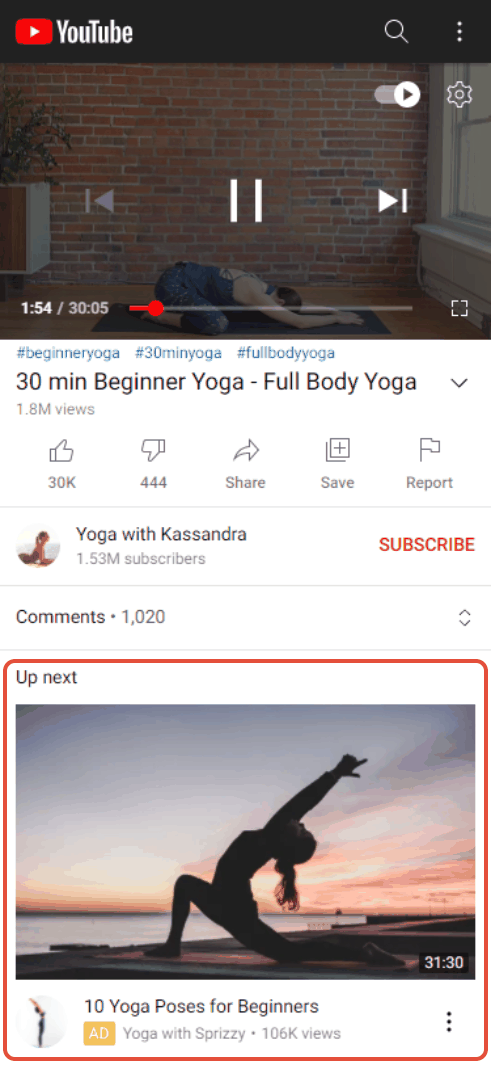
In-feed ads. Your video appears as a suggested video next to similar videos and in YouTube search results. The viewer chooses to click it, so they arrive on your video page and can like and comment there.
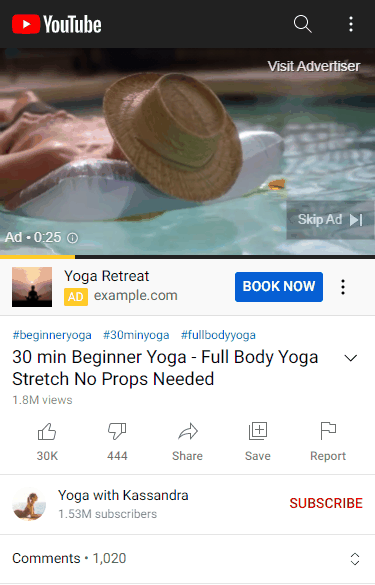
In-stream ads. Your video plays as a commercial before someone else’s video. The viewer can skip after five seconds. Google counts a view when someone watches at least 30 seconds, watches your whole ad if it is shorter, or clicks it.
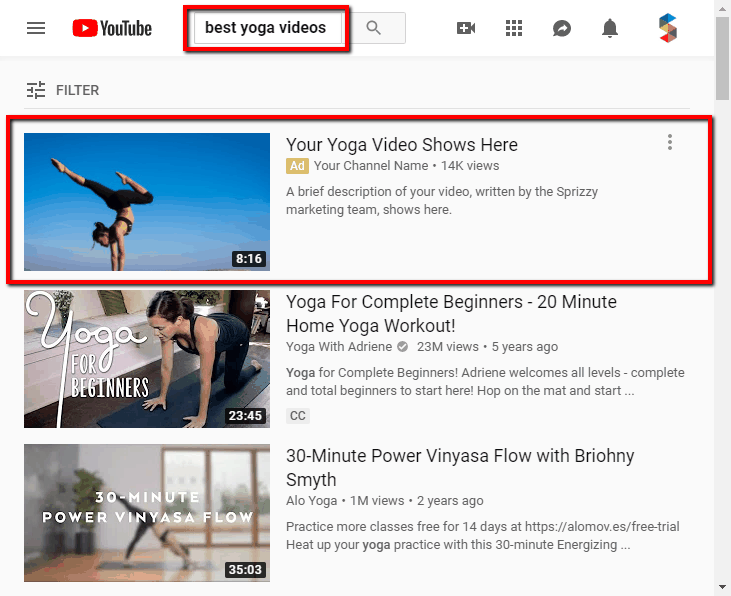
Search ads. Your video appears at the top of YouTube search results for the keywords you target.
Shorts ads. Your video appears in the Shorts feed between short videos as people scroll.
Choosing your formats
In the campaign builder, open Select Your Ad Types. Leave them all on and the system decides where your budget works best. Turn some off if you only want certain placements.
The formats differ in where the viewer ends up. In-feed and search ads are links someone chooses to click, and they open your video’s own page, which is where the like, comment and subscribe buttons are. An in-stream ad plays inside someone else’s video, so the viewer stays on that page. Shorts ads play in the scroll. Leaving more than one format on gives Google more places to spend your budget.
Why a campaign can bring subscribers but few comments
An in-stream ad plays like a commercial. Viewers cannot comment on the ad itself, and many people who click go to your channel page rather than the video page. So you can gain subscribers while the comment count on the promoted video barely moves.
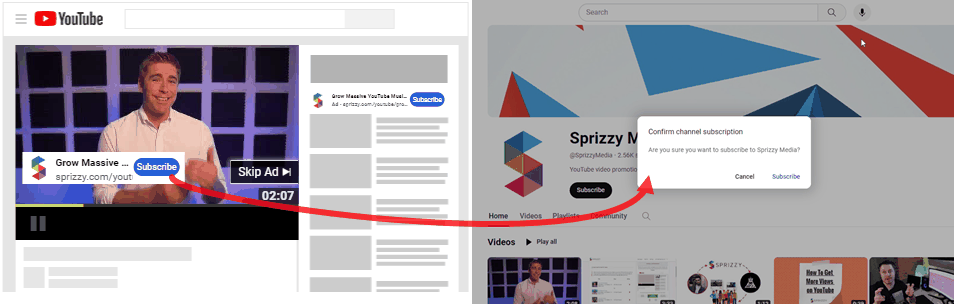
If comments and likes on that specific video matter to you, turn on in-feed ads, which send viewers to the video page itself.
Your thumbnail and title
In-feed, search and Shorts placements show your video’s own thumbnail and title. If you change the thumbnail on YouTube, the ad picks up the new one.
What to do next
Check which formats your campaign is using under Edit Campaign, then Select Your Ad Types. To change them, read Edit a campaign that is already running.