
For nine years the Subscriptions button sat in the bottom bar of the YouTube app, one tap from anywhere. On October 22, 2026 it moved. The feed still receives every public upload; the habit that carried subscribers to it is what changed.
Here is exactly what YouTube moved, what still reaches your subscribers, where the change shows up in YouTube Studio, and what to do about it this week.
Where did the YouTube Subscriptions tab go?
It is now a tab called Subs in the top bar of the Home tab on Android and iPhone, second from the left, right after Home. YouTube announced the move in its Help Community on October 22, 2026: “Subs (formerly Subscriptions): Your Subs feed is moving to the top bar on the Home tab, keeping your favorite creators front-and-center.” The bottom bar keeps Home, Shorts, Create and You.
The announcement calls this the start of “a series of updates to shape a more seamless Home experience”. The top bar also gains Live and Music feeds, a Movies & TV feed for Primetime Channels subscribers, and a “+” button for custom feeds.
| Before October 22, 2026 | After | |
|---|---|---|
| Where Subscriptions lives | Fourth button in the bottom bar | “Subs” tab in the top bar of Home |
| Bottom bar | Home, Shorts, Create, Subscriptions, You | Home, Shorts, Create, You |
| Top bar of Home | Topic chips | Home, Subs, Live, Music, Movies & TV, custom feeds |
| Custom feeds | Not available | Tap “+”, describe a topic; 3 feeds free, 8 with Premium |
| Desktop | Subscriptions in the left sidebar | Unchanged |
YouTube’s own Help page already reflects it. The Subscribe to YouTube channels page now tells viewers to “tap Subs in the top bar of the Home tab” to reach the feed.
The Home feeds page adds one line creators should read twice: “Feeds and the top bar are not visible if your YouTube watch history is paused or turned off.”
The feed did not go away. It moved from a button every viewer saw to a tab inside Home.
Do your subscribers still get every upload in the Subs feed?
Yes. YouTube’s subscriber FAQ is unambiguous: unless you change the distribution options, “we publish every video to the Subscriptions feed.” The same page says videos from subscriptions are not guaranteed to appear on the Home tab, which is “designed to show you videos that we think you’re most interested in watching.” Nothing in the October change touched either rule.
One setting removes an upload from the feed. In the upload flow, under Show more, the box “Publish to subscriptions feed and notify subscribers” controls it. Unchecked, subscribers “won’t receive a notification” and the upload “won’t appear in their Subscription feed” (YouTube Help).
The “automatically unsubscribed” story is also settled. YouTube writes that “in every case we’ve looked at, we’ve verified that there’s no issue causing viewers to be unsubscribed by YouTube.” Most viewers who report it are still subscribed; they stopped seeing the channel on Home.
If your subscriber count dropped, the Subscription source report in Analytics tells you why, row by row.
How many subscribers were watching from the feed anyway?
Fewer than most creators assume. Subscribers who see your new upload in the feed and click it: about 1 in 10, even on your best video. The other 9 scroll past. That is the baseline YouTube’s senior director of growth and discovery, Todd Beaupré, gave in a September 1, 2026 interview on YouTube’s own creator channel: “probably all your videos have about maybe a 10% or less click-through rate.”
He drew the conclusion himself: “even your best videos 90% of the time your subscribed audience isn’t deciding to watch.”
He also named where subscribers actually watch: “the number one place that people are watching videos from channels they’re subscribed to is actually on the watch page in that suggested list.” The feed was already the smaller door before it moved.
- Subscribers and non-subscribers are scored separately. The system can learn that “for subscribers, this video is not performing well, and for people who haven’t watched the channel, it is”, and it uses each group’s data for that group.
- A cold reaction from subscribers does not cap reach. In his words, “it’s not only your subscribers who will see it.”
- Skipping is normal. “It’s normal for an audience that has been interested in your channel to not be interested in every upload.”
The move changes where a subscriber finds you. It does not change the fact that most of them were already finding you through recommendations.
Will your views from subscribers drop, and how would you know?
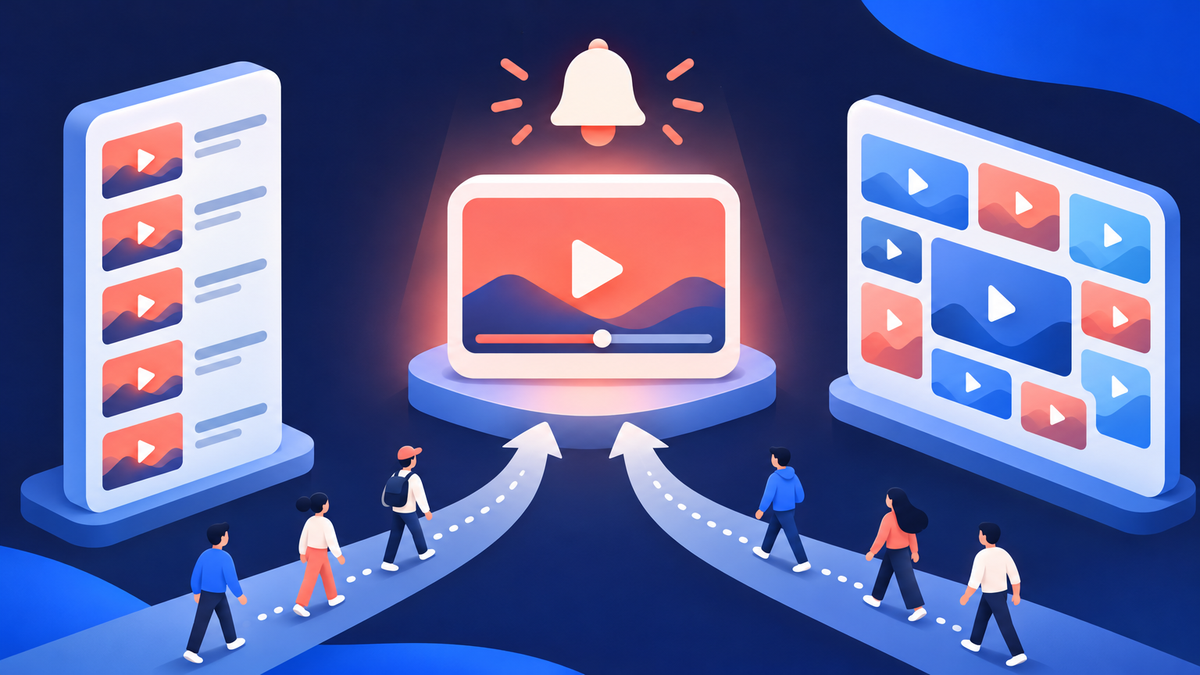
Expect the share of views that start in the Subs feed to shrink while views from Home and the watch page grow, and expect YouTube Studio’s traffic report to hide the swap. The traffic source definitions put Home and Subscriptions in one row: Browse features is “traffic from the Home, subscriptions, Watch Later, Trending/Explore and other browsing features.” A view that moved from the feed to Home stays in the same row.
So measure the audience, not the row. Three reports separate subscribers from everyone else:
| Report | Where in YouTube Studio | What it tells you after the move |
|---|---|---|
| Watch time from subscribers | Analytics, Audience tab | “What percent of your watch time comes from subscribers and viewers who aren’t subscribed” (Help). Compare the 28 days before October 22 with the 28 days after. |
| Audience retention Segments | A video’s Analytics, retention chart, Segments drop-down | Subscribed vs not subscribed, new vs returning, and organic vs paid on one video (Help; Advanced Mode may be needed). |
| Notifications rows | Analytics, Reach, traffic sources | “Notifications” and “Notifications to belled subscribers” are their own rows, so a drop in belled traffic shows even when Browse features does not move. |
If the subscriber share falls and total views hold, your fans moved to Home and found you there. If both fall, Home is not ranking you for them, and the fix is what a new channel needs: more people who want this topic watching it.
That is what Sprizzy is for. You pick the video and describe who should see it by keywords, similar channels, location, age and gender. Sprizzy runs it as an ad on YouTube’s official ad platform to real viewers who choose to watch, from $50.
What are custom feeds, and can a small channel land in one?
A custom feed is a tab a viewer builds by typing what they want, and your video qualifies for it the way it qualifies for Home: by matching the words and watch history behind the prompt. YouTube’s announcement: “Tap ‘+’ at the top of your Home feed and describe the topic, channels, or vibe you’re looking for”, with the example “help me unwind after work with guided meditations under 10 minutes.”
- Limits: “you can save up to 3 active custom feeds, while YouTube Premium members can save up to 8.”
- Who has it: rolling out “on mobile and desktop in English to U.S. based, signed-in viewers aged 13 years or older with search history enabled.”
- Expiry: a custom feed expires after 30 days of inactivity, per the Help page.
- Feedback loop: videos watched inside a custom feed count toward the viewer’s watch history and shape their Home.
What that means for your titles. A viewer’s prompt is plain language about a topic, a format and a length. A title that states the topic in its first words, a description that repeats it, and a steady length per series match it.
A clever title that hides the subject gives it nothing.
Custom feeds reward channels that are obviously about something. Say what the video is in the first five words.
Which notifications still reach subscribers after the move?
All of them, under the same rules as before: the redesign changed navigation, not the notification system. A subscriber’s bell setting decides what they get, and the default is Personalized. YouTube’s notifications page says that on Personalized “you’ll get notifications for some uploads, Shorts, and live streams”, chosen from signals such as watch history, how often they watch your channel and how often they open notifications.
| Bell setting | What the subscriber receives | Timing |
|---|---|---|
| All | Every long-form upload and live stream, some Shorts | Usually within minutes |
| Personalized (default) | Some uploads, Shorts and live streams, picked per viewer | Sent “at the optimal time for each individual subscriber”, sometimes hours later |
| None | Nothing, but every upload still appears in their Subs feed | n/a |
Two caps still apply. YouTube’s notification troubleshooting page states that viewers receive “a maximum of 3 notifications from each channel in a 24 hour period”, and that publishing more than three videos in a short period can pause notifications for 24 hours.
Upload as Private and publish on a schedule to stay under both caps.
The Bell notifications sent card on each video shows how many went out, the click-through rate, and views from the notification. That card, not the Subs feed, tells you whether your most loyal viewers heard about the upload in the first hours after publishing.
What should you do this week?
Treat the move as a reason to stop relying on a tab you never controlled, and to get the measurement in place before you decide anything changed. Seven steps, in order, each one checkable in YouTube Studio or on your own phone.
- Confirm the box. Open your last five uploads in Studio; every one should show a Bell notifications sent card above 0%. If not, the subscriptions-feed box was unchecked.
- Record the baseline. In Analytics, Audience, note watch time from subscribers for September 24 to October 21, 2026. That is your before.
- Set the after window. Read the same number for October 22 to November 18, 2026. Compare the share and the total, not one of them.
- Check Browse features and Notifications. In Reach, note both rows for both windows. Browse features cannot separate Home from Subs; Notifications can show whether belled viewers still arrive.
- Tell viewers where the feed is. One line in your next video and a pinned comment: Subs is in the top bar of Home, and the bell set to All means every upload. The viewers you cannot see leaving are the ones who never hear this.
- Front-load the topic. Rewrite titles and the first line of descriptions so the subject is in the first five words. Home and custom feeds match on what the video is about.
- Grow the audience Home learns from. Put the video in front of people who search your topic and watch channels like yours. Sprizzy promotions start at $50, with no monthly fees and a money-back guarantee on your first one.
Subscribers were always one audience among several. The move makes that visible; your titles and your reach decide what happens next.
Common questions
Is the YouTube Subscriptions tab gone for good?
The bottom-bar button is gone on Android and iOS; the feed is not. It is now the Subs tab in the top bar of the Home tab, second after Home, and YouTube's Subscribe to YouTube channels Help page already documents that location. On desktop, Subscriptions stays in the left sidebar. YouTube describes the change as the first of a series of Home updates, so expect the top bar to keep evolving.
Why don't I see the Subs tab on my phone?
Two common reasons. The redesign is rolling out by account rather than by app update, so a phone still showing five bottom buttons simply has not received it. And YouTube's Home feeds Help page says feeds and the top bar are not visible if watch history is paused or turned off; turning history back on restores the tabs. Signed-out viewers do not get the top bar either.
Did YouTube unsubscribe my viewers when it moved the tab?
No. YouTube's subscriber FAQ says that in every case it has investigated there was no issue causing viewers to be unsubscribed by YouTube. Most viewers who believe it are still subscribed; they stopped seeing the channel on the Home tab, which is a recommendation feed, and assumed the subscription was removed. The Subscription source report in Analytics shows real unsubscribes and closed accounts separately.
Does the move change which subscribers get notified?
No. Notifications still follow the bell setting: All sends every long-form upload and live stream, Personalized (the default) sends some, chosen from the viewer's watch history and habits, and None sends nothing while every upload still appears in their Subs feed. The caps also stand: a viewer receives at most 3 notifications from one channel in 24 hours, and publishing more than three videos quickly can pause notifications for a day.
Will views from subscribers show a drop in YouTube Analytics?
Not in the traffic source report. Browse features is one row for Home, Subscriptions, Watch Later and Trending, so a view that moved from the feed to Home stays in the same line. Use the Audience tab's watch time from subscribers percentage, the retention chart's Segments drop-down (subscribed versus not subscribed) and the Notifications rows, comparing the 28 days before October 22, 2026 with the 28 days after.
How does a video get into a viewer's custom feed?
The same way it gets onto Home: by matching the words in the viewer's prompt and the watch history behind it. A viewer types a topic, channels or a vibe, YouTube builds the feed, and videos watched inside it feed back into their history. Free accounts keep up to 3 active feeds, Premium members 8, and a feed expires after 30 days unused. A title that names the topic first is the lever.
Can I bring the old Subscriptions button back?
There is no setting that restores the five-button bar. On Android, a long press on the YouTube app icon still offers a Subscriptions shortcut that opens the feed directly, and iPhone users can add YouTube's Quick Actions widget, which includes a Subscriptions button. For your audience, the practical move is a pinned comment that says where Subs now lives and asks them to set the bell to All.