A subscriber count that falls overnight has three possible causes, and YouTube Analytics can tell you which in under five minutes. This guide covers that check, what YouTube does and does not remove, why the public number drops in cliffs, and what rebuilds the count.
Did real people unsubscribe, or did YouTube remove accounts?
One report answers this. The Subscription source view in YouTube Analytics lists every way subscribers arrived and every way they left, and it has a row named Closed accounts. YouTube Help defines that row as a “reduction in subscriber count caused by removal of closed accounts and spam.” If most of the drop sits in that row, nobody left. If it sits in the two unsubscribe rows, people did.
- Open the report. In YouTube Studio go to Analytics, click See more on any card, then choose Subscription source from the dropdown at the top. Set the date range to the days the count fell.
- Read the Closed accounts row. This is YouTube’s cleanup of closed and spam accounts. A negative number here is a correction, not an audience leaving.
- Read the two unsubscribe rows. Subscriptions feed is people who unsubscribed from their feed, which YouTube says “can help you understand how your upload frequency impacts your subscriber count.” Subscriptions channel list is unsubscribes from the subscriptions manager.
- Compare the two totals. Cleanup larger than unsubscribes means the count was corrected. Unsubscribes larger than cleanup means the content or the cadence changed something for real viewers.
One caveat from YouTube: if the channel did not have enough traffic in the selected period, the Subscription source dimension may not appear. Widen the date range until it does.
Closed accounts row: a correction. Subscriptions feed row: a decision by a viewer.
What does YouTube actually remove from a subscriber count?
Two things only: closed accounts and spam subscribers. YouTube’s subscriber count page defines closed accounts as accounts “closed by the creator or accounts terminated or suspended by YouTube due to a policy violation,” and spam subscribers as “subscribers gained through artificial means, such as purchasing subscribers through a third-party service.” YouTube says it verifies accounts regularly, so the removals arrive without warning.
| Removed from your count | Never removed |
|---|---|
| Accounts the owner deleted | Subscribers who have not watched in months or years |
| Accounts YouTube terminated or suspended for a policy violation | Subscribers who turned notifications off |
| Accounts identified as spam, including bought subscribers | Subscribers who keep their subscription private |
Inactivity is not a reason. When creators asked in December 2018 whether viewers who rarely watch would be purged, TeamYouTube answered: “No, we don’t remove inactive subscriptions–only closed accounts or spam subscribers are removed from the channel subscriber count.”
The removal is invisible elsewhere. The same Help page says removed accounts “won’t show in your subscriber list and they don’t impact views or watch time.” So a count that fell while views and watch time held steady is almost always a cleanup.
You can be caught in a spam sweep without buying anything. YouTube’s December 2018 announcement explained that “spam services tend to subscribe to a variety of channels, instead of just subscribing to the channel that purchased the spam.” Your channel can be a decoy.
How big are YouTube’s subscriber cleanups?
A channel that had bought subscribers before December 2018 lost most of them in one day; a channel caught in the December 2019 closed-account removal lost fewer than 15 on average. Those are YouTube’s own figures from its two announced sweeps, and they bracket what a cleanup looks like. For a channel that never bought anything, the Closed accounts row stays small, with an occasional step when YouTube terminates a batch of accounts.
- December 13, 2018. YouTube announced it would be “removing subscribers that were in fact spam from our systems” over two days, warned of “a noticeable decrease” for affected channels, and said watch time would not be affected because spam accounts do not watch.
- December 4, 2019. YouTube said it had “identified and removed a number of subscribers that were closed accounts,” that “impacted channels will see their subscriptions decrease by fewer than 15 subscribers” on average, and that the change “shouldn’t have an impact on a channel’s watch time.”
- September 1, 2025. TeamYouTube restated the position to a creator asking about a drop: “While your subscriber count can decrease because of subscribers unsubscribing from your channel, we’re also removing closed or spam accounts.”
What this means for you: a handful lost with no change in views is YouTube keeping the number honest. Hundreds lost is either a bought-subscriber package being unwound or a real audience reaction, and the Subscription source report tells you which.
Either way, the count that remains is your real audience, and growing it is a reach problem. Sprizzy puts your video in front of people who want it, on YouTube’s official ad platform, targeted by keywords, similar channels, location, age and gender, from $50.
Under 15 lost with steady views: a cleanup. Hundreds lost: read the Subscription source report before you change anything.

Why did my public count drop by exactly 10, 100 or 1,000?
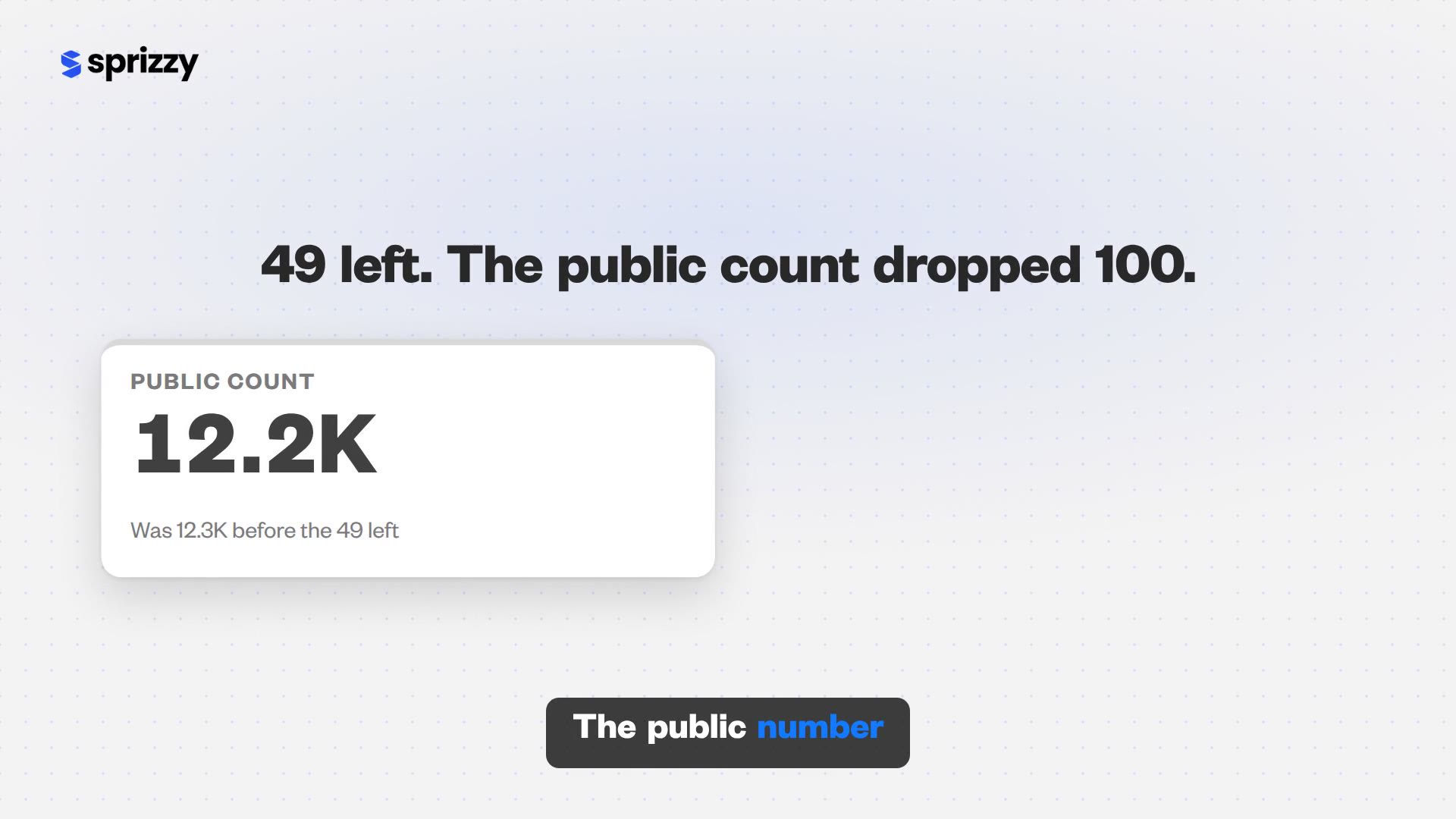
Because the number under your channel name is rounded, and rounding turns small losses into visible cliffs. YouTube Help’s subscriber count page shows the public count updating for every subscriber under 1,000, every 10 between 1,000 and 9,999, every 100 between 10,000 and 99,999, and every 1,000 from 100,000 up. Your exact figure is in YouTube Studio under See live count on the Realtime card.
| Exact subscribers | Public count shows | After losing 49 | Public count shows |
|---|---|---|---|
| 823 | 823 | 774 | 774 |
| 1,234 | 1.23K | 1,185 | 1.18K |
| 12,345 | 12.3K | 12,296 | 12.2K |
| 123,456 | 123K | 123,407 | 123K |
Read the table across. The same 49 lost subscribers are invisible at 123,456, look like 100 at 12,345, and look like 50 at 1,234. The display did not lie; it rounds down to the step. Only the live count tells you what actually moved.
The same rounding is why a growing count looks stuck for days. If the number has not moved at all, see why a YouTube view count freezes, which covers the subscriber case too.
Public count: rounded to the step. See live count: the real number.
Did YouTube unsubscribe my viewers automatically?
No, and YouTube has investigated this claim repeatedly. Its subscriber FAQ page says that “in every case we’ve looked at, we’ve verified that there’s no issue causing viewers to be unsubscribed by YouTube.” What the Subscriptions team found instead were three ordinary explanations, and each one is worth knowing before you tell your audience they were unsubscribed.
- They are still subscribed. “Most of the time, we find that the viewer is still subscribed to the channel.” A viewer who stops seeing you on the Home tab often assumes the subscription was removed. The Home tab is a recommendation feed; the Subscriptions feed is the complete list.
- They unsubscribed by accident. YouTube added a confirmation pop-up when unsubscribing after finding accidental taps, though the page notes it is not yet available on iPhone and iPad.
- They are private. Subscriptions are private by default, so a viewer missing from your Recent subscribers card has not necessarily left. That card also only lists people who subscribed in the last 28 days.
Use the right list. The Recent subscribers card on the Studio dashboard is for recognising names, not for counting. The count lives in Analytics, the reasons in Subscription source, and which names you can see is its own question.
Which videos are losing you subscribers?
The per-video “Subscribers lost” figure is narrower than it looks. Google’s YouTube Analytics metrics reference says that when the figure is filtered to one video it “only includes users who unsubscribed from the specified video’s watch page.” A viewer who watched your video, went to the feed and unsubscribed there lands in the Subscriptions feed row at channel level, not against the video. Treat the per-video number as the floor.
- Look for a spike on one upload. A video with many watch-page unsubscribes usually promised one thing in the title and thumbnail and delivered another, or stepped outside the topic the audience subscribed for.
- Look at the Subscriptions feed row over weeks. YouTube ties that row to upload frequency. A rising line after you went daily, or after you went quiet for a month, is the cadence talking.
- Watch the YouTube advertising row. Subscription source includes a row for “subscriptions from ads.” If you run a campaign, this is where the subscribers it brings appear, and YouTube credits them to the page where they clicked Subscribe, usually your channel page rather than the promoted video.
Replacing what you lost is the same job as growing: get the video in front of people who want that topic.
This is exactly what Sprizzy is for: you pick the video and who should see it, and it runs the campaign on YouTube’s own ad platform, real viewers only, no bots, from $50.
Ads find the audience and the video keeps them. Viewers who subscribe through an ad chose to, so they sit in the same report as any other subscriber. For what a budget turns into, see how much a YouTube subscriber costs with ads.
Test it with a small budget. Sprizzy campaigns start at $50, there are no monthly fees, and your first campaign comes with a money-back guarantee.
Does a subscriber drop affect monetization?
Only if it takes you under a threshold, and YouTube’s rules on that are specific. The Partner Program eligibility page says that once you have applied, “it doesn’t matter if your subscriber or watch hour counts drop below the threshold while waiting for review.” In its December 2018 spam sweep, YouTube said channels pushed below 1,000 subscribers would be removed from the program, so bought subscribers are a liability to monetization, not a shortcut.
- Already in the program: YouTube’s stated removal rule is inactivity. The eligibility page says a channel that has not uploaded or posted for 6 months or more can lose monetization.
- Waiting for review: a dip below 1,000 or 500 subscribers during the wait does not count against you, in YouTube’s own words.
- Not yet applied: apply once the live count in Analytics is over the line; YouTube says a dip while you wait does not matter.
The count that survives a cleanup is the one YouTube trusts. Built with real viewers, it does not fall again the next time YouTube verifies accounts. Sprizzy has done this for over 1.5 million channels since 2016; here is how a campaign works.
Common questions
Does YouTube remove inactive subscribers?
No. YouTube's own account answered this directly in December 2018: it does not remove inactive subscriptions, only closed accounts and spam subscribers come off the count. A viewer who has not watched you in two years still counts. If your count fell, look at the Closed accounts row in Subscription source before assuming your quiet subscribers were purged.
Why did my subscriber count drop but my views stayed the same?
That pattern is the signature of a cleanup. YouTube Help says removed closed and spam accounts do not impact views or watch time, because those accounts were not watching. Real unsubscribes usually follow a dip in views or a video that missed. Steady views with a lower count means YouTube corrected the number, and nothing about your channel changed.
Can I see which subscribers were removed?
No. Removed accounts disappear from your subscriber list without a record, and the Recent subscribers card on the Studio dashboard only lists people who subscribed publicly in the last 28 days. The Subscription source report shows the size of the removal in its Closed accounts row for any date range, which is the closest YouTube gets to an itemised answer.
Why did my subscriber count drop after a promotion?
Subscribers who arrive through YouTube's own ad platform are real people who chose to subscribe, so they are not what a cleanup removes. Sprizzy runs every campaign on that platform, and the subscribers it brings sit in the YouTube advertising row of Subscription source like any other viewer. A drop after a cheap bought-subscriber package is a different story, and the fake engagement policy is what unwinds it.
Will a subscriber drop get me removed from the Partner Program?
Not for a dip during review: YouTube's eligibility page says it does not matter if your subscriber or watch hour counts drop below the threshold while you wait. For channels already in the program, YouTube's stated removal rule is six months without uploads or posts. In its 2018 spam sweep YouTube did say channels pushed under 1,000 by the removal would leave the program, so bought subscribers are the real risk.
How often does YouTube clean up subscriber counts?
Continuously, with occasional large sweeps. YouTube Help says it regularly verifies the legitimacy of accounts and actions on your channel, and TeamYouTube has described routinely adjusting counts for spam and closed accounts. The announced sweeps were December 13, 2018 for spam subscribers and December 4, 2019 for closed accounts, when YouTube said impacted channels lost fewer than 15 subscribers on average.
Can uploading too often make people unsubscribe?
YouTube thinks so, and it gives you the measurement. The Subscriptions feed row in Subscription source counts people who unsubscribed from their feed, and YouTube Help says the row is there to show how your upload frequency affects your subscriber count. Watch it over several weeks after a cadence change in either direction, and compare it with the growth the new schedule brought in.