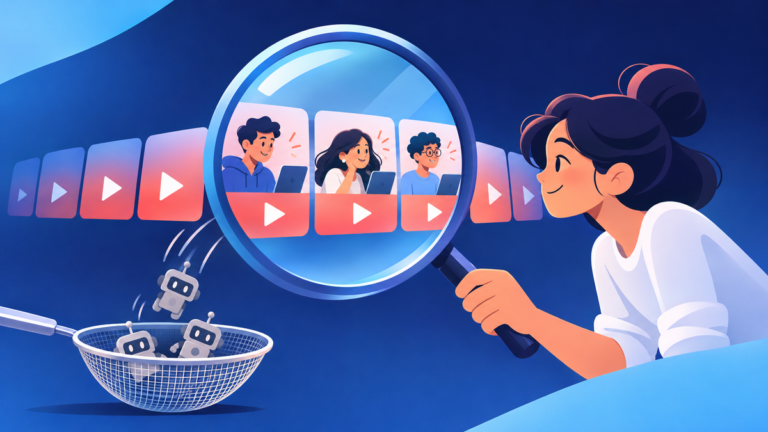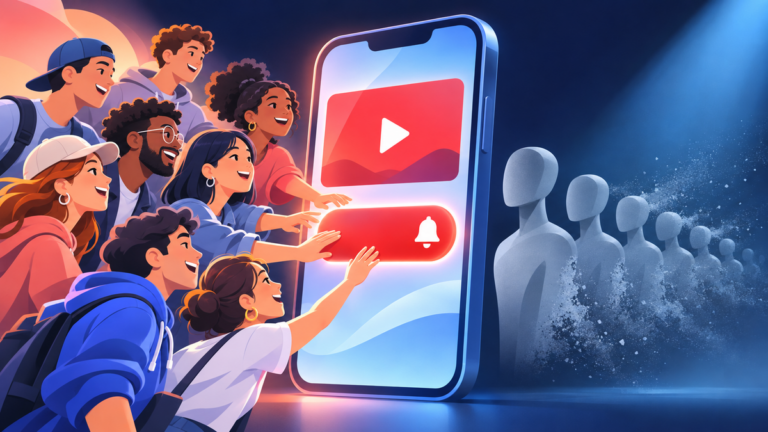

Every targeting option on a YouTube video ad does one of two jobs: it picks people, or it picks videos. Budgets get wasted when the two are confused, or when so many filters are stacked that almost nobody is left to see the ad.
Every rule below is quoted from Google’s own Help pages, read on November 23, 2026, with each page linked where it is used.
What targeting options does a YouTube video ad have?
Two families. Google’s targeting page for video campaigns says audience targeting methods “let you define who you want to reach,” and content targeting methods “let you define where you want (or where you don’t want) your ads to show.” Every option in the system belongs to one family or the other, and location sits on top of both.
| Family | Options Google lists | What it picks |
|---|---|---|
| People (audience targeting) | Demographic groups, detailed demographics, affinity segments, life events, in-market segments, custom segments, your data segments, Customer Match | The people, whatever they happen to be watching |
| Places (content targeting) | Placements, topics, keywords, devices | The videos, channels and screens, whoever happens to be watching |
One family follows the person. The other follows the video.
New to how an upload becomes an ad in the first place? Start with how Google Ads work for YouTube creators, then come back for the targeting.
Do YouTube ad keywords target what people search or what they watch?
Either one, depending on where the keyword is entered. The same phrase can be read three ways: as a description of videos, as an interest, or as a search somebody typed. Google documents all three, and only one of them reaches a person because of the words they put in a search box.
| Where the keyword goes | How Google reads it | Seen by |
|---|---|---|
| Content keyword | “words or phrases (keywords) related to a YouTube video, YouTube channel, or type of website” | Whoever is watching a matching video |
| Interest mode of a custom segment (the default) | “People with any of these interests or purchase intentions” | People whose activity suggests the interest |
| Search mode of a custom segment | “People who searched for any of these terms on Google properties (such as Google.com and YouTube)” | People who typed the phrase, or one like it |
A worked example. Take a fingerstyle guitar channel and the phrase “fingerstyle guitar lesson.” As a content keyword, the ad plays beside guitar videos, to anyone who lands on one. In search mode, it follows the person who typed it, even into a cooking video.
Google’s custom segments page adds that search mode reaches “people who searched for those and similar terms,” and that it works only on Google properties. Anywhere else, the terms are treated as interests.
Write keywords as the searches your ideal viewer would type, in their words, not as labels for your video. “How to fingerpick” is a search. “Acoustic music” is a shelf.
You only need the phrases. With Sprizzy you enter keywords that describe your viewer, and interests and search terms become audiences in your promotion, next to fans of similar channels and videos.

Can a YouTube ad run on specific channels and videos?
Yes. Google calls them placements, and its placement targeting page says “you can hand-pick placements to run your ads on YouTube.” A placement can be a whole channel or a single video. It is the most literal targeting there is: name the channels your ideal viewer already watches, and your video is shown to that audience.
Three rules Google attaches to placements:
- Famous channels cost more. “If you choose popular sites or videos on YouTube or the Display Network, you may need higher bids to get impressions.”
- A list adds up. With several placements, “your ads will target any of the selected content,” so fifteen channels reach the viewers of any one of them.
- Automation leaves them alone. When Google widens an audience by itself, “placements will not be used as a signal and your ads will only show on the placements that you provide.”
The hard part is the list. Sprizzy suggests similar channels for your video, and you can add your own or remove any of them. The features page shows where your ad can play.
Pick channels by who watches them, not by how big they are.
Why does stacking targeting methods shrink your reach?
Because audience filters and location intersect: a viewer has to match all of them at once. Google’s page on YouTube data segments puts it bluntly: “Keep your targeting broad.” Use more than one method at a time and Google applies them all, “which may significantly restrict your impressions.” Each extra filter removes people who would have watched.
| What you combine | Google’s wording | Reach |
|---|---|---|
| Two content methods, such as a channel list and a topic | “your ads will target any of the selected content” | Wider |
| A location and an audience | “Location targeting works as an intersection” | Narrower |
| An age range or a gender | “an option to narrow your targeting” | Narrower |
| Leaving out the “Unknown” group | “might prevent a substantial number of people from seeing your ads” | Much narrower |
What is the “Unknown” age group?
Google cannot identify everyone. Its demographic targeting page defines “Unknown” as “people whose age, gender, parental status, or household income we haven’t identified.” It is selected by default “because you can reach a significantly wider audience.”
Why this matters: an age filter is a filter on the labels Google holds, not on birthdays. A real 28-year-old whose age Google never worked out sits in “Unknown,” outside a 25 to 34 filter.
Narrow one thing at a time. A city, an age range, a gender, a search term and a channel list together can leave an audience too small to deliver.
Can YouTube ads reach people who already watched your videos?
Yes. Google calls these lists your data segments, built from viewers’ “past interactions with your videos or YouTube channel.” Once a channel is linked to the advertiser’s account, six actions put a viewer on a list, and Google’s page on reaching YouTube users says views count whether they were “organic and ad views” alike.
- Viewed any video from the channel
- Viewed certain videos
- Subscribed to the channel
- Visited the channel homepage
- Liked any video from the channel
- Added any video from the channel to a playlist
The numbers behind a viewer list, all from Google’s two pages on these segments:
| Rule | Google’s number |
|---|---|
| Longest a viewer can stay on a list | 540 days |
| Viewers a list needs before an ad can use it | 100 |
| Shortest video ad that adds people to a list | 11 seconds |
| Watch time a Shorts ad view needs to qualify | 10 seconds |
| Head start for a new list | The last 30 days of channel activity |
Two things switch it off. A video marked as made for kids cannot build these lists, and Google says targeting your own viewers “won’t work if personalized ads are turned off” in the YouTube account’s settings.
With Sprizzy, linking your channel is optional and the promotion runs either way. Linking is what fills in the subscribers column of your report; the help article walks through it.
What does Google’s automatic targeting add?
Two settings let Google look past the audiences you picked. The first, audience expansion, “looks for more people similar to your existing audience segment.” The second, optimized targeting, goes further, “creating a profile of what a converter looks like based on real-time conversion data.” Which one a video campaign gets depends on its goal, according to Google’s optimized targeting page.
| Setting | Goals it comes with | What it does with your picks |
|---|---|---|
| Expansion (audience expansion) | “Product and brand consideration” or “Brand awareness and reach” | Adds similar segments “while maintaining your CPM and CPV bids” |
| Optimized targeting | “Sales”, “Leads” or “Website traffic” | Uses them as “an informed starting point” and “may reduce or stop serving traffic on your signals” |
Your picks set the direction. In both cases, the audiences you enter tell the system where to begin looking. The first keywords and channels decide where the search for viewers starts.
One more rule from the same Help pages: on video ads built only to drive conversions, Google removed keyword, topic and placement targeting altogether, “to help you find more conversion opportunities.”
Automation widens a good audience. It starts from the one you give it.
Which targeting works best for promoting one video?
The kind that starts from your viewer: the searches they type and the channels they already watch, with location, age and gender added only where the video needs them. After that, results decide. Nobody can name the winning audience before the ad runs, so the method that works is to test many audiences side by side and keep the ones that respond.
- Write the searches. List the phrases your ideal viewer types into YouTube, in their own words.
- Name the channels. Add channels whose audience would also watch you, large and small.
- Set the borders. Choose location and language first. Add age or gender only when the video is truly for one group.
- Test, then cut. Run the audiences together and drop the ones that bring views without subscribers.
Step four is the work. Sprizzy tests more than 200 combinations of keywords, channels and demographics, then moves your budget to the ones that earn subscribers at the lowest cost. Low performers are removed every hour, and you can remove any audience with one tap.
Most creators pay less for each subscriber than when they run the ads themselves. Sprizzy promotions start at $50, and your first one comes with a money-back guarantee.
The right audience is half of it. Where the ad plays decides what they do next: see in-feed vs in-stream ads and what sets the cost of a subscriber.
Common questions
Can you target YouTube ads by keyword?
Yes, in two different places. A content keyword matches the ad to videos and channels about that subject. A keyword inside a custom segment matches people instead: by interest, which is the default, or by what they searched on Google properties such as Google.com and YouTube. With Sprizzy you enter the keywords once, and interests and search terms become audiences in your promotion.
Can a YouTube ad show on another channel's videos?
Yes. Google calls this placement targeting, and a placement can be a whole YouTube channel or one video. You compete with other advertisers for the same placements, and Google says popular videos may need higher bids to get impressions. Sprizzy suggests similar channels for your video, and you can add your own or remove any of them.
What is a custom segment in Google Ads?
A custom segment is an audience built from keywords, website addresses or apps that describe your ideal viewer. Google reads the keywords in one of two ways: as interests or purchase intentions, which is the default, or as terms people searched for on Google properties such as Google.com and YouTube. Custom segments are available on Display, Gmail, Demand Gen and Video campaigns.
How long does a viewer stay on a YouTube remarketing list?
Up to 540 days. Google's instructions for YouTube data segments state that the maximum membership duration is 540 days, and the advertiser can choose a shorter one. A list also needs at least 100 viewers before an ad can use it, and a new list can be pre-filled with people who took the chosen action in the past 30 days.
Should you exclude the Unknown age group on a YouTube ad?
Rarely. Unknown is Google's label for people whose age or gender it has not identified, and it is selected by default because it reaches a significantly wider audience. Google's demographic targeting page says to exclude it only if you are sure you want a narrow audience, because doing so might prevent a substantial number of people from seeing your ads.
Can YouTube ads target one city or area?
Yes. Location works as an intersection with every other choice: Google's example is an ad aimed at New York and a viewer list, which reaches only people who are both in New York and on the list. With Sprizzy you can pick countries, states or cities, or a radius around an address, or run the promotion worldwide.
Does Sprizzy choose the targeting for you?
You describe the viewer and Sprizzy does the building. You enter keywords and similar channels and set location, age and gender. Sprizzy suggests more channels, tests more than 200 combinations of keywords, channels and demographics, and moves your budget to the ones that earn subscribers at the lowest cost. Low performers are removed every hour, and you can remove any audience yourself.