

The usual cause
If Disable interest-based ads is ticked on your channel, Google Ads cannot report earned actions for your campaign. Campaign subscribers and campaign likes then show as zero, even while people are subscribing.
The fix
- Open YouTube Studio.
- Click Settings at the bottom left.
- Go to Channel.
- Open Advanced settings.
- Scroll to Advertisements.
- Make sure Disable interest-based ads is not ticked.
- Click Save.
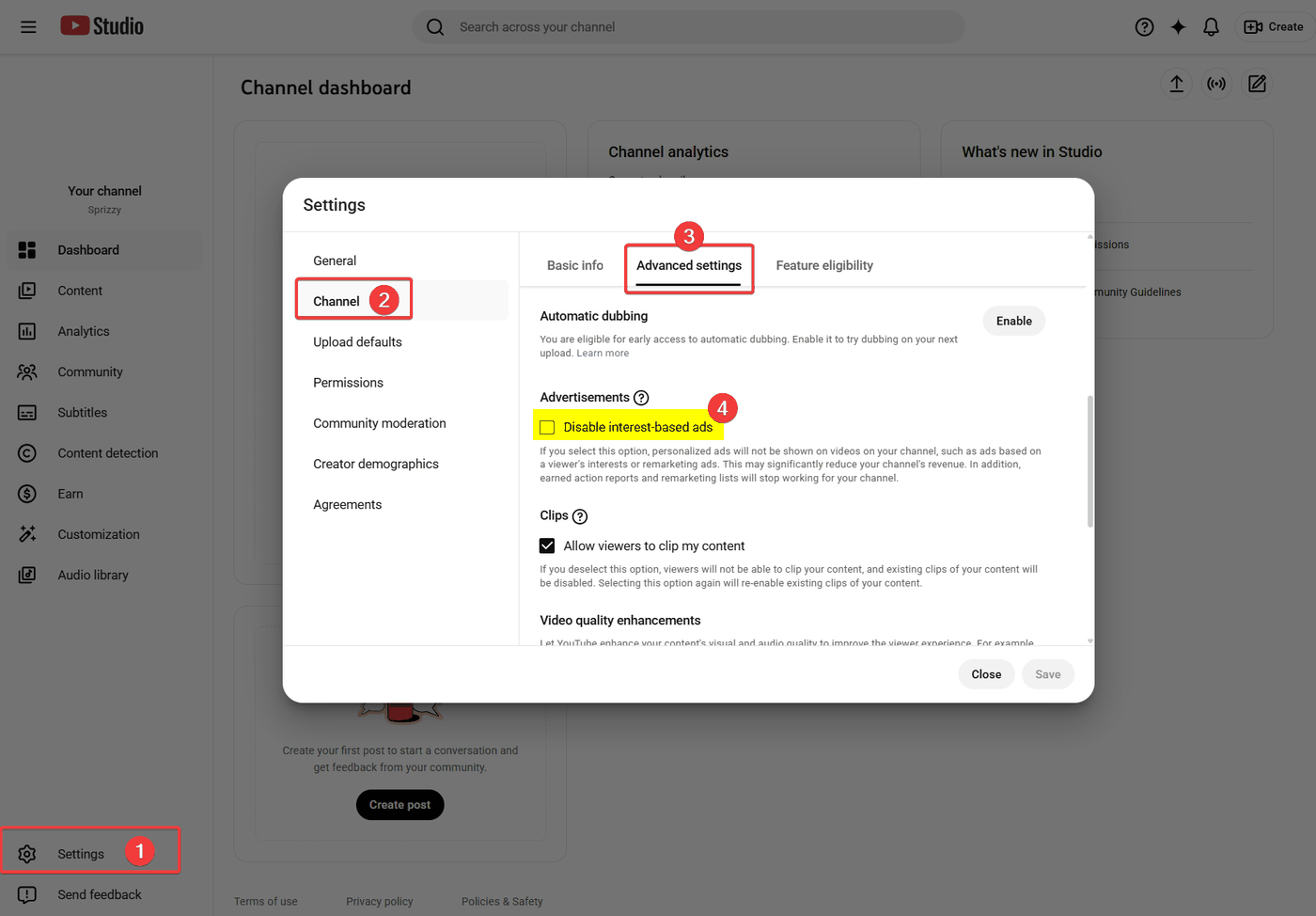
New data starts arriving within about two days. This does not bring back data from before the change, so figures for days already gone stay as they are.
If the box was already unticked
Check these next:
- Is your channel linked to Google Ads? Campaign subscribers only report through a linked channel. See Link your channel to Google Ads.
- Is the campaign promoting a channel you own? Reporting comes from the channel that is linked to your account.
- Has the campaign delivered many ad views yet? Early in a campaign there may simply be nothing to report.
- Which ad types are on? Subscribers from in-feed and in-stream ads are both credited at the channel level, so check your channel’s subscribers gained for the campaign dates rather than the video’s own panel.
Your own subscriber count is a good cross-check
Open YouTube Studio and look at subscribers gained for the campaign dates. If your channel is growing while the report shows zero, the reporting setting is the problem, not the campaign.
What to do next
Untick the setting, wait two days, then check the Engagement Report again. If it is still zero, email support@sprizzy.com with the campaign ID.