

Pause instead of ending
If you only want to stop the spending for now, use the pause button on the campaign row. A paused campaign keeps its budget, its settings and its Google Ads review, and you can start it again whenever you want.
Ending a campaign is permanent. An ended campaign cannot be restarted.
How to end a campaign
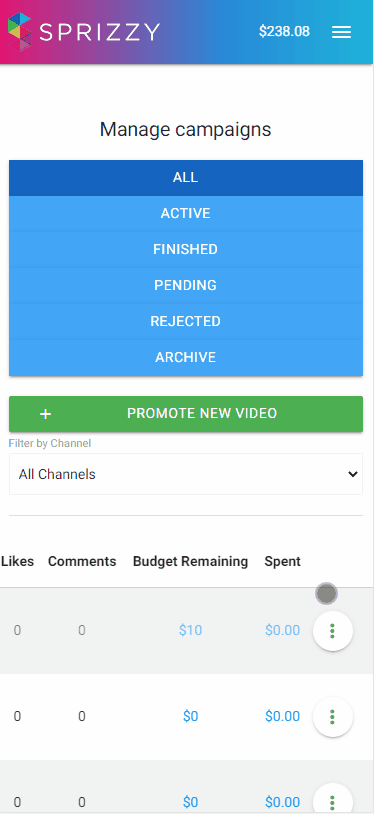
- Open Campaigns.
- Click the menu next to the campaign.
- Choose End Campaign.
- Choose what happens to the unspent money:
- End Campaign puts it in your Sprizzy account balance, ready for the next campaign.
- End Campaign & Refund Payment sends it back to the payment method you used.
Allow up to about 10 minutes. Sprizzy pulls the final spend figures from Google Ads before it releases the money, so the amount is exact.
What you get back
You get back everything that has not been spent. Money already spent on delivered ad views is not returned. Bonus funds Sprizzy added are not refundable, so a refund to your card can be a little smaller than your deposit.
If the payment was made very recently, the refund is a cancellation rather than a refund. The pending charge drops off your statement in a day or two and no credit line appears. See Where is my refund?.
If you want to promote a different video instead
Choose End Campaign so the money lands in your account balance, wait about 10 minutes, then create the new campaign and pay with the balance. See How do I promote a different video?.
What to do next
End or pause the campaign from your Campaigns page. If the refund does not start, or you get an error, email support@sprizzy.com with the campaign ID.