

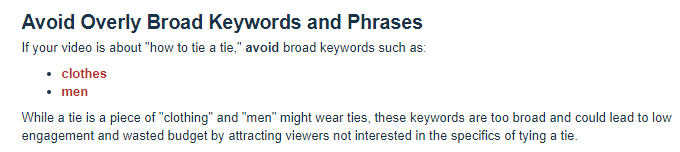
1. Target the subject, not the category
Broad keywords bring in viewers who were not looking for your video. Use phrases that match what your video is actually about, and add the channels and videos your audience already watches. See How to choose keywords and placements.
2. Give it the first day or two
The first hours are the slowest. The campaign is testing audiences to find which ones respond to your ad. Changing settings or ending the campaign in that window throws away what it learned. Look at the numbers on day two or three.
3. Link your channel
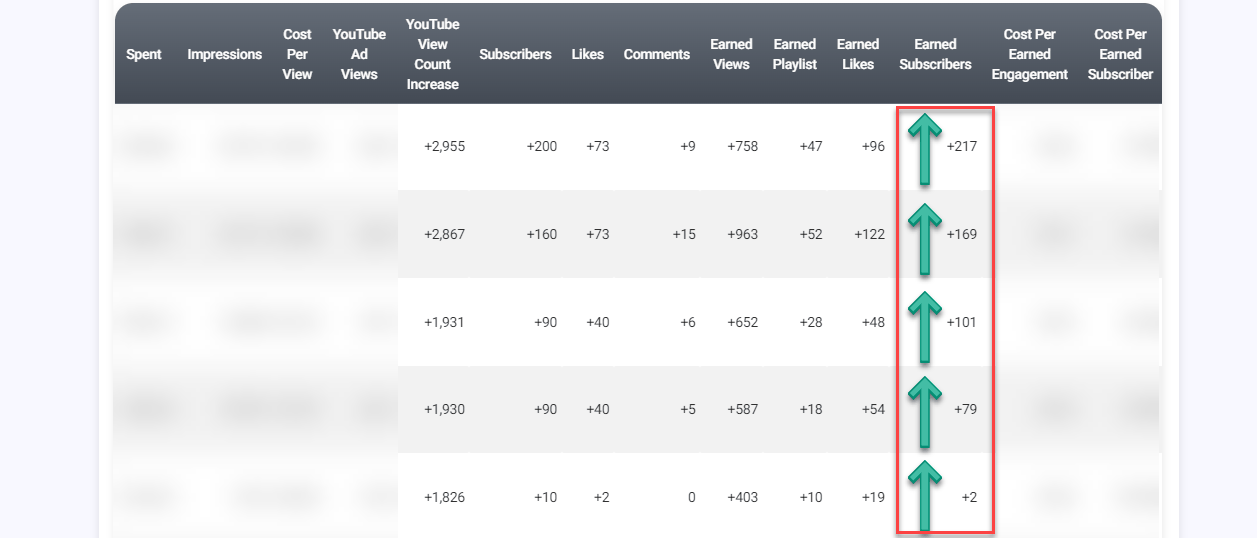
Linking your YouTube channel to Google Ads is optional, and it unlocks the reporting that tells you what your budget actually bought: campaign subscribers, campaign likes, playlist adds, earned views, cost per subscriber and cost per engagement. Without it, those columns stay empty. See Link your channel to Google Ads.
4. Use the ad group report
With a linked channel, open the campaign menu, choose Engagement Report and open the Ad Groups tab. You can see which audiences cost the most per subscriber and pause the ones you do not want to keep paying for.
5. Watch your budget and your dates together
Google Ads requires a campaign to spend at least $5 per day, so your budget sets how many days it can run. If you add funds without moving the end date, the same money is spread over fewer days and it spends faster. Extend the end date when you add funds if you want the pace to stay the same.
Adding funds before the campaign runs out keeps it delivering without a gap.
6. Fix the thumbnail before you fix the targeting
In-feed, search and Shorts ads use your video’s own thumbnail and title. If people are seeing your ad and not clicking, that is usually where to look first. Replacing the thumbnail on YouTube updates the ad automatically.
What to do next
Open your campaign’s Engagement Report and check your view rate. If it is low, start with targeting and thumbnail before adding budget.