YouTube announced the doubling on August 10, 2026, and our explainer on the new 8,000 watch hour rule covers who it affects.
This is the working plan for the channel that is close: the daily math from today’s date, the hours YouTube actually counts, the levers that add them fastest, and the day to press Apply.
How many watch hours a day do you need?
From September 14, 2026 there are 140 days until February 1, 2027. Your number is the gap between what the Earn tab in YouTube Studio shows and 4,000, divided by the days you have left. A 2,000-hour gap is about 14 hours of watch time a day. A 1,000-hour gap is about 7. Those are channel-wide totals across every public long-form video you have, not per-upload figures, which is what makes them reachable.
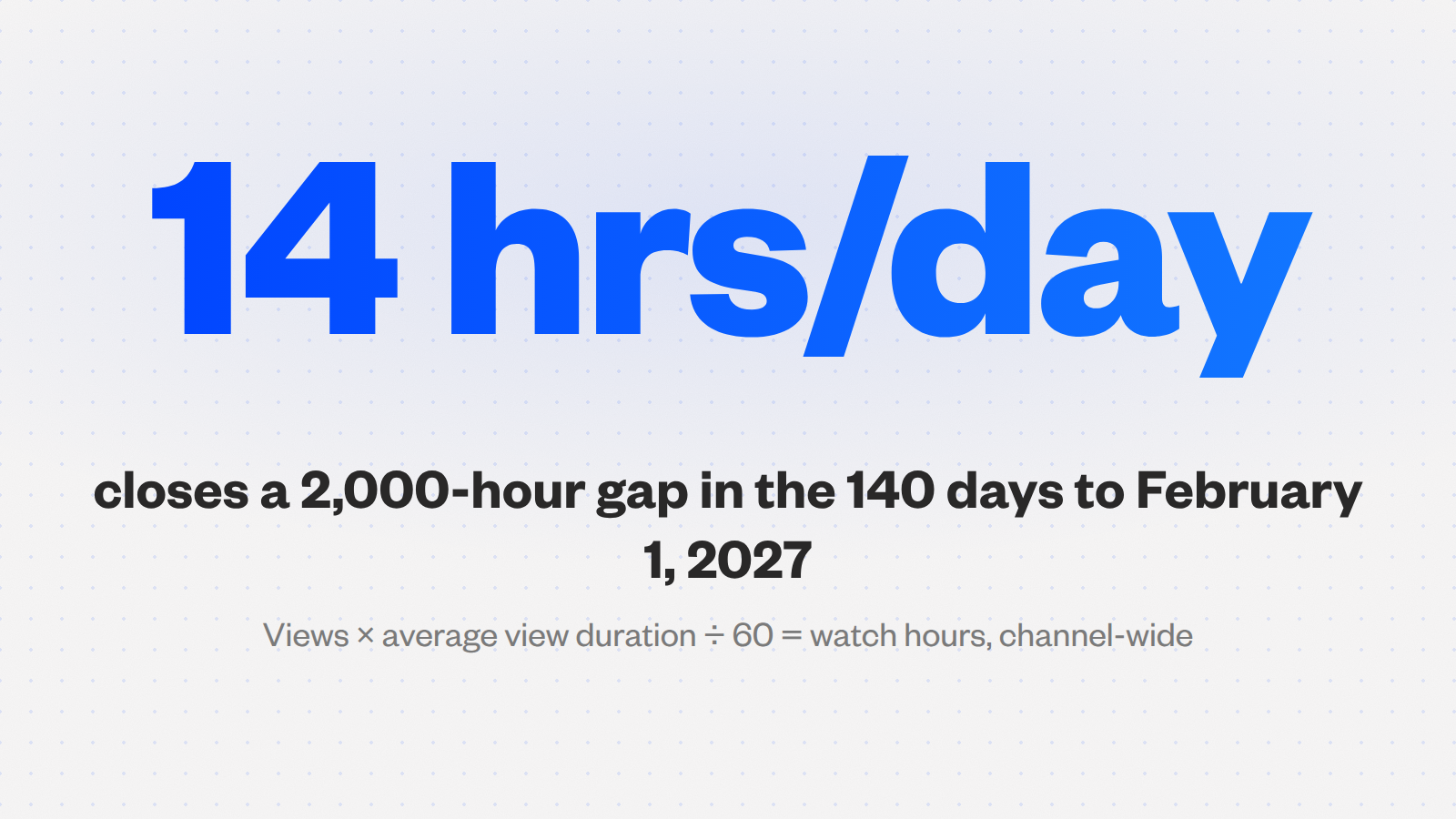
The formula: views multiplied by average view duration, divided by 60. The table converts each gap into the views your library needs per day at three average view durations. Read your own figure from the Analytics Overview and use the nearest column.
| Hours still needed | Watch time per day | Views per day at 4 min | At 8 min | At 15 min |
|---|---|---|---|---|
| 1,000 | 7.1 hours | 107 | 54 | 29 |
| 2,000 | 14.3 hours | 214 | 107 | 57 |
| 3,000 | 21.4 hours | 321 | 161 | 86 |
| 4,000 | 28.6 hours | 429 | 214 | 114 |
Short of that row? Put your longest high-retention video in front of people who would choose to watch it. Sprizzy does that through YouTube’s official ad platform, from $50, and everything those viewers go on to watch fills the Earn tab.
Give yourself a private deadline. YouTube says decisions arrive “typically in about 1 month” and has not said what happens to an application still open on February 1. Cross 4,000 by mid-January, about 120 days, and add a sixth to each row.
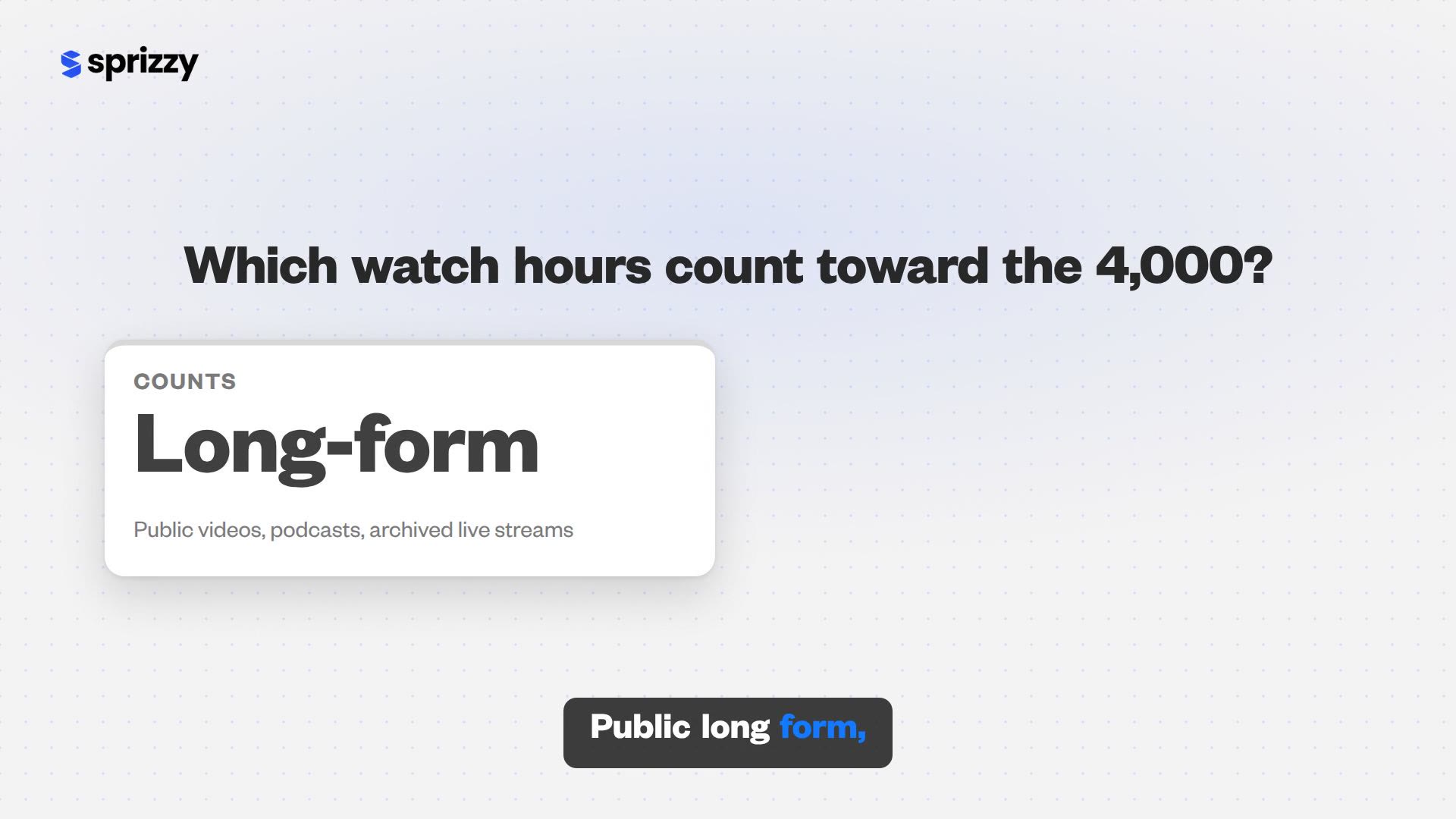
Which watch hours actually count toward the 4,000?
Only “qualified” hours, and the definition is narrower than the watch time figure in Analytics. YouTube put it in one sentence on its official blog on August 12, 2026: “Watch hours have to come from public long form videos (including podcasts) or archived livestreams.” Everything else you publish is invisible to the counter, however well it performs.
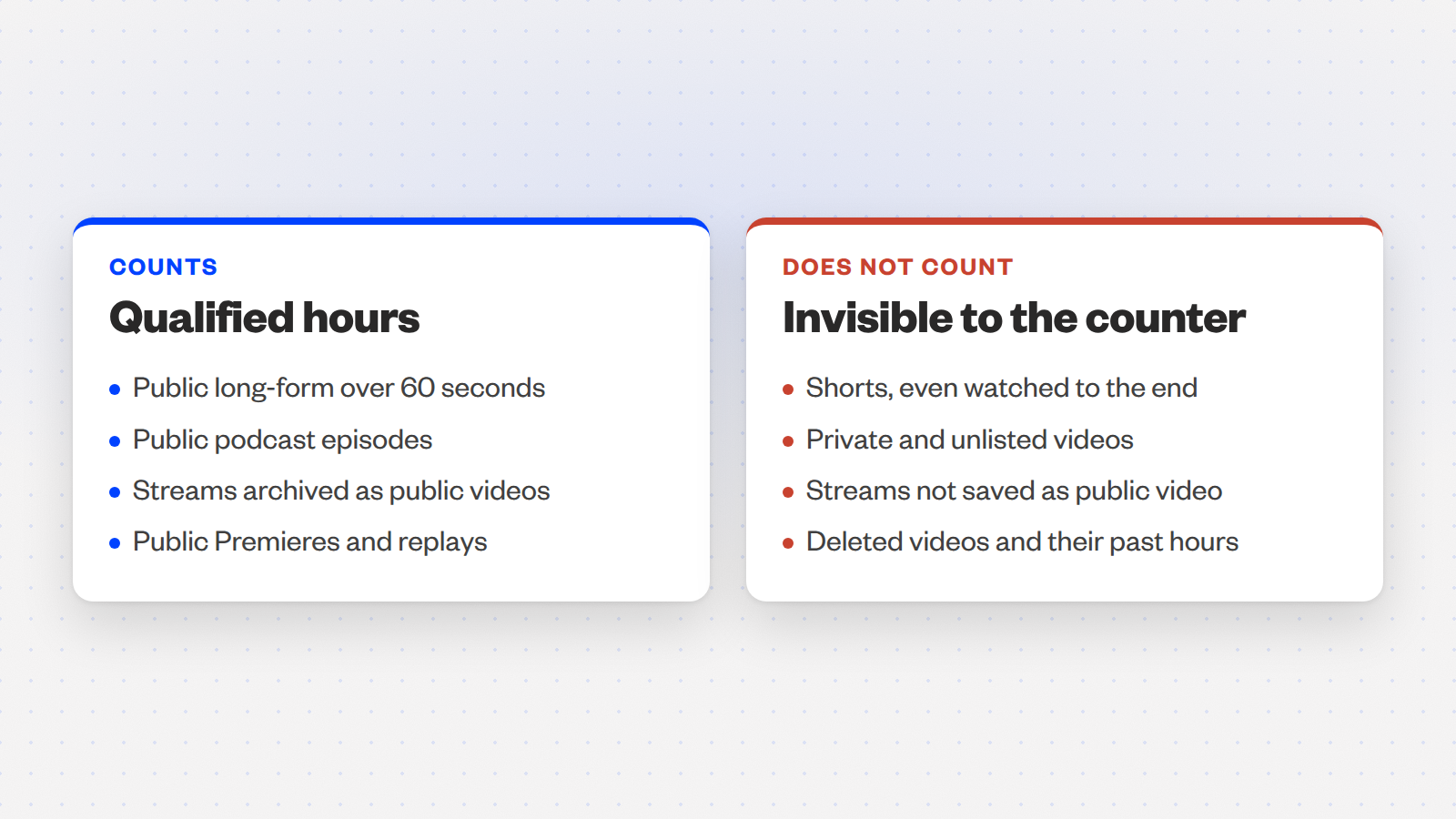
| Counts toward qualified watch hours | Does not count |
|---|---|
| Public long-form videos (over 60 seconds) | Shorts, even when watched to the end |
| Public podcast episodes | Private and unlisted videos |
| Live streams archived as public videos | Live streams that are unlisted, deleted or not converted to a video |
| Public Premieres and their replays | Deleted videos, including hours they earned before deletion |
YouTube’s eligibility page lists the exclusions in full; two of them catch people every year.
Deleting deletes hours. Removing an old video takes its hours out of your rolling total. And a channel that mixes Shorts and long-form has two separate counters: Shorts feed the 10 million view path, long-form feeds the hours, and neither helps the other.
Public long-form videos, podcasts and archived streams count. Nothing else does.
Where do you find the number YouTube actually uses?
In YouTube Studio, open Earn. That is where YouTube shows qualified watch hours over the last 365 days and your subscriber count against the thresholds, and where YouTube tells applicants to check progress. The watch time figure on the Analytics Overview is a different number, and it usually reads higher.
| Where | What it shows | Use it for |
|---|---|---|
| Earn tab | Qualified watch hours, last 365 days, plus subscribers | Your real gap, and when to apply |
| Analytics Overview | All watch time, including Shorts and unlisted videos | Average view duration for the table above |
The window rolls. Every day, the hours earned 366 days ago fall off the back of the total. A channel that had a strong November 2025 will watch those hours leave in November 2026, which can push the counter backwards while you are working hardest.
Check the Earn tab weekly and recalculate the daily target from the gap that remains, not the one you started with.

What is the fastest honest way to add watch hours?
Four levers, ranked by hours gained per hour of your work: let the topic set a longer length where retention holds, stream live and keep the archive public, build sessions so one view becomes three, and re-package the back catalogue that already gets search traffic. Each lever multiplies the same audience. None of them needs a bigger audience to start paying off this week.
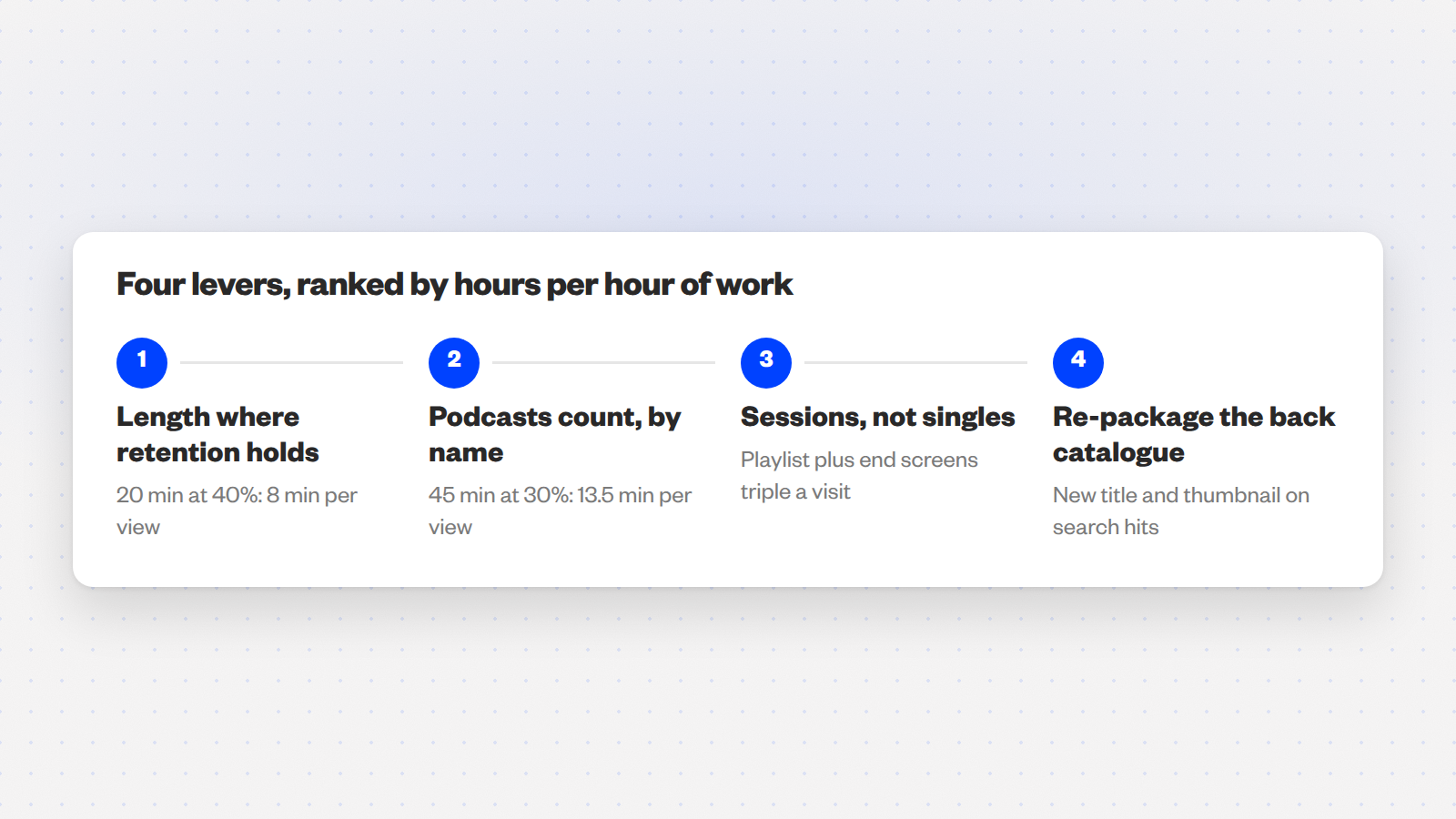
- Length where retention holds. A 20-minute video at 40 percent average view duration delivers 8 minutes per view. A 6-minute video at 60 percent delivers 3.6. The longer video earns more than twice the hours from the same viewer, when the topic justifies it: a tutorial, a walkthrough or a podcast can carry 20 to 45 minutes; a reaction to a headline cannot. Our guide to scripting a video that keeps people watching covers the hook and re-hook structure that keeps the curve flat.
- Podcasts count, by name. YouTube’s definition includes them explicitly. A 45-minute episode at 30 percent average view duration is 13.5 minutes per view, the most hours per view of any format most small channels can produce weekly.
- Sessions, not singles. Put related videos in a playlist in the order a viewer would want them, and point every end screen at the next one. A viewer who watches two more videos triples the hours from that one visit.
- The back catalogue. Sort your Content tab by views over the last 90 days. The videos still pulling search traffic are worth a new title and thumbnail: a better package raises click-through on impressions you already get.
Every lever earns more hours from the audience you already have.
How many watch hours does a live stream add?
Average concurrent viewers multiplied by stream length, plus the replay. Thirty people watching on average across a two-hour stream is 60 qualified hours in one evening, before anyone watches the archive. One stream a week at that size for the 20 weeks left adds 1,200 hours, and the replays keep earning after the live audience leaves. For a small channel, nothing else adds hours as fast per session.
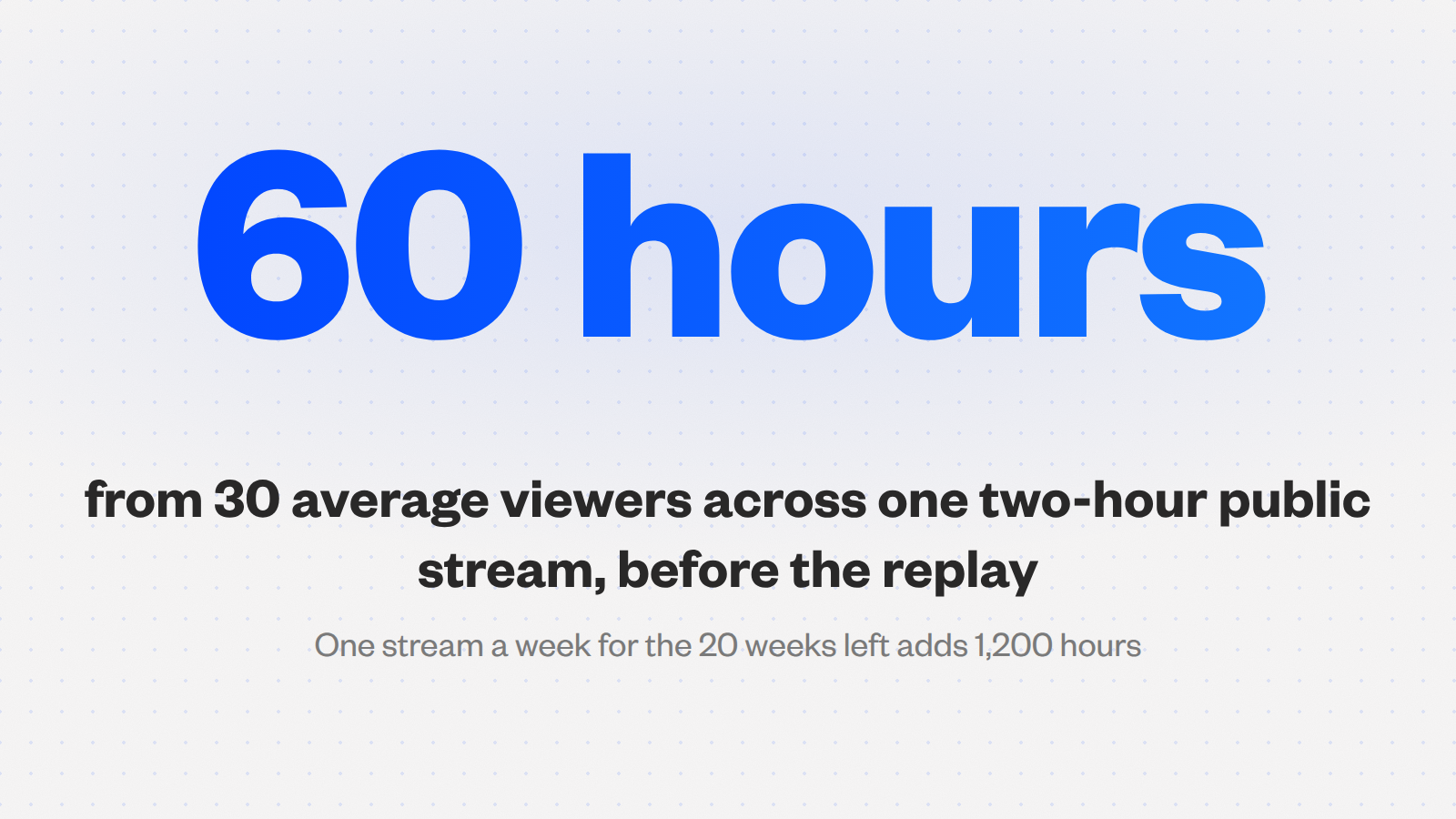
Two conditions make the hours count. The stream has to be public, and it has to be saved as a video on the channel, because YouTube excludes streams that are “not converted to VOD.”
- Keep it under 12 hours. YouTube’s archive help page says a stream under 12 hours can be archived automatically and one that exceeds 12 hours “may not be captured at all.”
- Leave the archive public. Unlisted streams do not count, so do not unlist the replay to tidy the channel page.
- Fix the slot. A weekly slot, such as a Q&A, a build-along or a watch-and-review session, lets the average viewer count grow week over week.
Thirty average viewers for two hours is 60 qualified hours, before the replay.
Can paid promotion speed this up?
Yes, through the viewers it recruits. YouTube’s ad campaign help page says all views and subscribers gained through a campaign are legitimate, and it states that watch hours and subscribers gained through ad campaigns do not count towards Partner Program thresholds. What counts is what those viewers do next. YouTube calls it Follow-on Views, “organic views you get when someone watches your videos after seeing your promoted content,” and says they count toward eligibility.
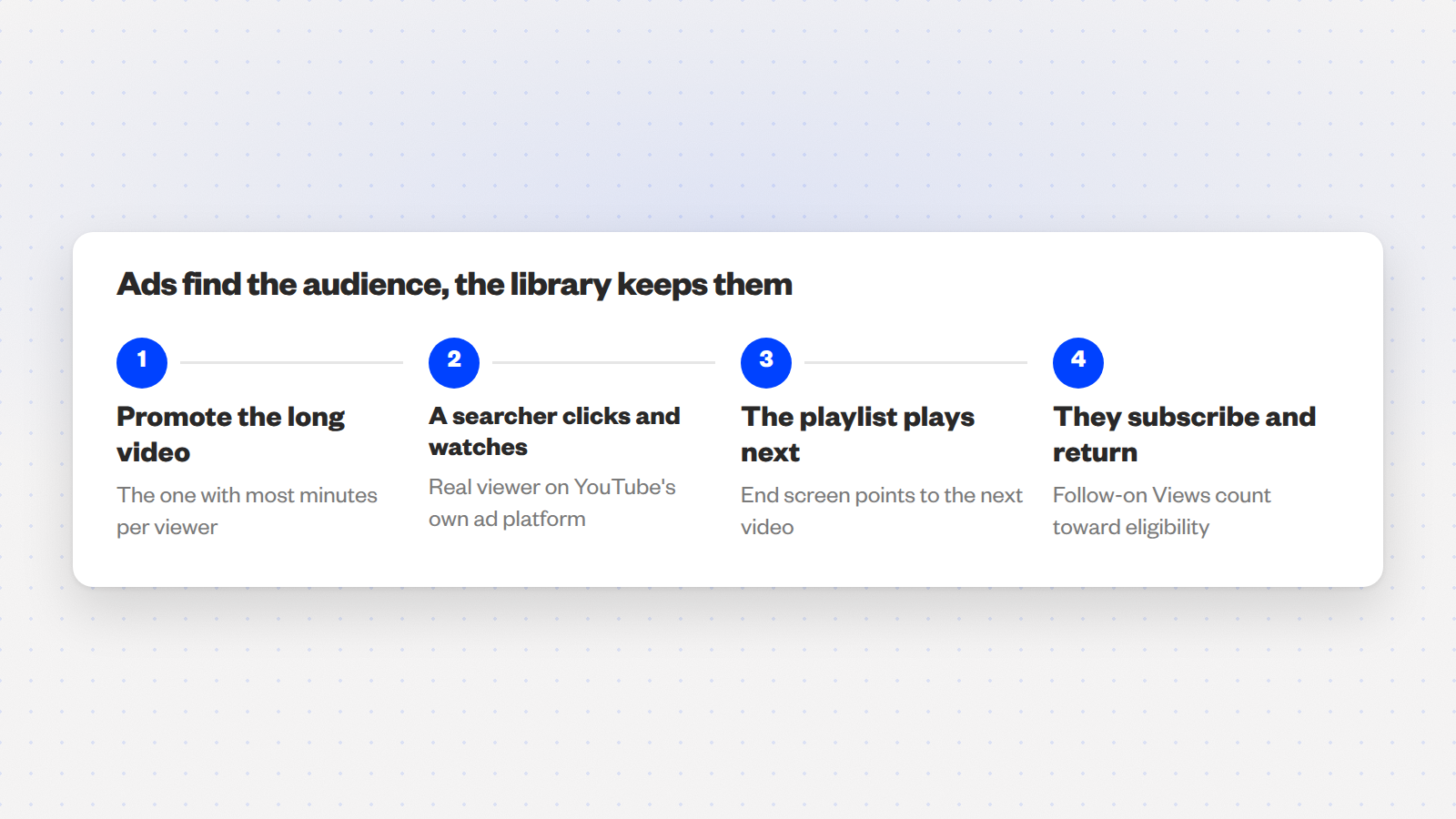
Promote the long one. Promote the long, high-retention video, the one that earns the most minutes per viewer, to people who search for its topic.
The viewer the ad brings in watches it, moves to the playlist behind it and subscribes, and every minute from that point forward is qualified. Ads find the audience, and the library keeps them.
What Sprizzy does with your budget
This is exactly what Sprizzy is for: you pick the video and who should see it, and it runs the campaign on YouTube’s own ad platform, real viewers only, no bots, from $50.
- Targeting. Keywords, similar channels, location, age and gender, so the ad reaches people searching for your topic.
- Real viewers only. Every view comes from a real person on YouTube, no bots.
- Optimized every hour. Sprizzy tests over 200 audience combinations and drops the low performers automatically.
- One-time budget. No subscriptions or recurring fees.
Our guide on whether paying to promote a video is worth it covers which video to choose.
Test it with a small budget. Sprizzy campaigns start at $50 and your first one comes with a money-back guarantee.
When should you apply?
The day the Earn tab shows 1,000 subscribers and 4,000 qualified hours, not a week later with a buffer. Review takes about a month by YouTube’s own estimate, and YouTube has published nothing about applications still open on February 1, 2027. An application submitted in early January has the best chance of a decision under the current rules; one submitted on January 30 is a gamble no official page will settle for you.
Prepare the checklist first. A rejection costs time you no longer have: YouTube’s eligibility page says a first rejection can be appealed within 21 days or reapplied after 30 days, and later rejections wait 90 days.
The same page lists the non-numeric requirements; our guide to what YouTube checks before approving you covers each one.
- 2-Step Verification on the Google account
- Advanced features access in YouTube Studio
- One linked AdSense for YouTube account
- No active Community Guidelines strikes
- Compliance with the channel monetization policies
Apply the day the Earn tab shows both numbers. The month of review starts then.
What if you cannot reach 4,000 by January?
Then the target becomes 8,000 hours in any 365-day window. It is the same four levers running for a full year instead of a sprint, and a channel with a format that holds 40 percent retention and a weekly live slot is already on that pace. The 500-subscriber tier is unchanged, so fan funding arrives well before ad revenue.
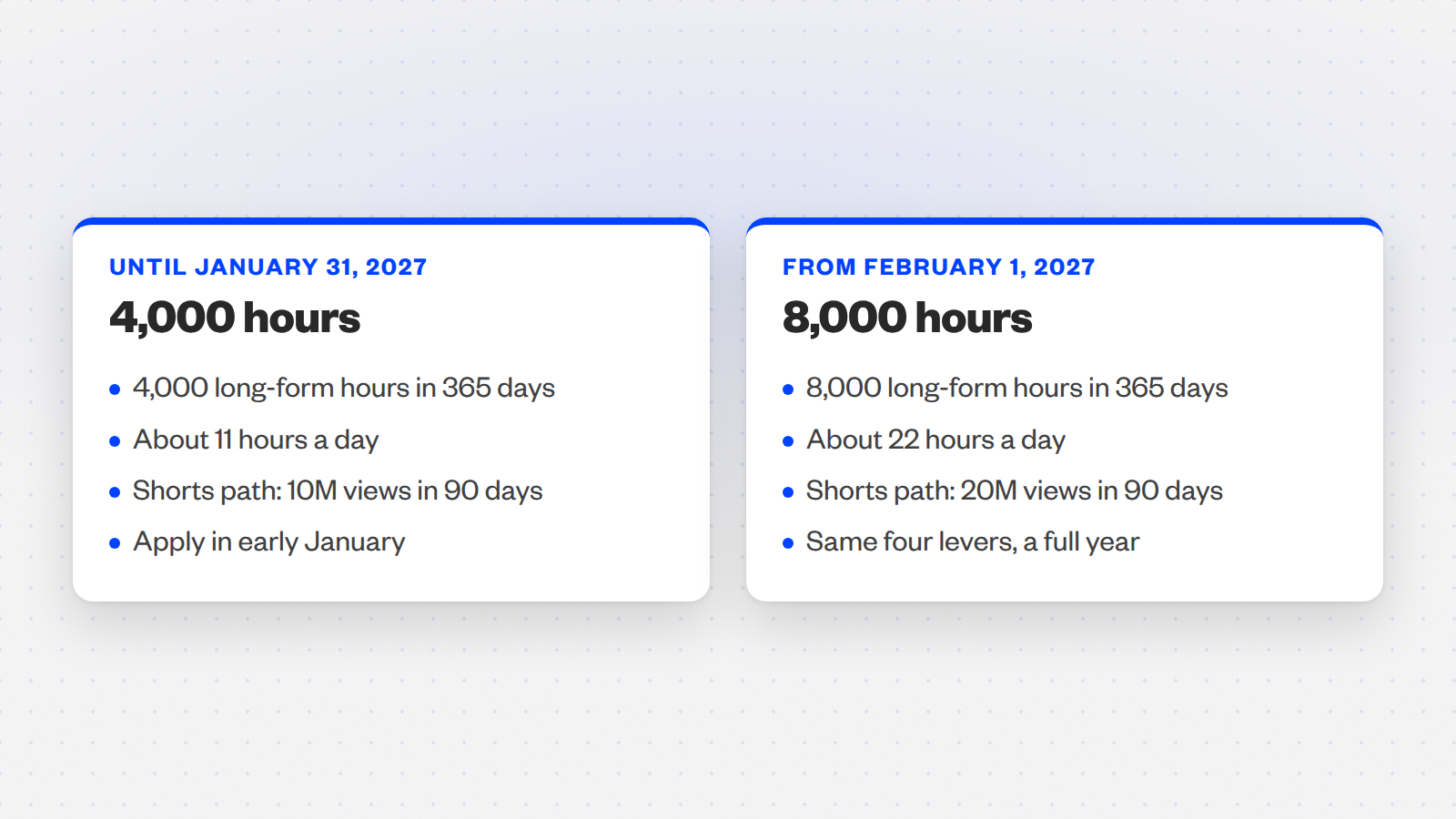
| Ad revenue threshold | Until January 31, 2027 | From February 1, 2027 |
|---|---|---|
| Long-form watch hours | 4,000 in 365 days | 8,000 in 365 days |
| Averaged per day | About 11 hours | About 22 hours |
| Shorts path instead | 10 million qualified views in 90 days | 20 million qualified views in 90 days |
You are in a big crowd. An estimate published by CreatorDB on August 12, 2026 modelled 1,468,073 channels with over 1,000 subscribers and put 84,551 of them, about one in eight of those that met the old bar, between 4,000 and 8,000 hours.
The study is a model rather than a count from YouTube, but it describes the crowd you are in.
A few months of consistent long-form, not a year from zero.
Make the year count. Sprizzy’s Auto-Promote puts every new long-form upload in front of the right viewers as it lands, and Sprizzy has done this for over 1.5 million channels since 2016; here is how a campaign works.
Staying in is easier. YouTube’s changes page says an approved channel counts as active with “1,000 qualified watch hours in the past 365 days,” 1 million qualified Shorts views in 90 days, or two long-form videos or five Shorts uploaded every 90 days.
Accept the updated terms in Studio by January 31, 2027, and the thresholds you cleared to get in never apply to you again.
Common questions
Do YouTube Shorts count toward the 4,000 watch hours?
No. YouTube stated on August 12, 2026 that watch hours must come from public long-form videos, including podcasts, or archived live streams, and Shorts watch hours are excluded even when the Short is watched to the end. Shorts have their own path to the Partner Program, 10 million qualified views in 90 days today and 20 million from February 1, 2027, and the two counters never combine.
Do unlisted or private videos count toward watch hours?
No. YouTube's eligibility page lists private videos, unlisted videos and deleted videos among the sources that do not count as qualified watch hours. Hours a video earned while public are also removed from your rolling total if you later delete it or make it private, so tidy the channel by adding to playlists rather than by hiding older uploads until you are approved.
Do live streams count toward YouTube watch hours?
Yes, when the stream is public and saved as a video on the channel afterwards. YouTube excludes streams that are unlisted, deleted or not converted to a video. Qualified hours from a stream equal average concurrent viewers multiplied by stream length, plus whatever the public replay earns later, so a two-hour stream with 30 average viewers adds about 60 hours before the replay.
Can you buy watch hours to reach 4,000 faster?
Not from sellers of watch time. YouTube's fake engagement policy bans content that artificially increases views or other metrics through automatic systems and bans promoting third-party services that inflate them, with warnings, strikes and termination for repeat violations. Running your video as an ad through Sprizzy, on YouTube's official ad platform, is the legitimate route, and the organic watching those viewers do afterwards is what counts.
If I apply in January and YouTube reviews it in February, which rule applies?
YouTube has not published an answer. Its eligibility page says decisions typically arrive in about a month, and its changes page says the 8,000-hour threshold applies to new entry from February 1, 2027, without addressing applications still in review. The safe reading is to apply as early in January as you qualify, so a decision is likely before the date rather than after it.
Does the 365-day window reset when you apply?
No. The window is rolling, so every day the hours earned 366 days earlier drop off the back of your total. Nothing resets on application or on rejection. That is why the Earn tab can move backwards during a strong push if a spike from the previous year is expiring, and why the daily target should be recalculated from the current gap every week.
Do podcasts count toward the 4,000 watch hours?
Yes. YouTube's August 12, 2026 explainer of qualified watch hours names podcasts explicitly as long-form content that counts, as long as the episodes are public videos on your channel. Because episodes run long, a podcast earns more minutes per view than almost any other format, which makes it one of the fastest honest ways to add hours before February 2027.