YouTube’s monetization rules have changed twice since this guide was first written, and a third change lands on February 1, 2027. This page is the complete, current checklist.
It covers both Partner Program tiers, what each one pays you for, the hidden requirements that trip up applicants, and exactly how the 2027 update affects a channel that is not monetized yet.
What are the two YouTube Partner Program tiers?
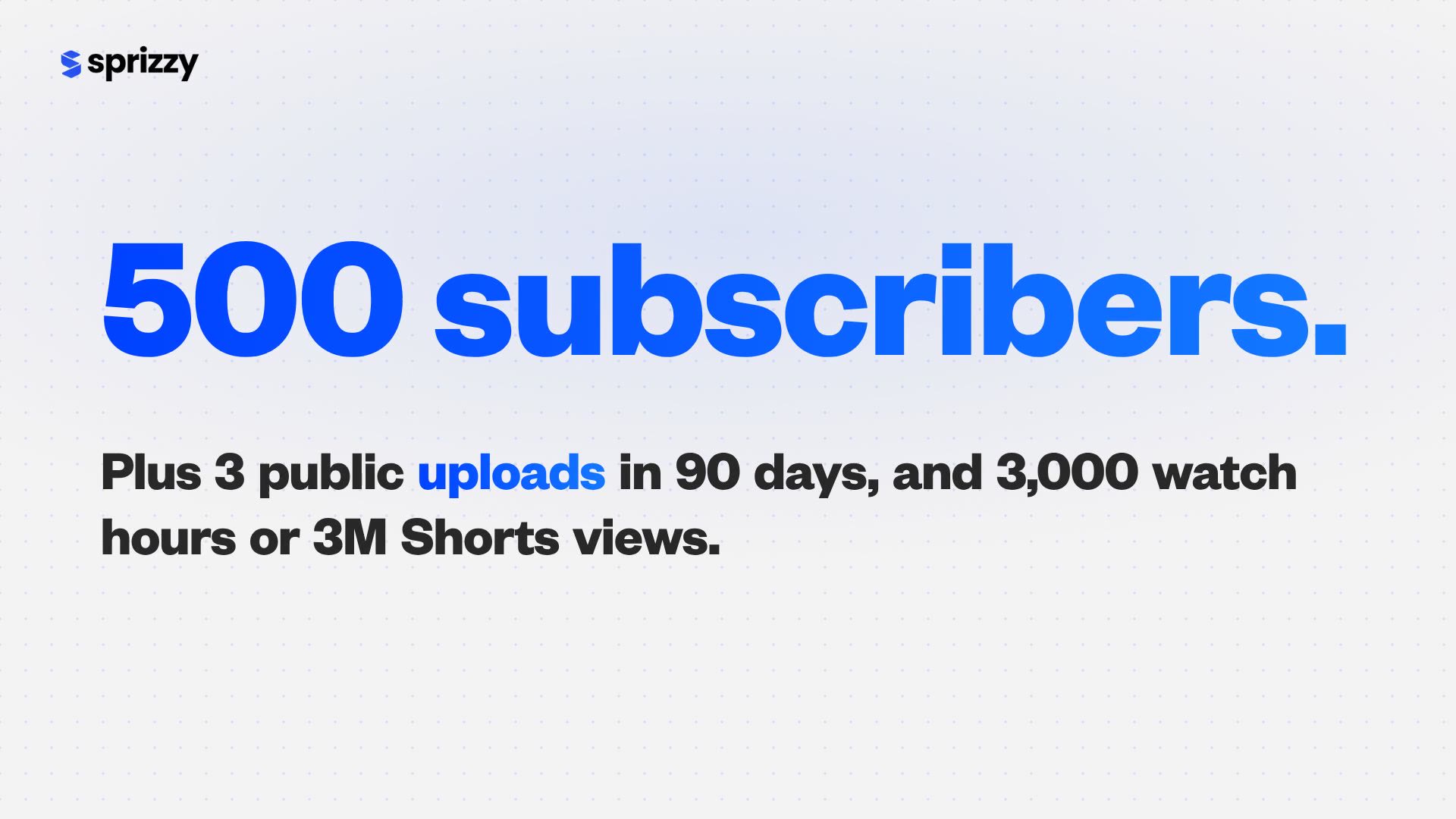
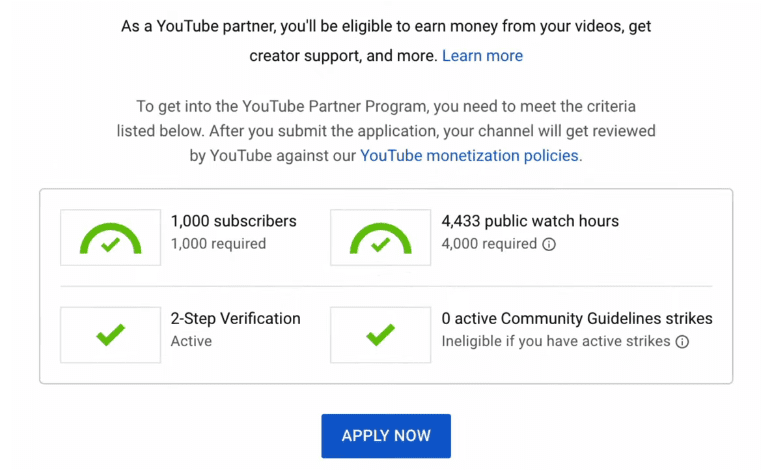
The YouTube Partner Program (YPP) has two entry points. The first, at 500 subscribers, unlocks fan funding and Shopping. The second, at 1,000 subscribers, adds ad revenue and YouTube Premium revenue sharing. Both tiers are live today under the thresholds in the table below, and the ad tier’s entry bar doubles for new applicants from February 1, 2027. The 500-subscriber tier does not change.
| Requirement | Tier 1: fan funding | Tier 2: ad revenue (until Jan 31, 2027) | Tier 2: ad revenue (from Feb 1, 2027) |
|---|---|---|---|
| Subscribers | 500 | 1,000 | 1,000 |
| Public uploads in the last 90 days | 3 | Not required | Not required |
| Long-form watch hours (last 12 months) | 3,000 | 4,000 | 8,000 |
| OR Shorts views (last 90 days) | 3 million | 10 million | 20 million |
| What it unlocks | Channel memberships, Super Chat, Super Stickers, Super Thanks, Jewels and gifts, Shopping | Everything in Tier 1 plus Watch Page ads, Shorts Feed ads, Premium revenue | Same as current Tier 2 |
You qualify on watch hours or on Shorts views, never a blend of the two.
Where the numbers come from: YouTube’s expanded Partner Program overview and its eligibility page, both checked in September 2026.
What does the 500-subscriber tier actually unlock?
The 500-subscriber tier gives you five ways to earn directly from fans. It does not include ad revenue. That arrives only when your channel reaches the 1,000-subscriber thresholds and meets the ad-revenue eligibility requirements. You are a Partner Program member from day one, and the 1,000-subscriber thresholds are the next step inside the same program.
- Channel memberships: monthly paid perks for fans.
- Super Chat and Super Stickers: paid messages in live chat.
- Super Thanks: tips on regular videos and Shorts.
- Jewels and gifts: paid gifts sent during live streams.
- Shopping: tagging your own or partner products.
One hard requirement: the 3 valid public uploads in the last 90 days is a rule, not a suggestion. Private, unlisted and deleted videos do not count.
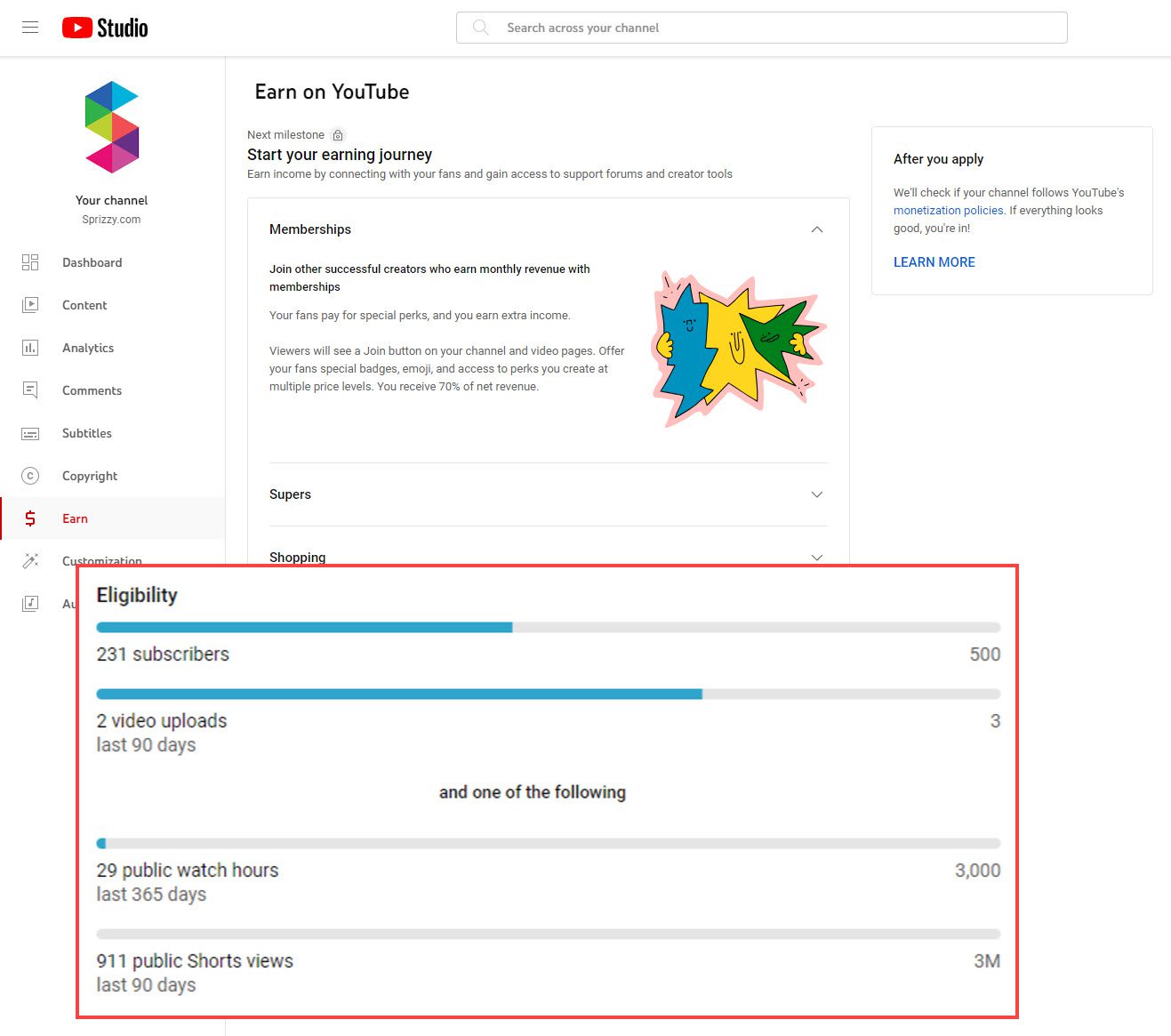
Closing the subscriber gap: those bars move when new viewers find the channel and stay. Sprizzy puts your video in front of people who would choose to watch it, on YouTube’s official ad platform, targeted by keywords, similar channels, location, age and gender, from $50.
What else does YouTube check before approving you?
Hitting the numbers is roughly half the job. YouTube’s eligibility page lists six more conditions, and every one is checked during review: your channel follows the monetization policies, your channel is based in a country where the program is available, you have no active Community Guidelines strikes, 2-Step Verification is on for your Google Account, your channel has advanced features access, and one active AdSense for YouTube account is linked.
- Monetization policies cover Community Guidelines, Terms of Service, copyright, AdSense policies, and the reused and inauthentic content rules. Reviewers look at your channel as a whole, not just the last upload.
- No active strikes means you have to wait for a Community Guidelines strike to expire before you apply.
- Advanced features access is the YouTube Studio setting that unlocks longer uploads and custom thumbnails. Check it in YouTube Studio’s channel settings.
- AdSense for YouTube is a separate sign-up that you complete during the application flow, and the channel needs exactly one active account linked.
What changes on February 1, 2027?
On August 10, 2026, YouTube announced that from February 1, 2027, new applicants for the ad-revenue tier need 8,000 qualified watch hours in the last 365 days or 20 million qualified Shorts views in the last 90 days. That is exactly double today’s 4,000 hours and 10 million views. The 1,000-subscriber minimum stays the same, and YouTube’s changes page confirms the 500-subscriber fan-funding thresholds do not move.
Already a partner? Your status is not affected. You do need to review and accept the updated program terms in YouTube Studio by January 31, 2027, or you stop earning from the affected features on February 1.
If you are close to 4,000 hours today, apply before the deadline. A Tier 2 approval before January 31, 2027 locks in the lower bar for good.
We cover the strategy in detail in YouTube’s New 8,000 Watch Hour Rule, Explained.
How does the Shorts 10 million rolling rule work?
From February 1, 2027, earning from the Shorts Creator Pool in any given month requires 10 million qualified Shorts views over the previous 90 days. Until now, the Shorts view count was a one-time entry test. After the change it becomes a monthly check that applies to every partner, including channels that joined years ago. Fall below it and Shorts revenue sharing pauses; climb back above it and the payouts resume automatically.
What falling short means: YouTube is explicit about what does not happen when a channel dips under the bar.
- You stay in the Partner Program.
- Your long-form earnings are untouched.
- Shorts payouts resume automatically once you are back above 10 million.
- YouTube plans alternative incentives below the bar, such as Shopping bonuses and brand-deal incentives.
Treat Shorts as the discovery engine and route viewers to long-form, where the watch hours count toward the ad tier and the revenue is unconditional.
Can promotion get you to the thresholds faster?
Yes, through the viewers it brings in. YouTube counts only qualified watch hours and Shorts views toward the thresholds, and its eligibility page lists ad campaigns among the sources it leaves out. What counts in full is everything those viewers do next: subscribe, come back, and watch organically.
Ads find the audience. The channel keeps them, and that organic watching is what counts.
What Sprizzy does with your budget: you pick the video and who should see it, and Sprizzy runs the campaign on YouTube’s own ad platform.
- Targeting: keywords, similar channels, location, age and gender.
- Real viewers only: no bots, and you can verify every view in your own YouTube Studio analytics.
- From $50, no subscriptions: you only pay when a real viewer watches your ad.
- Money-back guarantee on your first campaign. See pricing.
Views vs engaged views: since August 2026 the public view counter and the engaged-view metric behind monetization have parted ways. Our guide to YouTube views vs engaged views explains the split.
For the evidence on whether ads affect organic reach, see Do YouTube Ads Hurt Your Channel’s Organic Growth? For what happens after an ad view, see do follow-on views count toward YouTube monetization?
How do you apply, and how long does review take?
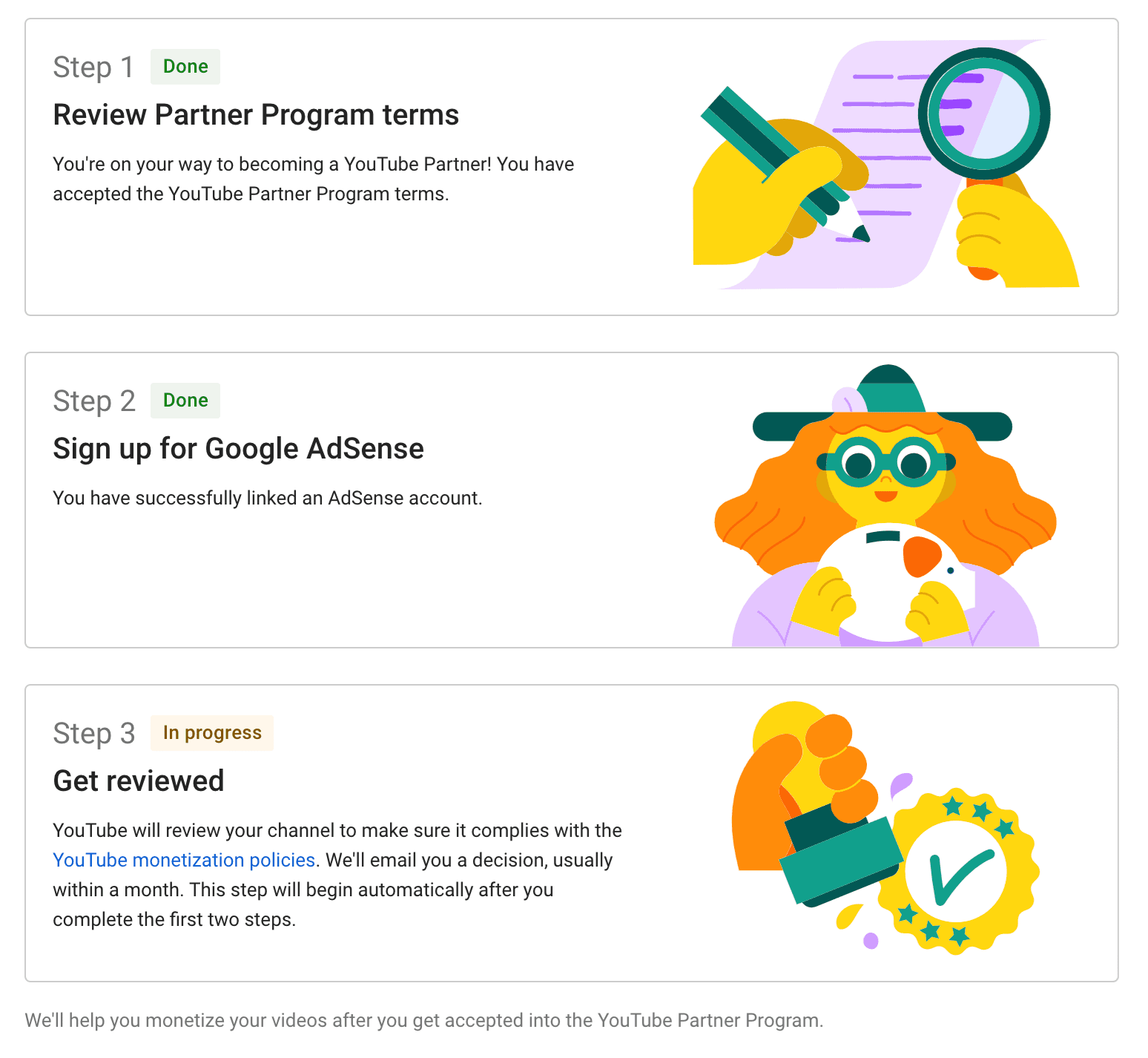
Open YouTube Studio, choose Earn in the left menu, and select Apply Now when the thresholds are met. If you are still short, choose Get notified and YouTube emails you when you qualify. The application has three steps: accept the Partner Program terms, set up or link AdSense for YouTube, and get reviewed. Decisions typically take about one month, and you can watch the status in the same Earn section.
- Clean up the channel. Review the Channel Monetization Policies and fix anything that would fail, including old videos.
- Turn on 2-Step Verification. Do it on the Google Account that owns the channel.
- Confirm advanced features access. Check the channel settings in YouTube Studio.
- Accept the terms and link AdSense. In Earn, accept the Partner Program terms, then create or link your AdSense for YouTube account.
- Wait for the review. Automated systems and human reviewers evaluate the whole channel.
- If rejected, appeal or reapply. Appeal within 21 days, or keep uploading original content and reapply after 30 days. A second rejection means a 90-day wait.
How do you stay monetized once you are in?
Keep uploading. YouTube may turn off monetization on channels that have not uploaded a video or published to the Posts tab for 6 months or more. The Posts tab is the former Community tab, renamed in February 2025, and a text or image post there counts as activity. Beyond that, the ongoing requirements are the same policies you passed at review.
Income before approval: most small channels take months, not weeks, and fan funding earns little until an audience wants to pay. Our guide to making money on YouTube before you are monetized covers options that work at any subscriber count:
- Affiliate links
- Courses
- Services
- YouTube Shopping
The plan: reach Tier 1, turn on memberships and Super Thanks the day you are approved, and keep building toward the ad tier before the 2027 bar arrives.
Growing the audience is the part Sprizzy handles. It has partnered with over 1.5 million channels since 2016, and here is how a campaign works.
Stay active, stay compliant, and keep the audience growing before February 2027.
Common questions
Do you need 1,000 subscribers to monetize on YouTube?
Not for every feature. At 500 subscribers, with 3 public uploads in the last 90 days and either 3,000 watch hours or 3 million Shorts views, you can join the YouTube Partner Program and earn from channel memberships, Super Chat, Super Stickers, Super Thanks, Jewels and gifts, and Shopping. Ad revenue and YouTube Premium revenue sharing do require 1,000 subscribers plus 4,000 watch hours or 10 million Shorts views.
Do Shorts views and long-form watch hours combine toward the threshold?
No. YouTube treats them as two separate paths: you qualify with the watch-hours figure or with the Shorts-views figure, never a mix of both. Watch hours count only long-form videos set to public over the last 12 months, and Shorts views count only public Shorts viewed in the Shorts feed over the last 90 days. A channel that is halfway to both thresholds qualifies for neither.
How long does the YouTube Partner Program review take?
YouTube says a decision typically arrives in about one month, once automated systems and human reviewers have looked at the channel as a whole. You can check the status under Earn in YouTube Studio. If the application is rejected, you can appeal within 21 days, or keep publishing original content and reapply after 30 days. A second rejection, or a previous reapplication, extends the wait to 90 days.
Will existing partners have to requalify under the 2027 requirements?
No. YouTube's changes page states that channels already in the Partner Program are not affected by the February 1, 2027 increase to 8,000 watch hours or 20 million Shorts views, which applies to new applicants only. Existing partners do have to review and accept the updated terms in YouTube Studio by January 31, 2027; otherwise earnings from the affected features stop on February 1.
Does the 500-subscriber tier change in February 2027?
No. YouTube has confirmed there are no changes to the eligibility requirements for fan funding, YouTube Shopping or Creator Partnerships, so the 500-subscriber, 3,000-hour or 3-million-Shorts-view entry point stays exactly as it is. Only the ad-revenue tier's watch-hour and Shorts-view thresholds double for new applicants, and only the Shorts Creator Pool gains the rolling 10-million-view maintenance rule.
Can YouTube remove my monetization after I am approved?
Yes. The two common triggers are inactivity and policy violations. YouTube may turn off monetization if a channel has not uploaded a video or published to the Posts tab for 6 months or more. It can also suspend Partner Program participation, or withhold earnings, for breaches of the monetization policies, including reused or inauthentic content and Community Guidelines strikes. Staying active and compliant keeps both risks low.
Do views from YouTube ads or promotion services count toward monetization?
No. YouTube's eligibility page lists ad campaigns among the sources that do not count toward qualified watch hours or qualified Shorts views, whichever route delivered the ads. Only organic watch time counts. Paid promotion can still help indirectly by bringing in subscribers who later watch your videos organically, and that later watch time counts in full.