
Put your fundraiser on YouTube
Your video plays as a YouTube ad to people who care about causes like yours. One tap opens your GoFundMe page.

- Shown to people who back causes
- The tap opens your GoFundMe page
- From $50, pay as you go



The same platform creators and businesses have trusted since 2016.
- 4.7/5Rated on Google
and Trustpilot - 2016Promoting YouTube videos
since 2016 - 1.5M+YouTube channels
partnered with Sprizzy - USABased in Mount Laurel,
New Jersey
From the ad to your fundraiser
A GoFundMe campaign on Sprizzy is a normal campaign with the click pointed at your fundraiser instead of back to the video.
Why a video ad works for a fundraiser
People give to a person and a story. Thirty seconds of you explaining why this matters does what a shared link cannot.
Your GoFundMe fundraiser on YouTube in 3 simple steps
Pick a video, choose GoFundMe as the destination, set a budget. Sprizzy builds the campaign and runs it for you.
Step 1: Pick the video that tells your story
A short clip of you explaining who the money is for and what it changes. Thirty seconds to a minute is plenty. If it is on YouTube, it can run as the ad.
Step 2: Choose Nonprofit, Website Clicks, then GoFundMe
In the builder, pick the Nonprofit video type and set the goal to Website Clicks. GoFundMe is already selected under "Which website do you want to send viewers to?". Paste your fundraiser link. It starts with https://www.gofundme.com/.
Step 3: Set the budget and start
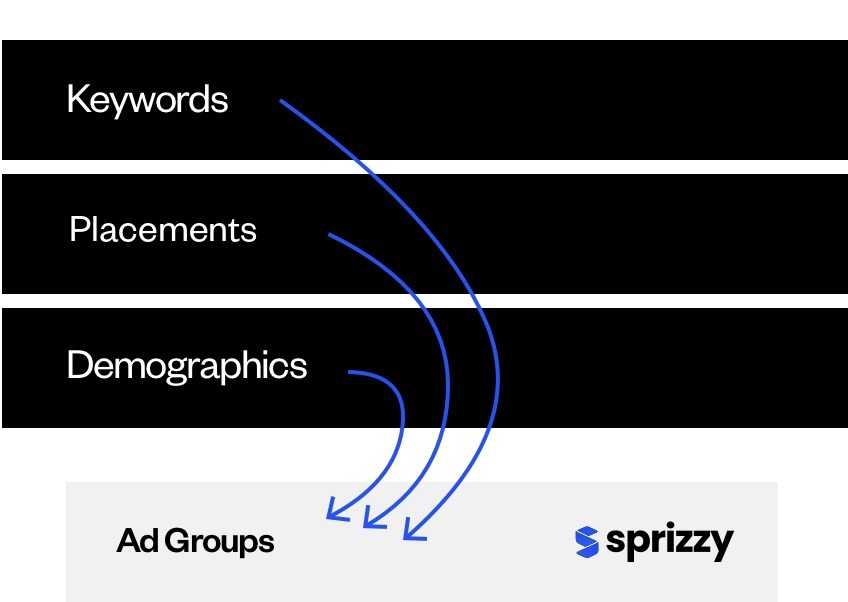
Sprizzy suggests the keywords and audiences from your video, builds the campaign in Google Ads and keeps testing audiences while it runs. From $50, pay as you go, stop whenever you like.


Fundraiser organizers ask, we answer
What people ask before sending a YouTube ad to GoFundMe.


How do I promote my GoFundMe fundraiser with YouTube ads?
Make a Sprizzy campaign with a video about your cause, pick the Nonprofit video type, choose Website Clicks as the goal, keep GoFundMe as the destination and paste your fundraiser link. Set a budget from $50. The video runs as a real YouTube ad through Google Ads, and the click opens your GoFundMe page.
Where does the click go?
To the GoFundMe link you paste in the builder: your fundraiser page with the story, the progress bar and the donate button. Use the public link from the Share button on your fundraiser.
Who sees the ad?
People on YouTube who already watch videos about your kind of cause, in the countries you choose. Sprizzy starts from your video and your keywords, then tests 200+ audience combinations (topics, keywords, channels, ages, places) and keeps the ones that connect. Every part of the targeting is yours to change before it runs.
Can I run ads for a personal fundraiser, not a charity?
Yes. Any public GoFundMe page can be the destination: a medical fund, a memorial, a community project or a registered charity. Google reviews the video and the page, so keep both clear about who the money is for.
What does it cost, and can I stop early?
From $50, pay as you go, with no monthly fee and no contract. Pause or end the campaign the day your goal is reached, and the first one comes with a money-back guarantee.
Put your story in front of the people who give to causes like yours.
Results vary by business, video and targeting.
