
Promote your Skool community on YouTube
People in your topic see you in a YouTube ad. One tap brings them to your Skool group page.

- Seen by fans of your topic
- The tap opens your group on Skool
- From $50, money-back guarantee
- Google Partner
The same platform creators and businesses have trusted since 2016.
- 4.3/5Rated on
Trustpilot - 2016Promoting YouTube videos
since 2016 - 1.5M+YouTube channels
partnered with Sprizzy - USABased in Mount Laurel,
New Jersey
How do I promote my Skool community with YouTube ads?
Run a short video of you talking about your group as a YouTube ad with Sprizzy. You paste your skool.com address under Visit a link, and Sprizzy builds the campaign in Google Ads and shows the video to people who watch your topic. A tap opens your group on Skool, one step from Join. Budgets start from $50, with a money-back guarantee.
From the ad to your Join button
Three screens stand between a stranger on YouTube and a new member: your ad, your group page and the Join button.
What a Skool owner should set up before the ad runs
Five things inside Skool decide whether a stranger from YouTube becomes a member.
Which Skool link should the ad open?
Paste your group's own address, like skool.com/your-group. In a private group, Skool sends anyone who is not a member to the About page, with your pitch and the Join button. A public group opens on the feed, so a stranger reads your latest posts first. Want them on the pitch instead? Add /about to the end of the address.
What should the About page show someone from the ad?
Skool calls the About page the landing and checkout page for your group, so treat it as the second half of your ad. Put the same video or the same face at the top. Say who the group is for and what members get each week. Skool also advises keeping outside links out of the About text, so Join is the only next step.
Free, paid or freemium: which group should I promote?
Skool groups can be free, a monthly or yearly subscription, freemium, tiered or a one-time payment. Each Sprizzy promotion has one link, so start with the group your video fits best. Freemium is the easy first step: a visitor joins the free plan today and can upgrade inside the group later. For a paid group, say the price in the video.
What if my group asks membership questions?
Then every visitor who taps Join has to answer them first. You or your moderators then approve or decline each request. Skool counts a sign-up only after it is approved. While the ad runs, clear pending requests every day, so new people get in while your video is still fresh in their mind.
When should I pause the ad?
Before you close the doors. The Close doors setting in Skool stops new people from joining or even asking to join, but a running ad would keep sending them. Pause the promotion in Sprizzy first, then close the group, and add budget again the day you reopen. If your group still has its temporary URL, claim the one you will keep before launch.
Why a YouTube ad fits a Skool group
People join a group for the person who runs it. A video lets them meet you before they ever see a price.
Your Skool community on YouTube in 3 simple steps
Pick a video, point the ad at Skool, set a budget. Sprizzy builds the campaign and runs it for you.
Step 1: Pick the video that sells the group
A welcome video, a lesson preview or a clip of you saying who the group is for. Upload it to YouTube first, since the ad plays from there.
Step 2: Choose Visit a link and paste your group
Pick the video type that fits, such as Event, Podcast or Sell a product. Put your group address in "Link to your page". When it starts with https://www.skool.com/, the builder shows "Skool link".
Step 3: Pick the budget, then launch
Sprizzy reads your video, picks keywords and audiences, and builds the campaign in Google Ads. You can edit the targeting first. Budgets start from $50, and you pay as you go.


Community owners ask, we answer
What people ask before sending a YouTube ad to Skool.


How do I get members for my Skool community from YouTube?
Run your video as a YouTube ad with Sprizzy and point it at your group. People who watch your topic see you, tap, and land on your Skool group, where they can join. Skool counts them as sign-ups once they are in. Sprizzy brings the visitors; your About page and your video do the asking.
Can I promote a free Skool community?
Yes. A Sprizzy promotion works the same for a free Skool group, a paid one or a freemium one. Paste the group's skool.com address and the ad sends people there. For a free group the ask is small, so a short, friendly clip that says who should join is a good place to start.
Do I need my own Google Ads account to run a Skool ad?
No. Sprizzy builds and runs the campaign in Google Ads for you. You pick the video, paste your Skool link and set a budget from $50. You do not need to set up Skool's Google Ads tracking plugin either, since that one connects an ad account you run yourself.
Who sees my Skool ad on YouTube?
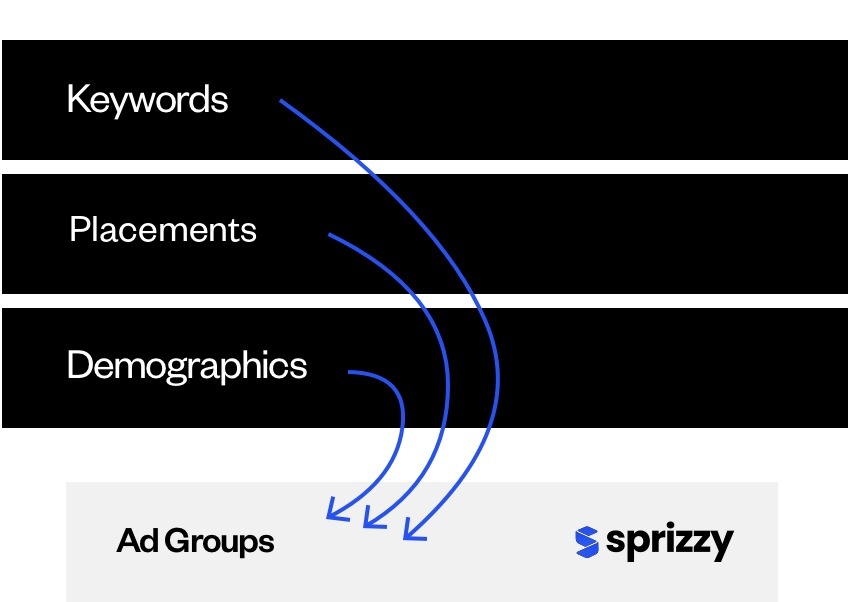
People who watch videos about your topic, in the countries you choose. Sprizzy starts from your video's title, description and captions, then tests 200+ audience combinations (topics, keywords, channels, ages, places) and keeps the ones that bring people to your Skool group. You can edit the keywords before launch and change the audience any time.
Where do I see who joined from the ad?
In two places. The Sprizzy Engagement report shows Clicks and CPC (cost per click) for your promotion. Skool's Traffic sources view shows visitors, sign-ups and the conversion rate by source, and it counts a sign-up only once that member is approved. Read both while the ad runs.
How much does it cost to promote a Skool group?
With Sprizzy you start from $50 and pay as you go. There are no monthly fees and no contracts, and you can pause on any day. The first promotion you run is backed by our money-back guarantee. Your Skool plan stays separate and is billed by Skool.
Put your face in front of the people who would join your group.
Results vary by business, video and targeting.