
Send YouTube viewers to your Linktree
Your video runs as a YouTube ad. One tap opens your Linktree, so fans pick where to follow, listen or buy.

- Every link you have, one tap away
- New viewers, not just followers
- From $50, money-back guarantee
- Google Partner
The same platform creators and businesses have trusted since 2016.
- 4.3/5Rated on
Trustpilot - 2016Promoting YouTube videos
since 2016 - 1.5M+YouTube channels
partnered with Sprizzy - USABased in Mount Laurel,
New Jersey
How do I promote my Linktree with YouTube ads?
Sprizzy turns one of your YouTube videos into an ad for viewers who watch creators like you, and points the ad's link at your linktr.ee address. Every tap lands on your Linktree, so each new viewer picks your music, shop, newsletter or socials. You paste the link under Visit a link, set a budget from $50, and Sprizzy builds the campaign in Google Ads.
From the ad to the link they pick
A Linktree turns the single tap an ad allows into a choice. This is the path a new viewer takes.
Four Linktree settings to check before launch
These live in your Linktree, not in Sprizzy, and each one changes what a visitor from the ad sees.
Which link should sit at the top of my Linktree?
The one your video asks for. If the clip ends with "hear the new single", the single goes first, with a button that says so. On paid Linktree plans, the Prioritize setting can animate that link so it moves, or auto-expand a video, song or form as the page opens. You can animate one link at a time.
Should Linktree Redirect be on while the ad runs?
No. Redirect sends every visitor past your Linktree to one link until a time you set. Google reviews the page your ad opens. Its ad rules list a redirect to a different domain as a destination mismatch. Turn Redirect off before the promotion starts, and leave it off until the promotion is over.
Does a sensitive content label get in the way?
Yes, for every visitor. With the label on, Linktree shows a warning screen first and asks each person to confirm their age or accept the warning before any link appears. That is one more tap between your ad and your links. If nothing on the page needs it, switch the label off under Settings, then Visibility and access.
How do I see what ad visitors tapped?
Use both reports. Sprizzy shows how many people tapped the ad and the cost of each tap. Linktree Insights show views, clicks and click rate, and Linktree's higher plans add traffic sources and locations. Free accounts keep only recent history, so write down your numbers on the day the promotion starts.
Why point the ad at your Linktree
An ad carries one address. Your Linktree turns that address into every place a fan can find you.
Your Linktree page on YouTube in 3 simple steps
Pick a video, point the ad at Linktree, set a budget. Sprizzy builds the campaign and runs it for you.
Step 1: Pick a clip that ends with a clear ask
Your channel trailer, a best moment or a new release, ending with what you want people to do next. It has to be on YouTube, where the ad plays.
Step 2: Choose Visit a link, then add your Linktree
Music, Local business, Podcast, Event, Sell a product and Nonprofit videos take Linktree links. Paste https://linktr.ee/yourname into "Link to your page" and the builder shows "Linktree link".
Step 3: Set what you want to spend
Any amount from $50, pay as you go, no contracts. Sprizzy suggests keywords and audiences from your video, you change what you like, and it builds the campaign in Google Ads.


Creators with a link in bio ask, we answer
What people ask before sending a YouTube ad to Linktree.


How do I get more people to visit my Linktree?
Put it where new people are watching. Your bio and posts reach people who already found you. A Sprizzy promotion plays your video as a YouTube ad for viewers who watch content like yours, and a tap opens your Linktree. You choose the budget, from $50, and every link on the page stays one tap away.
How do I promote my Linktree for free?
The free ways reach your current followers: your bio, pinned posts, video descriptions and email signature. To reach people who do not follow you yet, Sprizzy runs your video as a paid YouTube ad, from $50, and sends each tap to your Linktree. Use both: free posts for fans, the ad for new people.
Can a YouTube ad link to my Linktree?
Yes. In Sprizzy, choose Visit a link and paste your linktr.ee address into "Link to your page". The builder recognizes it and shows "Linktree link". Google reviews the video and the page it opens, so keep your Linktree public, keep every link working and leave Redirect off while the promotion runs.
Should the ad go to my Linktree or my YouTube channel?
It depends on the job of this video. For views and subscribers, send the tap back to YouTube with a regular Sprizzy promotion. For a release, a shop or a sign-up list, send it to your Linktree so each viewer can choose. A promotion has one link, so run one of each if you want both.
Who sees my Linktree ad?
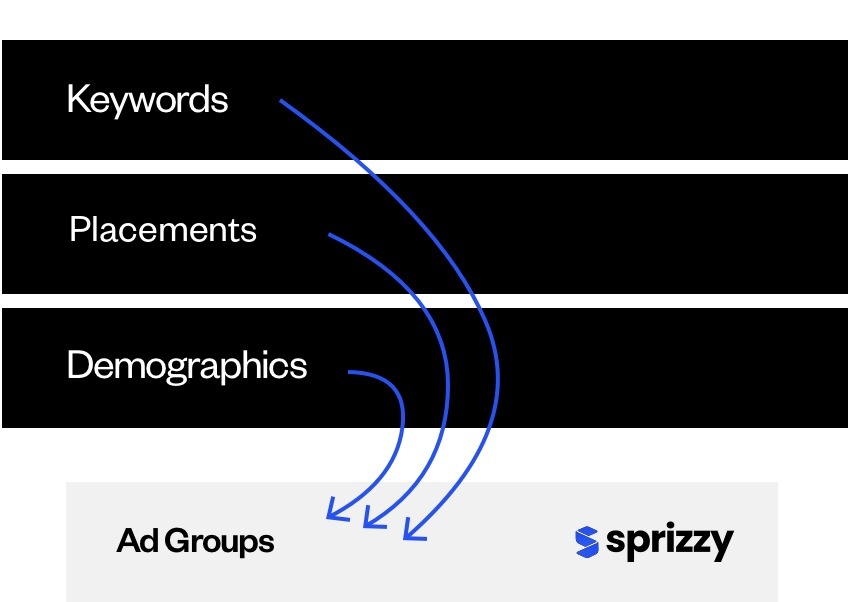
YouTube viewers who watch creators and topics like yours, in the countries you pick. Sprizzy builds the first audience from your video, then tests 200+ audience combinations (topics, keywords, channels, ages, places) and keeps the ones whose viewers tap through to your Linktree. You can edit all of it before launch.
What does it cost to promote a Linktree with Sprizzy?
It starts from $50 and you pay as you go. Sprizzy has no monthly fees and no contracts, and you can pause or stop whenever you like. A money-back guarantee backs your first promotion. You do not need a paid Linktree plan: the ad works with a free Linktree too.
Show your video to new viewers and let your Linktree take it from there.
Results vary by business, video and targeting.