
Show your business to locals on YouTube
A video of your place plays as a YouTube ad nearby. One tap opens your Google profile to call or visit.

- Shown around your address
- One tap to call or get directions
- From $50, money-back guarantee
- Google Partner
The same platform creators and businesses have trusted since 2016.
- 4.3/5Rated on
Trustpilot - 2016Promoting YouTube videos
since 2016 - 1.5M+YouTube channels
partnered with Sprizzy - USABased in Mount Laurel,
New Jersey
How do I promote my Google Business Profile to get more calls?
Show a short video of your business to people nearby before they search. Sprizzy runs it as a YouTube ad around your address, and one tap opens your Google Business Profile, where they can call you or get directions. You choose the video and a budget from $50. Sprizzy builds the campaign in Google Ads and keeps it running.
From a YouTube ad to a call or a visit
You do not need a website. The ad plays on YouTube, and its link opens the same profile people find on Google Search and Maps.
Before the ad sends people to your Google profile
Five checks that decide whether a tap turns into a call or a visit.
Which Google link should the ad open?
Let the builder fill it in. When you pick your business by name under Local business, and Google lists you as open, the builder picks Visit a link and adds your Maps link for you. To paste one yourself, open your business in Google Maps, tap Share and copy the link. The builder shows "Google Business Profile link" when it reads it.
Should the ad open my Google review link?
No. Use your profile link. Google wants every review to come from a real experience, and it bans gifts or discounts for reviews. Most people who see your ad have not been in yet. Keep the review link for receipts and thank-you emails, as Google suggests, and send it to every customer, not only the happy ones. The ad shows new people the reviews you already have.
What should a local business video show?
Start outside. Show the sign, the door and the street, so the person who taps Directions knows what to look for when they pull up. Then step inside for a few seconds: the counter, the chairs, the team at work. Film in daylight during open hours, so the place looks the way it will when they arrive.
What if Google shows my business as closed?
Fix that on Google before you launch. The builder only fills in your link when Google lists the business as open. A viewer who taps and sees "Temporarily closed" or old hours will not call. Google also reviews the page an ad opens, so check your hours, phone number and photos on your own phone first.
How do I tell if the ad brought in calls?
Look in two places. Your Sprizzy Engagement report shows Clicks and CPC for the promotion. The performance report on your Business Profile counts taps on the call button, direction requests and website clicks. Compare the weeks the ad runs with the weeks before it, and ask new callers how they found you.
Why a video helps people nearby pick you
Your profile says where you are and when you are open. A video shows what it is like to walk in.
Your Google Business Profile on YouTube in 3 simple steps
Pick a video, point the ad at Google Business Profile, set a budget. Sprizzy builds the campaign and runs it for you.
Step 1: Upload a video of your place
Your storefront, a job from start to finish or a hello from the owner. A phone clip is fine. Post it to YouTube, since the ad plays from there.
Step 2: Choose Local business and find your name
Type your business name, pick it from the list and press Select. The builder adds your Google link and sets the area around your address.
Step 3: Check the area and set a budget
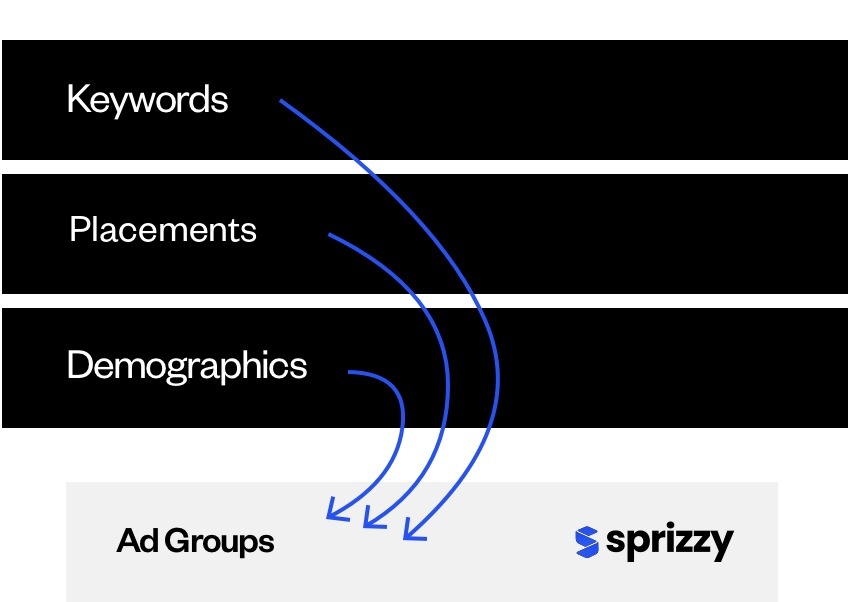
Change the area if you need to, then spend from $50. Sprizzy picks the keywords and audiences, builds the campaign in Google Ads and runs it.


Local business owners ask, we answer
What people ask before sending a YouTube ad to Google Business Profile.


How do I promote my Google Business Profile with YouTube ads?
Make a short video of your business, post it to YouTube and start a Sprizzy promotion from it. Choose Local business, find your name and press Select, and your Google link is added for you. Pick any budget from $50. Google Ads shows the clip to people near you, and a tap opens your Business Profile.
Can I pay Google to rank my profile higher on Maps?
No. Google says there is no way to pay for a better local ranking. It ranks local results by how well they match the search, how close they are and how well known they are. What you can buy is reach: a Sprizzy promotion shows your video to people near you on YouTube, and a tap opens your Google Business Profile.
Do I need a website to advertise my Google Business Profile?
No. The Sprizzy ad opens your Google Business Profile, so your phone number, hours and map are one tap away. Keep your profile up to date before you launch, because it is the page every viewer will land on. Add a few recent photos of the place, too.
Who sees my local YouTube ad?
People on YouTube who are near your business and watch videos close to what you do. Sprizzy reads the title, description and captions of your video to pick keywords and channels for your Google Business Profile ad. You can edit them, and the area, before launch, and change the audience any time after.
How much does it cost to advertise my Google Business Profile?
A Sprizzy promotion for your Google Business Profile starts from $50, and you pay as you go. You never owe a monthly fee or sign a contract. Pause when you are booked up and start again when you have room. A money-back guarantee backs the first promotion you run.
Put your place in front of neighbors who have not found you yet.
Results vary by business, video and targeting.