
Show your Realtor.com listing on YouTube
Your home tour plays as a YouTube ad around the property. One tap opens the listing on Realtor.com.

- For homes for sale and rentals
- Opens the listing page itself
- From $50, money-back guarantee
- Google Partner
The same platform creators and businesses have trusted since 2016.
- 4.3/5Rated on
Trustpilot - 2016Promoting YouTube videos
since 2016 - 1.5M+YouTube channels
partnered with Sprizzy - USABased in Mount Laurel,
New Jersey
How do I get more buyers to see my Realtor.com listing?
Play a short tour of the home as a YouTube ad for people in and around its town. With Sprizzy, choose the Real estate video type, tap Visit a link and paste the www.realtor.com address of the listing. Set the area and a budget from $50. A tap on the ad opens the listing, with its photos, price and details.
From a home tour on YouTube to the Realtor.com listing
The video sells the feel of the house. Realtor.com carries the facts: price, beds, baths and the neighborhood.
Before a Realtor.com listing goes into an ad
Four checks for agents, from the link you paste to what the ad can target.
Which Realtor.com link should the ad open?
The listing page for this one home. Find it on realtor.com and copy the address from the browser. It starts with https://www.realtor.com/realestateandhomes-detail/. A rental page works too. Skip search results and map views, which put other homes beside yours. The builder shows "Realtor.com link" once it reads the address.
The listing shows a wrong detail. Where do I fix it?
In your MLS. Realtor.com gets its for-sale listings from MLS feeds, so a fix made there reaches the listing page. Correct the price, the photos or the room count before the ad starts, since every viewer who taps will see that page. Then open it on a phone to check.
Should I claim my Realtor.com agent profile?
Yes. Realtor.com makes a basic profile for agents with a listing in the MLS, and you can claim it from its Find a Realtor page. Claim it to keep your photo and contact details current, so a buyer who reads past the listing can find you. Say your name and your brokerage in the video too.
What can a housing ad target, and what not?
In the US and Canada, Google does not let housing ads pick people by age, gender, parental status, marital status or ZIP code. You choose a city or a radius instead, and you can add the towns buyers move from. Sprizzy checks real estate videos for these rules and leaves the barred options out.
Why a home tour helps a Realtor.com listing
A listing page shows the facts. A tour shows what it feels like to stand in the kitchen.
Your Realtor.com listing on YouTube in 3 simple steps
Pick a video, point the ad at Realtor.com, set a budget. Sprizzy builds the campaign and runs it for you.
Step 1: Film a tour and post it on YouTube
Walk through the home with your phone, or use the tour your photographer shot. Upload it to YouTube, where the ad will play from.
Step 2: Pick Real estate, tap Visit a link
Paste the listing into "Link to your page". It must start with https://www.realtor.com/, and the builder shows "Realtor.com link" when it matches.
Step 3: Draw the area, then set a budget
Choose the city or a radius around the home and spend from $50. Sprizzy picks keywords from the tour and builds the campaign in Google Ads.


Listing agents ask, we answer
What people ask before sending a YouTube ad to Realtor.com.


How do I promote my Realtor.com listing with YouTube ads?
Upload a tour of the home to YouTube and start a Sprizzy promotion with it. Choose Real estate, tap Visit a link and paste the www.realtor.com address of the listing. Pick a city or radius and a budget from $50. The tour plays as a YouTube ad near the home, and a tap opens the listing on Realtor.com.
Can I promote a rental on Realtor.com?
Yes. A rental page on realtor.com works the same way as a home for sale: paste its www.realtor.com address under the Real estate video type. Google's housing rules cover rentals too, so the ad runs by city or radius. Pause it once the unit is leased.
How do I market a listing beyond the MLS?
Put the home where buyers spend time. The MLS sends it to sites like Realtor.com, where people find it by searching. A Sprizzy promotion plays your tour on YouTube for people near the home, and one tap opens the Realtor.com listing. Use both, and tell the seller about each.
Who sees a Realtor.com listing ad?
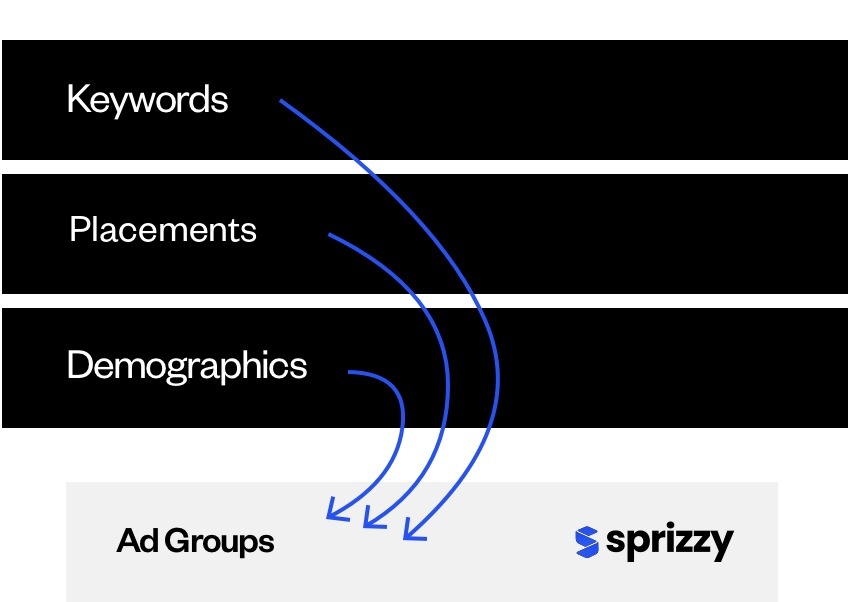
People in the city or radius you choose who watch videos about homes and the local area. Sprizzy builds keywords from your tour and tests 200+ audience combinations (topics, keywords, channels, places) to keep the ones that connect. As a housing ad, it never targets by age, gender or ZIP code in the US and Canada.
What does it cost to promote a Realtor.com listing?
You pick the budget, from $50, and pay as you go. There are no monthly fees and no contracts, so the promotion can stop the day the home sells. Your first promotion with Sprizzy comes with a money-back guarantee.
Give buyers near the home a tour, then the full listing on Realtor.com.
Results vary by business, video and targeting.